Who is this selection for?

Choir group with side seats

If several people are discussing the same concert recording from different seats, checking the picture from the actual viewing positions can help you distinguish differences in how it looks from differences in the performance itself.

Anyone with their own video archive

If you want to play concert files directly on your TV or through a connected player, check that the video and audio formats of your files work with your planned playback method. LG Germany notes that playback depends, among other things, on the file extension and codec.

Group in a bright rehearsal room

In a bright room, you need a clear picture, as well as suitable seating distances and viewing angles. Alongside screen resolution and distance, the Verbraucherzentrale lists lighting conditions and viewing angle as factors to consider when choosing a screen size.

What should you look for when buying?

Buying priority What to check Who will find this especially important?
Picture from the side Watch the same recording in typical room lighting from the central seats and the furthest seats you plan to use. A panel name is no substitute for testing the specific model. If you want to watch and discuss the choir recording together from several seats off to the side, a stable picture is especially important; around 36% of consumers put this first.
Your own video files Test an original file, including its audio, using the USB or HDMI connection you plan to use. LG Germany recommends checking the specific model’s requirements for file extensions and codecs. If you want to play concert videos you already own without extra steps, file compatibility is the main thing to check; around 29% of consumers put this first.
Choir audio Play the original audio track. If you use an external audio system, check the connections and the full signal path on the specific TV. If you want to follow entries and voices in the recording, the audio needs to work through your chosen playback method; around 21% of consumers prioritise this.
Size, room lighting and running costs Measure the viewing distance and available space, then assess the picture in typical room lighting. The EU energy label gives power consumption in kWh per 1,000 hours, as explained by the European Commission. If you need to match the TV to the size and lighting of the room, consider placement and running costs together; around 14% of consumers put this first.

Common buying and usage pitfalls

  • “It has USB” doesn’t mean your concert file will play

    An unsupported video or audio codec can prevent the picture or sound from playing.

    Test an original recording, including its audio, through the connection you plan to use, and check the file formats against the specifications for the exact model.

    If the file won’t play directly, you may need an additional player or to convert the file.

  • A viewing-angle label isn’t a like-for-like test

    Manufacturers’ claims about LCD viewing-angle technology don’t show how the picture compares with OLED from your side seats.

    Compare OLED with the specific LCD model, using the same recording from the seats you plan to use.

  • The largest screen won’t automatically suit your room

    Viewing distance, available space, resolution, lighting and viewing angle all affect whether the size you choose will work for your group.

    Measure the viewing distances and available space, and compare the models’ specific energy figures before making your choice.

Brands to consider

LG

LG OLED models are worth considering for a direct comparison when viewing from the side.

  • LG Germany says playback of your own video files depends on the file extension and codec.
  • On LG OLED TVs, pixel cleaning can run in standby. LG recommends leaving the TV plugged in while this happens, so the process isn’t interrupted.

Samsung

The GQ77S95F is an OLED option you could assess for a larger viewing group.

  • Samsung describes the display on the German GQ77S95FATXZG model as OLED and uses the term “Glare Free”.
  • This manufacturer information doesn’t confirm that a particular concert file will play or show how the picture will look from every seat.

Panasonic

The TV-55Z95BEG is a 55-inch OLED model whose size may suit smaller spaces.

  • The German product page lists it as an OLED TV with an integrated smart TV system.
  • You’ll still need to listen to your own choir recording; a general assessment of the sound is no substitute.

Sony

The K-65XR95M2 is an LCD model with manufacturer-stated viewing-angle technology.

  • For this specific model, Sony lists “X-Wide Angle Pro”, RGB LED backlighting and eARC.
  • The viewing-angle label alone doesn’t show how the TV compares directly with OLED from the side seats you plan to use.

TCL

The 75X11L is a large-format Mini LED/LCD option if screen size and room lighting are factors in your choice.

  • TCL lists a WHVA 2.0 panel and peak HDR brightness in the model’s specifications.
  • These figures aren’t an independent viewing-angle comparison and don’t tell you how bright your specific concert recording will look. Make sure the viewing distance and available space suit your room.

Joybuy products for watching choir recordings

This Joybuy selection includes smart TVs for watching choir recordings together, including OLED, Mini LED and QLED models.
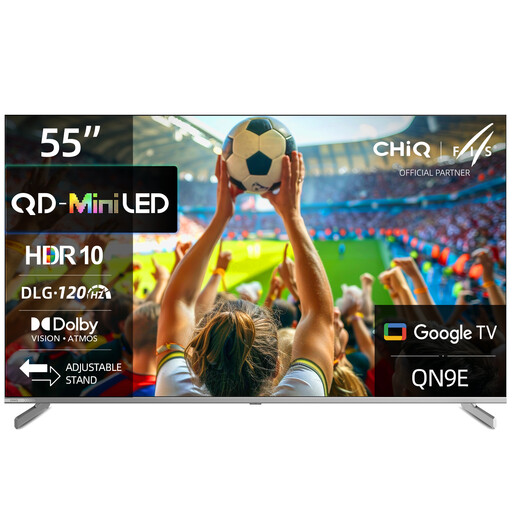
CHiQ M55QN9E 55-inch 4K Mini LED smart TV

CHiQ M55QN9E 55-inch 4K Mini LED smart TV

A 4K option for watching together, if screen size and side seating are factors in your choice.

The product name lists Mini LED, HDR10, MEMC, Dolby Vision and Dolby Atmos. The product description gives a 178° viewing angle; even so, check how the picture looks from your seats.

Joybuy

LG OLED83C67LA 83-inch OLED evo AI 4K smart TV

LG OLED83C67LA 83-inch OLED evo AI 4K smart TV

The large screen may work well for watching together, but it requires enough space and a suitable viewing distance.

The product description lists OLED, 4K, webOS and an integrated 40 W speaker system. Check the viewing angle and playback of your own file.

Joybuy
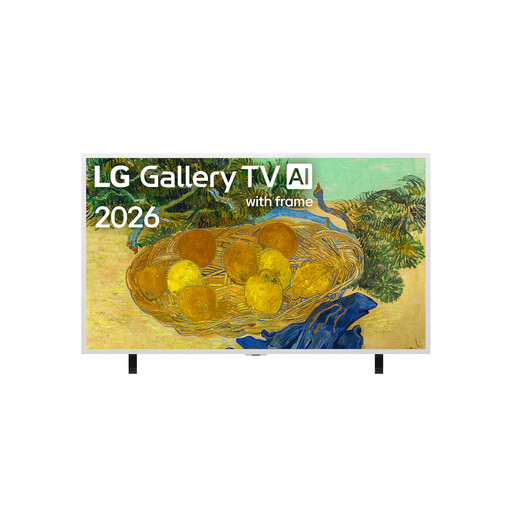
LG 55LX7B6LA Gallery Series 55-inch 4K Mini LED TV

LG 55LX7B6LA Gallery Series 55-inch 4K Mini LED TV

A 55-inch Mini LED option for rooms where screen size and lighting conditions are part of the decision.

The model is listed with HDR10/HLG, webOS 26 and 20 W audio. The description positions it for bright living rooms; check how your recording looks where you plan to set it up.

Joybuy

LG OLED55C67LA OLED evo C6 55-inch 4K smart TV

LG OLED55C67LA OLED evo C6 55-inch 4K smart TV

This 55-inch OLED option is worth considering if you need to balance side viewing with the space available.

The product description lists OLED evo, 4K, webOS 26, Dolby Vision and Dolby Atmos, as well as an anti-reflective display. Check for reflections and assess the picture in the room where you plan to use it.

Joybuy
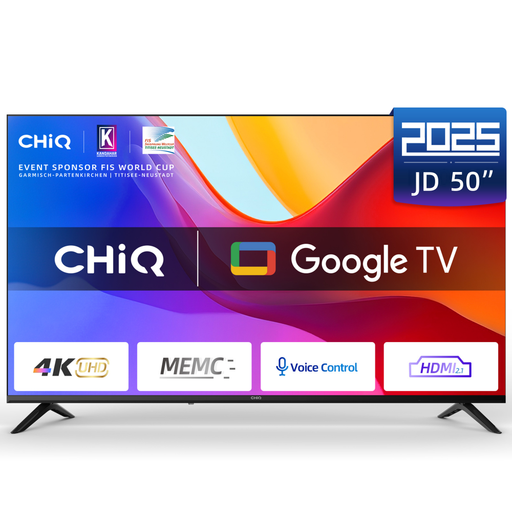
CHiQ U50JD 50-inch 4K QLED Google TV

CHiQ U50JD 50-inch 4K QLED Google TV

A 50-inch option for buyers who want to check available space and viewing distance before choosing a larger screen.

The product name lists 4K, HDR10, MEMC, HDMI 2.1 and Dolby Audio. The product description lists Google TV and a wide viewing angle; check how it looks from the seats you plan to use.

Joybuy

Frequently asked questions

Is a USB port enough to play my concert recording?

No. For direct playback, the file extension and video and audio codecs, among other things, must meet the TV’s requirements. Test an original file, including its audio; LG Germany recommends checking the manual for the supported formats for your specific model.

How do I check the screen size and setup for a group sitting to the side?

Measure the viewing distance and available space, then assess the picture in typical room lighting from the furthest seats you plan to use. The Verbraucherzentrale lists distance, resolution, lighting conditions and viewing angle as factors to consider when choosing a screen size.

What should I know about caring for an LG OLED TV?

When pixel cleaning is running, LG recommends leaving the TV plugged in and in standby so the process isn’t interrupted. The exact menu options may vary depending on the webOS version.

How do I compare power consumption and what can I do if there’s a fault?

The EU energy label gives power consumption in kWh per 1,000 hours. To work out your own electricity costs, you’ll also need your usage time and tariff. If a fault develops, distinguish your statutory rights against the seller from a voluntary guarantee.

Can I publish a concert recording in which choir members are recognisable?

Not simply because you’re allowed to watch the recording on your own TV. Under § 22 KunstUrhG, distributing or publicly displaying images of a person generally requires their consent. Whether exceptions or other rights apply to a particular publication needs to be assessed separately; private viewing and publication are not the same thing.