What matters when buying?
Assess window reflections, playback options, side-on viewing and space requirements separately. The percentages below show which concern consumers in each scenario would prioritise.
| Buying concern |
What to check before buying |
Who it particularly affects |
| Window reflections |
Check the window position and how direct reflections affect the specific model; a brightness figure alone won’t answer this question. RTINGS.com assesses direct reflections separately. |
If tall windows are reflected on the screen, I want to be able to see family videos clearly in daylight. In this situation, around 36% of consumers would rank reflections as their main buying concern. |
| Playing your own videos |
Check whether the specific model supports AirPlay or Google Cast and review the network requirements. For USB playback, make sure the file format and codec work with your videos. Apple Support and Google Support explain the requirements for wireless sharing. |
If my videos are on different devices or USB storage, I need a method that works with those exact sources. Around 29% of consumers would prioritise streaming their videos. |
| Viewing from the side |
Mark out the seating positions and check the specific model’s viewing angle from seats off to the side. RTINGS.com treats viewing angle as a separate picture quality feature. |
If guests are sitting at an angle, I want them to be able to enjoy videos together from those seats too. Around 21% of consumers would name side seating as their main concern. |
| Space and power consumption |
Compare the TV’s dimensions, including the stand, with your furniture, and check the SDR and HDR figures on the EU energy label. The European Commission explains the relevant labelling information. |
If the TV needs to fit on a particular piece of furniture and running costs need to be predictable, dimensions and power consumption matter. Around 14% of consumers would consider space and running costs first. |
Joybuy products for family videos
Here you’ll find OLED and Mini LED TVs with information about video streaming or reflection-related features. Check the specifications for the exact variant, your seating positions and where you plan to put the TV in relation to the window.
 No image available
TCL 55Q7D PRO, 55-inch, 4K SQD-Mini-LED TV
A Mini LED option if you’re looking for a 55-inch TV with wireless streaming options.
The product name includes Anti-Reflection, but that’s no substitute for testing direct reflections where you plan to place the TV by a window.
The product description lists AirPlay, Google Cast and Miracast.
View at Joybuy
 No image available
LG OLED77G67LW OLED evo AI G6, 77-inch, 4K
A large OLED option if a 77-inch screen suits your seating arrangement and available space.
The product description lists “Reflection Free Premium” and an anti-reflection screen. These manufacturer claims are no substitute for an independent reflection test in your own room.
The description lists Apple AirPlay and Google Cast. According to the product description, a table stand isn’t included; this configuration is designed for wall mounting.
View at Joybuy
 No image available
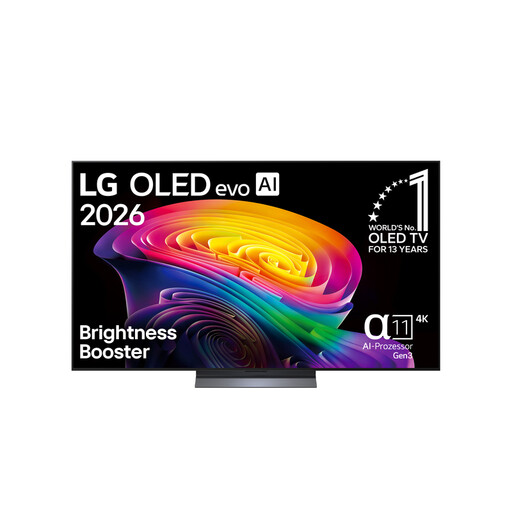
LG OLED65C67LA, 65-inch, OLED evo, 4K
A 65-inch OLED option for families looking to pair this screen size with wireless video streaming.
The product name lists 120 Hz. The product description includes AirPlay 2, Google Cast and an anti-reflection display; this shouldn’t be taken as independent confirmation of reflection performance where you plan to put the TV by a window.
View at Joybuy
 No image available
TCL 75Q7C, 75-inch, QLED Mini LED, 4K
A 75-inch option if you have space for a larger screen and room for several seating positions.
The product description lists AirPlay 2, Chromecast and a wide viewing angle. Check these features against your devices and actual seating positions.
View at Joybuy
 No image available
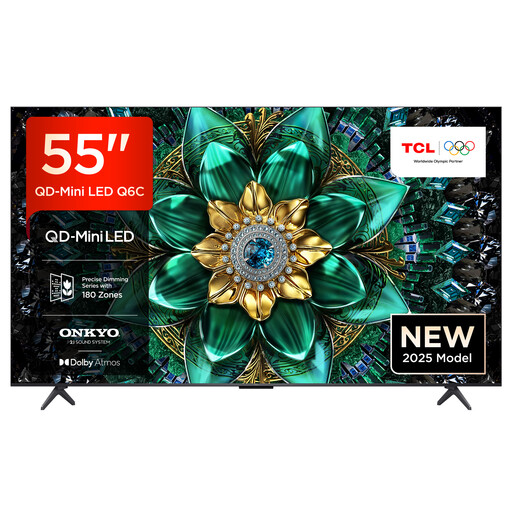
TCL 55Q6C, 55-inch, QLED Mini LED, 4K
A 55-inch Mini LED option if you’re looking for a compact spot for your TV and wireless streaming options.
The product description lists a matte HVA panel, a wide viewing angle, AirPlay 2 and Chromecast. The panel description alone doesn’t prove how well it handles reflections in your own room.
View at Joybuy
Frequently asked questions
How can I share iPhone videos at a family gathering?
With an AirPlay 2-enabled smart TV, you can stream photos and videos from your iPhone if both devices are connected to the same Wi-Fi network. Check that your specific TV supports it and set up the connection before the gathering. Apple Support lists these requirements for sharing.
Will a USB port play every video file?
No. USB playback and supported file formats depend on the model. Check the file extension and codec for your videos against the TV’s specifications, and test a file with both picture and sound before the family gathering.
What should I measure before setting up the TV?
Compare the dimensions of your chosen model, including the stand, with your furniture and available space. For wall mounting, follow the instructions for the specific TV and use a suitable bracket.
What information does the energy label show for TVs?
TVs covered by EU energy labelling rules carry an energy label. It shows, among other things, the energy efficiency class and stated consumption for SDR and HDR; the European Commission explains this labelling information. A brightness figure is no substitute for checking the stated energy consumption.
What rights do I have when buying online from a trader?
For qualifying distance contracts, you generally have a 14-day cooling-off period, although legal exceptions may apply in some cases. If goods are faulty, you also have a statutory guarantee of at least two years, which is different from a voluntary manufacturer’s warranty. This information relates to the EU rules explained by Your Europe.


