What should you look for when buying?
Start by checking the daylight at the intended viewing position. Then make sure the TV connects to your source device, and finally compare the screen size and running costs with the room.
| What you need from your TV |
What to look for when buying |
Who is this particularly relevant to? |
| See fancy-dress photos clearly despite daylight |
Check anti-reflection and brightness with standard photos; don’t confuse this with peak HDR brightness. |
If the tall windows are reflected in the TV screen, I still want to see the photos clearly. Around 36% of consumers prioritise visibility in daylight. |
| Transfer photos from your own device |
Check that the specific TV and source device are compatible; you may also need to be on the same Wi-Fi network. |
If I want to show a slideshow from my own phone or laptop, a suitable, straightforward transfer method is important. Around 29% of consumers prioritise photo transfer. |
| See the picture clearly from different seats |
Measure the screen size and seating distances, and check the viewing angle of the specific model. |
If guests are sitting off to the side or at different distances, I want them to be able to see the fancy-dress details from their seats. Around 21% of consumers prioritise being able to watch together. |
| Keep purchase and running costs down |
Compare the EU energy label for the specific model, and weigh screen size and features against the space available and electricity consumption. |
If my budget is limited, I still want visibility and photo transfer to meet my needs. Around 14% of consumers prioritise overall costs. |
The Verbraucherzentrale notes that larger TVs with more features generally use more electricity. So when comparing models, check the energy label for the specific TV rather than relying on screen technology alone.
Joybuy models for your slideshow
The Joybuy models below offer a range of screen sizes and features. Check the anti-reflection, transfer method and seating positions for each model against how you plan to use it.
 No image available
TCL 55Q7D PRO 55-inch 4K SQD Mini LED TV
Could suit a slideshow where reflections are visible; check how the picture looks in the planned position.
Features listed in the product name: Anti-Reflection, 480 Local Dimming Zones, 2,000 Nits HDR, 144 Hz and Google TV. The HDR figure isn’t a substitute for comparing brightness with standard photos.
View at Joybuy
 No image available
Hisense 85E8S 85-inch 4K Mini LED Smart TV
The large screen could work well for a group slideshow, provided the room and seating distances are suitable.
Features listed in the product name: 85 inches, 4K, Mini LED, 144 Hz and VIDAA. Before choosing, check that the size suits the space and seating positions.
View at Joybuy
 No image available
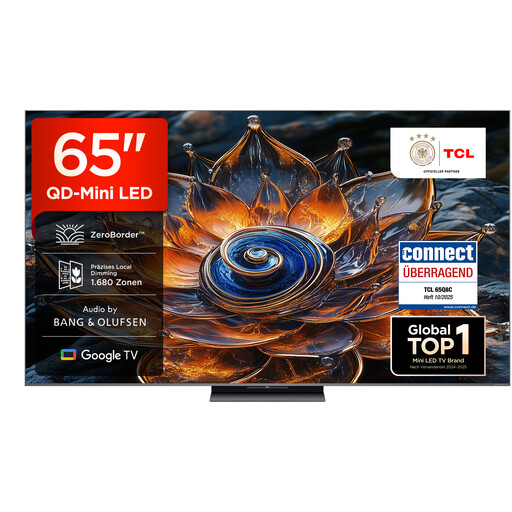
TCL 65Q8C 65-inch QD Mini LED TV
If side seating matters, check the viewing angle of the specific TV as well as how clearly you can see the picture in daylight.
Features listed in the product name: 65 inches, QD Mini LED, Google TV and HDR 4500. A peak HDR figure alone doesn’t tell you how bright standard photos will look.
View at Joybuy
 No image available
TCL 75Q7C 75-inch QLED Mini LED TV
The 75-inch screen could be worth considering for several seats, as long as the room offers enough space and viewing distance.
Features listed in the product name: 4K, Google TV, AirPlay 2 and 144 Hz. Check that the transfer method works with your devices.
View at Joybuy
 No image available
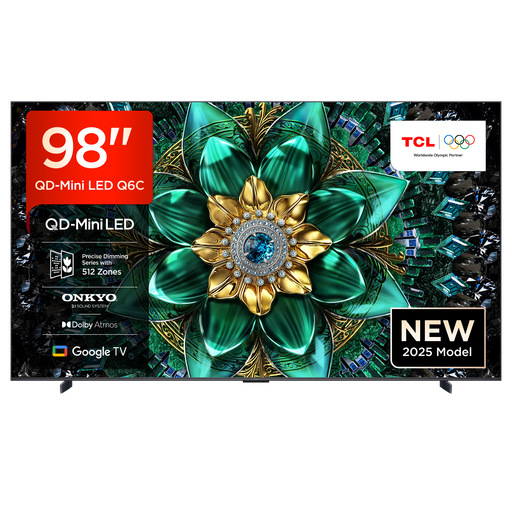
TCL 98Q6C 98-inch QD Mini LED TV
This extra-large screen is only suitable if you have enough space and the room layout, viewing distances and position are right.
Features listed in the product name: 98 inches, 4K, Google TV and AirPlay 2. The product description recommends professional installation for wall mounting; at least two people are required to lift and install it.
View at Joybuy
Frequently asked questions
Is an advertised peak HDR brightness enough for fancy-dress photos in daylight?
No. Peak HDR brightness doesn’t automatically tell you how bright standard photos will look. HIFI.DE recommends comparing standard photo playback and the anti-reflection properties of the specific model in the intended position by the window.
How do I start a slideshow wirelessly?
First check that the TV and your phone or laptop support the transfer method you want to use. Samsung describes Smart View for compatible Galaxy devices and Samsung Smart TVs; for casting to Google TV, Google specifies that both devices need to be on the same Wi-Fi network. Test the connection before the party.
What screen size works for several seats?
Choose a screen size that suits the viewing distance, room and position, rather than simply going for the biggest screen possible. The Verbraucherzentrale recommends considering the lighting conditions and viewing angles in the intended position too.
What extra costs and rights should I consider when buying?
Compare electricity consumption using the EU energy label, and check whether your setup requires additional accessories or installation. The Verbraucherzentrale distinguishes the seller’s statutory liability for faulty goods from a voluntary guarantee; check the guarantee terms separately.
Will buying a TV mean paying an extra broadcasting fee?
No. In Germany, the broadcasting fee is generally charged once per household, regardless of how many receiving devices you own. The Beitragsservice explains the exceptions separately.
Can I post the fancy-dress photos shown on the TV online afterwards?
Showing photos privately doesn’t automatically give you permission to publish them. The Federal Commissioner for Data Protection and Freedom of Information distinguishes processing for exclusively personal or family purposes from publishing photos of other people online. Check the rights involved and the specific circumstances before posting.


