Families with a wide seating arrangement
If several guests will be sitting to the side, consider how colours, brightness and contrast look from the seats at the edges. RTINGS.com highlights wide viewing angles for wide seating arrangements.


If lots of guests will be sitting to the side, check the viewing angle of the specific TV model from the seats you’ll actually use. OLED and LCD models explicitly described as IPS are two possible options. Also check whether you can play your family videos via AirPlay, Chromecast or USB in their respective file formats, and assess reflections where you plan to position the TV.
If several guests will be sitting to the side, consider how colours, brightness and contrast look from the seats at the edges. RTINGS.com highlights wide viewing angles for wide seating arrangements.
If videos are coming from smartphones or USB storage, the connection method and file format need to be compatible with the TV. Sony Germany lists AirPlay, built-in Chromecast and supported USB file systems, among other features, for the K-55XR8M2.
In daylight, assess reflections where you plan to position the TV, as well as the viewing experience from seats to the side.
A good fit if: A specific OLED model in your preferred size looks good from seats to the side and supports the video connections you need.
Things to weigh up: Check reflections and energy information for the exact model. Test results for a different size don’t automatically apply to the same model in another size.
A good fit if: The specific version is explicitly identified as IPS and you can check the picture quality from the seats at the edges.
Things to weigh up: In a typical LCD comparison, RTINGS.com describes IPS as having wider viewing angles but lower contrast than VA. The manufacturer lists the documented LG 55NANO889PB model as no longer available.
A good fit if: Most guests will be sitting in the middle, or a test of the specific model confirms good picture quality from the seats you’ll use at the sides.
Things to weigh up: In a typical LCD comparison, RTINGS.com describes VA as having higher contrast but narrower viewing angles than IPS.
| What matters | What to check before buying | Who it matters most to |
|---|---|---|
| Picture from the side | Decide where the seats and TV will go; check a test of the right model size and, if possible, view the picture from the seats furthest to the side. | If lots of our guests will be sitting to the side, I want to know whether the picture still looks good from the seats at the edges. Around 36% of consumers put viewing angle first. |
| Playing videos | For smartphones, check the specific supported connection method. For USB, also compare the file system and the video and audio codecs with those of a sample file. | If family members bring videos on their own smartphones or USB sticks, I want to avoid unexpected format issues. For around 29% of consumers, video playback is the main concern. |
| Visibility in daylight | Check where the TV will be in relation to the windows and assess reflections on the specific model in similar lighting conditions. | If we watch together during the day, I want to be able to see the picture clearly despite the room’s lighting. For around 21% of consumers, daylight viewing is the main concern. |
| Size and energy information | Check the screen size and TV dimensions against the space available. Compare the SDR and HDR figures on the EU energy label. The European Commission includes TVs as electronic displays within the scope of energy labelling. | If the space available and ongoing costs are important to my choice, I want to weigh up both. Around 14% of consumers put size and running costs first. |
The technology label alone doesn’t tell you which panel type is used or how the picture will look to viewers sitting at the side.
Check the panel type of the exact version and look for a test or demonstration from the seats you’ll actually be using.
Playback also depends on the file system and the video and audio codecs supported by the TV.
Compare a representative file with the information in the manual for the exact TV version.
The independent LG C5 test referenced here looked at a 65-inch TV; the documented German OLED55C57LA version is 55 inches.
Check the test size, full model number and any relevant differences between versions before applying a test result to another TV.
Models documented for the German market include the OLED55C57LA and the 55NANO889PB, which is explicitly described as an IPS LCD.
The German technical specifications for the K-55XR8M2 OLED model list several ways to play family videos.
The 55OLED810/12 model documented for Germany combines OLED with Ambilight.
GQ55S90FAEXZG is an OLED S90F version listed on Samsung’s German website.
Depending on the model, the smart TVs below offer wide viewing angles or wireless video playback options. Before choosing, check the features of the specific version, as well as the seating and devices you’ll use when the family gets together.
 No image available
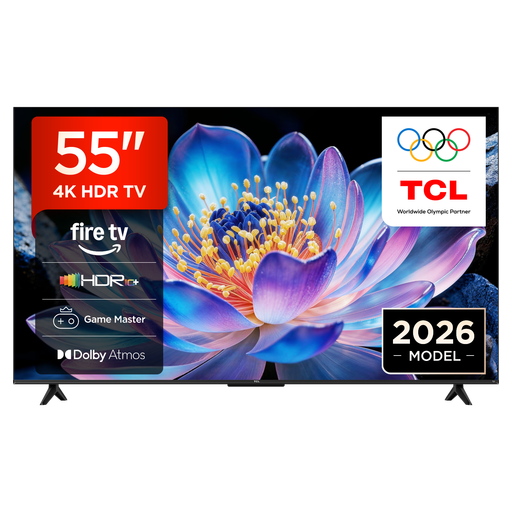
For family videos from compatible Apple devices, the product title lists AirPlay 2; the product description mentions an HVA panel and wide viewing angles.
55 inches; 4K UHD; Fire TV; HDR10+; AirPlay 2.
 No image available
This model could suit a large group if the screen size and space available are right. The product description mentions wide viewing angles, AirPlay and built-in Chromecast.
83 inches; OLED evo; 4K; webOS.
 No image available
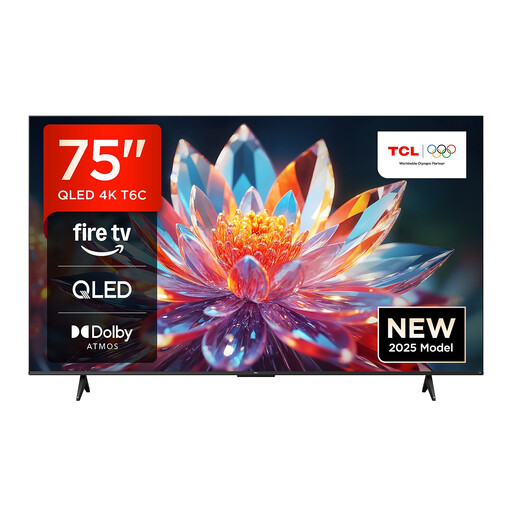
If videos are coming from different smartphones, the product title lists Google Cast and AirPlay 2; the product description also mentions wide viewing angles.
75 inches; 4K UHD; Fire TV; Dolby Vision; HDR10+; Google Cast; AirPlay 2.
 No image available
For viewing from several seats, the product description mentions wide viewing angles and an anti-glare display. It also lists AirPlay 2 for compatible Apple devices.
55 inches; OLED evo; 4K; webOS 26; Apple AirPlay 2.
 No image available
For wireless video playback, the product description lists AirPlay 2 and Chromecast, as well as a wide viewing angle.
75 inches; 4K HDR; Google TV; HDMI 2.1; AirPlay 2; Chromecast.
Check the stick’s file system, along with the video and audio codecs of a sample file, against the manual for the exact TV version. Sony lists this information separately for the K-55XR8M2.
AirPlay is one possible way to do this, provided the TV supports it and it’s enabled. Sony lists AirPlay for the K-55XR8M2; the LG guide explains how to enable it and notes that menus may vary by model.
Start by comparing the model-specific SDR and HDR figures on the EU energy label. To work out a cost, you’ll also need to use the same assumed viewing time for each TV and know your electricity rate.
For a distance contract with a consumer, § 312g BGB generally provides a right to cancel, subject to statutory exceptions. § 355 BGB generally sets a 14-day cancellation period; when it starts depends on the contract and the applicable rules.
Yes. The European Commission includes TVs as electronic displays within the scope of energy labelling. Check the label for the specific model to compare its energy information, screen size and resolution, among other details.