Families with several viewing positions
If guests will also be sitting to the side, check how the picture looks from the outer seats and in the room’s usual lighting.


For family videos watched by several people, a smart TV should suit your seating distances, viewing angles and the light in the room. So start by measuring the available space and working out where everyone will sit. Then compare OLED and Mini LED/LCD models based on how you use the room, and check the specific playback method and file compatibility. The panel type or a USB port alone doesn’t guarantee that your videos will work.
If guests will also be sitting to the side, check how the picture looks from the outer seats and in the room’s usual lighting.
If you want to play videos from a mobile phone, computer or USB storage device, check that the connection method, file system and video codec are compatible with your devices and files.
If you watch in daylight, have limited space or use your TV frequently, consider screen dimensions and power consumption as well as picture quality. The German Environment Agency notes that larger screens can use more electricity.
May suit you if: several guests will be sitting well to the side, and you often watch with the lights dimmed.
Things to weigh up: screen size, viewing distance and power consumption are still important considerations. OLED alone tells you nothing about whether your video files are supported.
May suit you if: family gatherings often take place during the day in a bright room, and you’re comparing models with stated brightness or anti-reflection features.
Things to weigh up: Check how the picture looks from the outer seats. Advertised HDR brightness isn’t a measurement of how your own SDR videos will look. The EU energy label helps you compare power consumption.
When choosing a smart TV for family videos, consider the seating, planned playback method and lighting together. The percentages show the main priority for German consumers choosing a TV for this use.
| Buying priority | What to look for | Who it matters most to |
|---|---|---|
| Viewing from the side | Check viewing distances, available space and picture quality from the outer seats. | When guests are sitting to the side, I want everyone to be able to watch the screen together, even from the seats at the edges. Around 29% of consumers say side viewing is their main priority. |
| Playing your own videos | Check the file system, video codec and planned playback method for the exact model variant. | When I want to watch family videos I already have, it matters that the files and playback method work with the TV and my devices. Around 29% of consumers prioritise compatibility. |
| Picture quality in daylight | Consider windows, reflections and when you usually watch; compare models in similar ambient lighting. | When we often get together during the day, I want to judge the picture in the lighting conditions of my own living room. Around 24% of consumers say daylight performance is their main priority. |
| Overall cost and space | Compare the dimensions and EU energy label for the specific size, as well as any stated delivery and installation costs. | When I use the TV regularly, I want to keep an eye on running costs as well as the space it takes up. Around 18% of consumers prioritise overall costs. |
Whether a file plays depends, among other things, on the file system and video codec supported by the specific model variant.
Before everyone gathers to watch, test a typical video of your own, including its sound, using the playback method you plan to use.
Depending on the file, you may need an additional player or have to convert it.
When several people are watching, side seats and the lighting where the TV will be set up should be part of your decision. Manufacturers’ descriptions of panel technology are no substitute for checking picture quality from your own seats.
Check the picture from the furthest seats you plan to use and in your usual room lighting.
A larger screen can use more electricity and needs to suit the room. Delivery or installation may add further practical costs.
Compare the dimensions and EU energy label for the size you’re considering, and check any stated delivery and installation costs in advance.
The BRAVIA 8 II K-65XR8M2 is a specific model whose playback and connection details can be checked against your own videos.
The OLED C5 range offers an OLED model to compare, with the OLED55C57LA as the product variant featured here.
The 65Q7C sold in Germany is a QD Mini LED model to consider when daylight performance is also a factor.
The GQ65QN90FATXZG is a specific Neo QLED model to compare for rooms where reflections need to be considered.
The 65OLED810/12 is an OLED model with Ambilight, offering another point of comparison for family gatherings with side seating.
The Joybuy products below include 75-inch TCL QLED Mini LED models and an 83-inch LG OLED TV. Before choosing, check that the screen size, viewing distance and playback method suit your room and devices.
 No image available
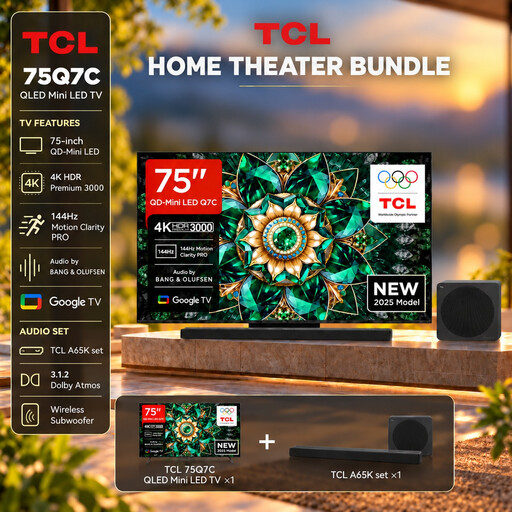
For watching together, provided a 75-inch screen suits your viewing distance and available space.
75 inches, 4K, Google TV, AirPlay 2, HDMI 2.1; includes an A65K soundbar.
 No image available
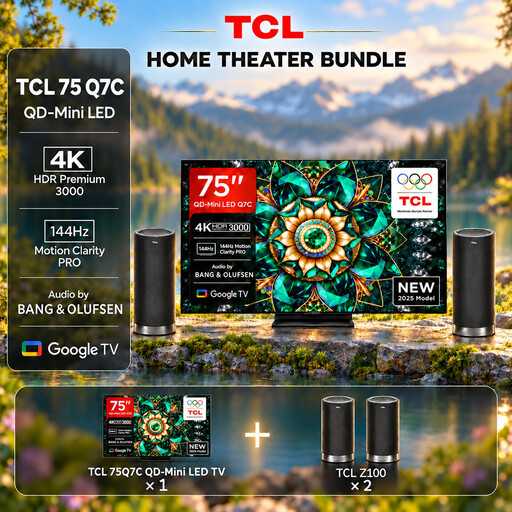
An option for larger groups, if the screen size and space available are a good fit.
75 inches, 4K, Google TV, AirPlay 2; includes a Z100 speaker.
 No image available
For a larger group, if an 83-inch screen suits the room and viewing distances.
83 inches, OLED Evo, AI, 4K, smart TV; the product title mentions wide viewing angles.
Check the playback methods and file formats supported by the exact model variant for your videos.
 No image available
For watching together, if a 75-inch screen suits the room and seating positions.
75 inches, 4K, Google TV, AirPlay 2, HDMI 2.1.
Check your specific video files against the formats supported by this model variant.
The right size depends on viewing distance, available space, lighting and viewing angles. Measure the room and check how the picture looks from the outer seats too; Germany’s consumer advice centre includes these factors when discussing screen size.
No. The MP4 label or a USB port alone doesn’t guarantee that a file will work. Check both the file system and video codec for the exact model number. For example, Sony Germany lists these separately for the BRAVIA 8 II K-65XR8M2.
Only if your mobile phone and TV support compatible connection methods. For the Sony K-65XR8M2, Sony Germany lists AirPlay and built-in Chromecast. LG’s Screen Share guide notes that both devices need to support the relevant feature.
It depends on the seating and lighting in the room. Compare OLED models if side seats and dim lighting matter, and Mini LED/LCD models if you often get together in daylight. Check the picture on the specific TV; manufacturer claims are no substitute for comparing it from your own seats and with your own videos.
Compare the EU energy label for the specific screen size, and consider the space it needs and how often you’ll use it. The German Environment Agency notes that larger TVs can use more electricity. Germany’s consumer advice centre also recommends checking delivery and installation costs before you buy.