Subtitle readers
If you read along during almost every episode, check bright text against dark scenes using your usual app and a suitable title. The Netflix Help Centre notes that not every TV supports all subtitle size and style options.


First, check from the seat furthest away that everyone can read the subtitles and see the picture clearly. Then choose a screen size that suits your viewing distance. OLED is an obvious option for dark scenes with bright text; with a Mini LED LCD, assess potential halos around subtitles and picture quality from the side on the specific model you’re considering.
If you read along during almost every episode, check bright text against dark scenes using your usual app and a suitable title. The Netflix Help Centre notes that not every TV supports all subtitle size and style options.
If several people watch from seats in the middle and at the sides, picture quality from the seat furthest away matters too. RTINGS.com highlights wide viewing angles as important for seating arranged across a wide area.
If you often watch TV in a bright living room, weigh up reflections, picture brightness and the right screen size. Manufacturer brightness figures are no substitute for comparing TVs in your own room.
The key question is what matters most in your seating and lighting setup: subtitles, side seats, daylight or the overall cost.
| What matters | What to check when buying | Who it matters most to |
|---|---|---|
| Readable subtitles | Watch a dark scene with subtitles in the app you use; check the text and background options on the TV. | If I want to read bright text clearly against dark scenes, I’ll test how it looks in my app. Around 36% of consumers put subtitle readability first. |
| Side seats | Check the text and picture from the outermost seat on both the left and right; look up viewing angle tests for the exact model. | If we sit across the sofa, I want a clear picture from the sides too. Around 29% of consumers prioritise equally good views from side seats. |
| Bright living rooms | Assess reflections and picture quality in typical daylight from the seats you use. | With lots of daylight, I want to assess reflections and readability from my usual seats. Around 21% of consumers prioritise performance in bright rooms. |
| Size and overall cost | Check the screen dimensions against your viewing distance and available space; compare the energy label figures for SDR and HDR. | If I’m weighing up screen size and running costs, the TV should suit the space and viewing distance. Around 14% of consumers consider overall costs first. |
With seats spread across a wide area, the picture can look different from the side than it does directly in front of the screen. RTINGS.com lists viewing angle as an important check when several people sit far apart.
Try the outer seats or check independent viewing angle tests for the exact model.
Local dimming can make halos around bright text visible in dark scenes. The number of zones alone doesn’t tell you how subtitles will look on a specific TV.
Watch a dark scene with subtitles and assess the light control on the TV itself.
Subtitles also depend on the title, language and features of the app on your particular device. According to ARD Help, not every programme on the ARD Mediathek has subtitles.
Check the titles you want to watch and the subtitles available on the service you actually plan to use.
The C6 and G6 offer different OLED options for a night of watching a series.
The TCL 65Q7D Pro is an example of an LCD TV with Mini LED, Local Dimming and Google TV.
The German S90F is an OLED option with Tizen.
The TV-65Z95BEG is an OLED model with Fire TV built in.
The BRAVIA 9 II K-65XR95M2 is an LCD option with RGB LED backlighting.
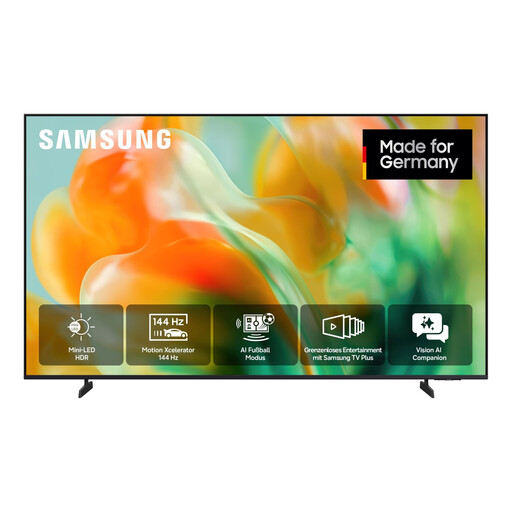
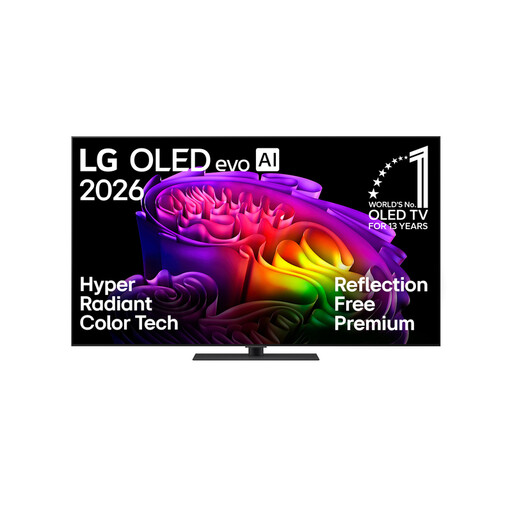
The models below offer two options to compare: a 55-inch Mini LED TV and a 65-inch OLED TV. Choose a screen size to suit your viewing distance and available space, and check subtitles from the outer seats.
 No image available
This Mini LED model is an option if you’re considering an LCD TV for a bright room. Check subtitles and picture quality from the side on the TV itself.
55 inches (138 cm), 4K, Mini LED.
 No image available
This OLED model is an option for evenings watching series with dark scenes and bright subtitles. Check readability, reflections and viewing angles in your own room.
65 inches, 4K, OLED evo; with stand.
No. The Netflix Help Centre notes that not every TV supports all size and style options for every language. Check the app and language you want to use, and try an available title on the TV itself.
No. According to ARD Help, not every programme has subtitles. If subtitles are available, turn them on in the player using the speech bubble or UT icon; the controls depend on your device.
Measure the available space and your viewing distance. For a wall mount, the dimensions, weight and VESA mounting pattern must match the exact TV version; Sony lists these details for the K-65XR95M2, for example.
For TVs covered by EU regulations, the energy label shows figures for SDR and HDR. Compare the figures for each model rather than trying to estimate consumption from the screen technology alone.