What should you consider when choosing one?
First, check whether you need an additional switch at all. If you want one shared LAN cable to connect several devices, count the router uplink too, then compare the space you have with the extra features you need.
| What matters |
What to check |
Especially important if |
| Available LAN ports |
Count the router uplink and all your devices. With a 5-port model, one fewer port is available for end devices once the uplink is connected. |
I want to connect my TV and other devices using the same cable, so I factor in the router connection too. Around 36% of consumers put the number of available ports first. |
| Space and noise |
Check the dimensions of the exact model version, port orientation, cable routing, power supply and fan specifications. |
If the switch is right next to my workspace, I need room for the cables and power supply as well as the unit, and don’t want to put up with fan noise. Around 29% of consumers prioritise space and quiet operation. |
| Suitable data transfer rate |
Consider the speed of the switch ports, router, TV, other devices and cabling together. |
If I’m connecting several devices to my home network, I want the switch ports to match the other connections. Around 21% of consumers put data transfer rate first. |
| IPTV or management |
For an IPTV receiver, check the requirements of the specific service. Choose management features only if you need them. |
If my receiver specifically needs a particular feature, or I want to manage the network, I check the requirements of my setup. Around 14% of consumers prioritise these specialist features. |
Desk switches at Joybuy
This selection includes 5- and 8-port Gigabit switches for wired devices at your desk, including models with PoE or management features. Choose these extras only if your devices or network setup need them.
 No image available
D-Link DGS-1005P/E 5-port Gigabit desktop switch
For a wired setup with several devices, when you also need PoE+.
5 Gigabit ports; 4 PoE+ ports; 60 W PoE budget; fanless metal casing; plug and play.
View at Joybuy
 No image available
D-Link DGS-1210-10/E Smart Managed Switch
For a setup with several wired devices, when you specifically need a managed switch as well as a TV connection.
10 ports: 8 Gigabit RJ45 ports and 2 SFP slots; fanless design; L2/L3 management.
View at Joybuy
 No image available
TP-Link TL-SG105PE 5-port Gigabit Easy Smart Switch
For a 5-port setup where you specifically need PoE+ or management features as well as network expansion.
5 Gigabit ports; 4 PoE+ ports with 65 W; VLAN, QoS and IGMP; fanless metal design.
View at Joybuy
 No image available
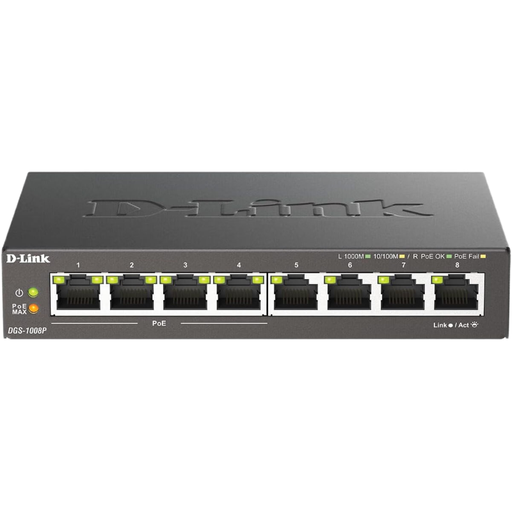
D-Link DGS-1008P/E 8-port Gigabit switch
For several wired devices, when a 5-port model doesn’t leave enough ports after connecting the router uplink.
8 Gigabit ports; PoE; desktop design.
View at Joybuy
 No image available
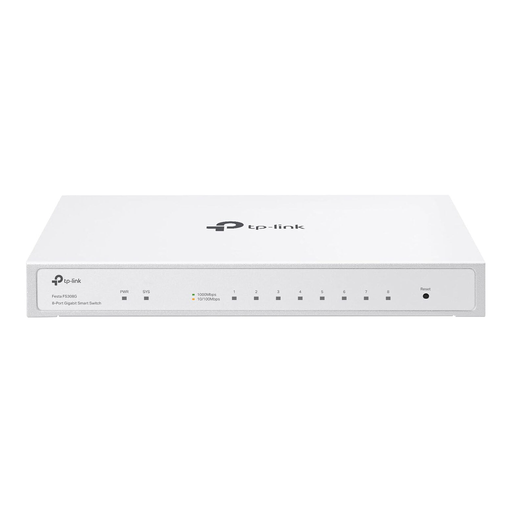
TP-Link Festa FS308G 8-port Gigabit switch
For a network with several wired devices, when you need management features as well as eight Gigabit ports.
8 Gigabit RJ45 ports; optional PoE input port; cloud management, VLAN and IGMP snooping; fanless design.
View at Joybuy
Frequently asked questions
Do I definitely need a switch for a single Smart TV?
No, a switch isn’t always necessary. It’s most useful when you want one existing wired network connection to serve several devices. First, check whether there’s a free LAN port on your router or whether your TV can connect to a suitable Wi-Fi network.
How many devices can I connect to a 5-port switch?
If one port is used to connect to the router, four ports remain for end devices. So count your TV and all your other devices, as well as the router uplink, before choosing the number of ports.
Do I need to configure a basic switch?
The unmanaged models described here are listed by their manufacturers as plug-and-play devices. Follow the instructions for the specific model version. If you have connection problems, check the cables and link lights first.
Do I need a switch with IGMP snooping for IPTV?
There’s no one-size-fits-all answer for every IPTV service. Check the requirements of your particular receiver and service, as well as compatibility with your router and switch. The mention of IGMP snooping alone doesn’t confirm compatibility.
Will a Gigabit switch make my internet connection faster?
Not necessarily. The speed you can use also depends on your router, internet connection, cabling and connected devices. Compare the whole connection chain rather than looking only at the switch’s port specification.


