What to look for when choosing
For a costume slideshow with guests sitting around the room, the key things to check are viewing angles, photo sharing, room lighting, placement and how the TV handles static images for longer periods.
OLED smart TV
A good choice if: guests will be sitting spread out and you want the picture to look as consistent as possible from the side.
Consider: if you’ll be showing the same images for a long time, follow the manufacturer’s care guidance. Static content can increase the risk of image retention.
IPS LCD smart TV
A good choice if: side-on viewing matters to you, but you’d prefer an LCD TV and the specific model is confirmed to have an IPS panel.
Consider: RTINGS.com describes IPS as typically offering wider viewing angles than VA, but lower contrast.
High-contrast LCD or Mini-LED TV
A good choice if: room lighting or displaying static images for longer is a higher priority, and most seats are not too far off to the side.
Consider: Mini-LED describes the backlighting, not the viewing angle. Check the picture and reflections from the seats at the side.
| What matters |
What to check when buying |
Who will find this useful? |
| Picture from the side |
RTINGS.com describes IPS as typically offering wider viewing angles than VA, but lower contrast. Check the panel technology and picture quality of the specific TV. |
When I’m watching with guests on the sofa and on chairs to the side, I want colours and dark areas of the picture to remain visible from the edges. That’s why around 31 % of consumers put side-on viewing angles first. |
| Sharing photos |
Check that the sharing method works with your phone. LG Germany says AirPlay requires a shared Wi-Fi network; check the features and compatibility of the specific model. |
If I want to show photos directly from my phone, the sharing method needs to work with my device. That’s why around 25 % of consumers prioritise photo sharing. |
| Room lighting and side-on viewing |
TCL lists Mini-LED and an HVA panel for the 55Q6C; the backlighting alone doesn’t prove that it has a wide viewing angle. Check the picture from the front and the side under similar lighting. |
If the slideshow will be on in daylight or with party lighting, I want to be able to judge colours and details from the side too. That’s why around 19 % of consumers place particular importance on room lighting and side-on viewing. |
| Space and running costs |
Measure the space available and your usual viewing distance. The European Commission’s EU energy label provides separate figures for SDR and HDR. |
If the TV needs to fit on a particular piece of furniture and will be used regularly, I want to compare its placement and energy information in advance. That’s why around 13 % of consumers prioritise space and running costs. |
| Static images for long periods |
For OLED, follow the care guidance for the specific model and avoid displaying static content for unnecessarily long periods. Samsung notes that static on-screen elements can increase the risk of image retention on OLED TVs. |
If images or pause screens will stay unchanged for a long time, I want to take the display’s usage guidance into account. That’s why around 12 % of consumers prioritise extended use with static images. |
Joybuy TVs for sharing photos with friends and family
This selection includes OLED, Mini-LED and LED smart TVs in a range of screen sizes. Compare viewing angles, photo sharing and space requirements for each specific model.
 No image available
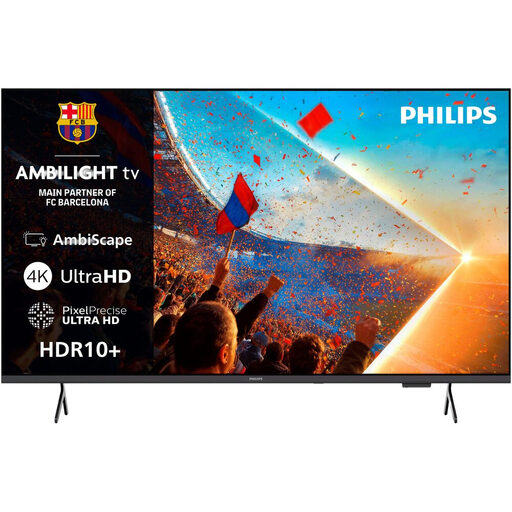
Philips 55PUS8001 55 Zoll 4K UHD Ambilight Smart TV
If you’re sharing photos from an Apple device, test the AirPlay option listed in the product description with your phone before buying.
55 Zoll, 4K UHD, LED and 3-sided Ambilight.
HDR10+, Dolby Atmos and Titan OS are listed in the product name.
Joybuy
 No image available
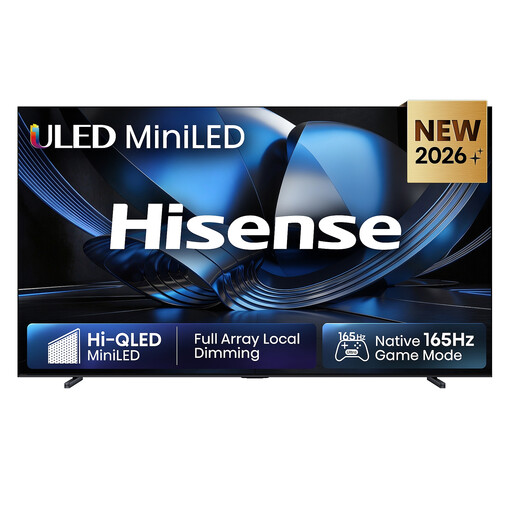
Hisense 100U7DSE 100 Zoll ULED Mini-LED 4K Smart TV
The stated screen size may be useful when sharing photos with a large group. Check in advance that the room and placement can accommodate it.
100 Zoll, 4K, ULED Mini-LED and VIDAA Smart OS.
For wall mounting, the product description recommends using a qualified professional. Make sure the surface it stands on is stable.
Joybuy
 No image available
Hisense 85E8S 85 Zoll 4K Mini-LED Smart TV
The screen size could work well for viewing photos together. Check that you have enough space and that the viewing distance suits the room.
85 Zoll, 4K, Mini-LED and VIDAA.
The product description states that the TV needs to be placed on a stable surface.
Joybuy
 No image available
LG OLED83C67LA 83 Zoll OLED evo 4K Smart TV
The product description mentions wide viewing angles, but it’s still worth checking the picture from the seats you’ll actually use at the edges of the room.
83 Zoll, OLED evo and 4K.
Before buying, make sure the large screen will suit your furniture and viewing distance.
Joybuy
 No image available
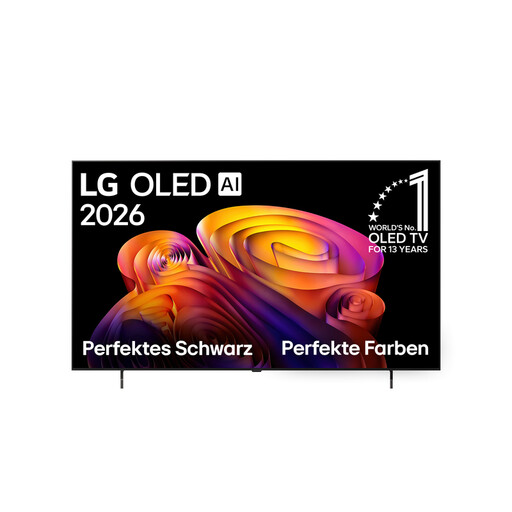
LG OLED65B68LA 65 Zoll 4K OLED Smart TV
As an OLED model, this TV could suit a slideshow for guests seated to the side. Check the picture from a seat at the edge of the room.
65 Zoll, 4K and OLED.
Check that your preferred photo-sharing method works with this exact model and your phone.
Joybuy
Frequently asked questions
How do I start a slideshow from my iPhone?
If your chosen model supports AirPlay, connect your iPhone and TV to the same Wi-Fi network, then select screen mirroring. LG Germany also explains how to share photos. Before the party, test the set-up and compatibility using your own pictures.
Can I simply turn the TV towards the guests?
That may help if there’s just one seat to consider, but it won’t point the screen towards everyone at once. When guests are spread around the room, picture quality from the furthest seats matters. The viewing-angle tests described by RTINGS.com cover horizontal, not vertical, viewing.
What should I bear in mind when showing costumes on an OLED TV for a long time?
Change the images and avoid leaving pause screens up for longer than necessary. For its OLED TVs, Samsung recommends features such as Pixel Shift and other care functions to help with static on-screen elements. Check the guidance for the exact model you buy.
How do I compare energy use and what to do if there’s a fault?
Compare the EU energy label for the specific TV model, including the separate SDR and HDR figures described by the European Commission. If a product is faulty, your statutory rights are against the seller. The Verbraucherzentrale distinguishes these rights from a manufacturer’s guarantee, which is subject to its own terms and conditions.
Can I show costume photos that include identifiable people?
Under § 22 KunstUrhG, consent is generally required to distribute or publicly display images of people; § 23 sets out exceptions and limits. A private slideshow cannot automatically be classed as a public display. If the screening is to be public or you plan to share the photos, check the rights and any exceptions that apply to the specific images.


