Who should consider this type of TV?

Viewers sitting at the far end of the sofa

You want to read subtitles from your usual seat and choose a screen size to suit the distance you’ve measured. Samsung Germany says screen size, resolution and content are all factors when working out viewing distance.

Fans of dark dramas

You want to know whether bright subtitles create distracting halos against dark images. RTINGS explains that LCD TVs can show a halo effect, while OLED doesn’t have halos caused by a backlight.

Viewers who use catch-up and streaming apps

You want to find subtitles in the apps you actually use and be able to switch them on during playback. The ARD help pages explain how to do this in the ARD Mediathek app.

What to look for when buying

OLED smart TV

A good fit if: You often watch bright subtitles against dark drama scenes and want to avoid the halo effect caused by a zoned LCD backlight.

Bear in mind: OLED doesn’t remove the need to check that the screen size is right for you or to test the apps and subtitle options you want.

Mini LED LCD smart TV

A good fit if: A large screen matters to you, or the TV will be in a brighter room.

Bear in mind: Bright subtitles against a dark image can show halos around the dimming zones. Check the specific model with a suitable scene.

More affordable 4K LCD smart TV

A good fit if: You’re mainly looking for a large screen to suit your viewing distance and advanced contrast technology isn’t a priority.

Bear in mind: The 4K label alone tells you nothing about contrast performance or whether your apps are supported. Compare energy consumption, too.

What matters to you What to check when buying Who it matters most to
Screen size and viewing distance Measure the viewing distance and the space available; watch a subtitled scene from your usual seat. If you want to read subtitles from further away, the screen size and position need to suit your room. Around 28% of consumers focus on screen size and viewing distance.
Subtitles in dark scenes Watch a dark scene with bright subtitles on the specific model; don’t compare only the number of dimming zones. If you watch dramas with dark images, you’ll want to avoid distracting halos around the text. Around 28% of consumers prioritise how subtitles appear in these scenes.
Picture quality in ambient light Assess reflections and picture quality from your usual seat and in typical room lighting. If you watch TV during the day or in changing light, performance in your usual conditions matters. Around 17% of consumers give particular weight to room lighting and picture quality.
App and subtitle controls Check that the programme you want and its subtitles are available from the provider; try switching them on in the TV app you plan to use. If you watch dramas through catch-up apps, you’ll want to find and switch on subtitles for the specific programme. Around 16% of consumers prioritise app access and ease of use.
Energy consumption Compare the energy labels and consumption figures for the specific models on a like-for-like basis. If you watch TV regularly, you’ll want to factor energy use into your running costs. Around 11% of consumers pay particular attention to energy consumption.

Common misconceptions when buying a TV

  • 4K automatically means subtitles are easy to read

    Resolution alone doesn’t tell you whether text will be easy to make out from where you sit. Screen size, viewing distance and content all play a part.

    Measure the distance and watch a subtitled scene from your usual seat.

  • Lots of Mini LED dimming zones always prevent halos

    Bright subtitles can show halos against a dark image; how noticeable they are depends on how the specific model is tuned.

    Compare OLED and Mini LED using a dark scene with subtitles, rather than relying on the number of zones or HDR specifications alone.

  • The TV’s subtitle button works in every app

    According to the ARD help pages, the physical subtitle buttons usually don’t work in the ARD Mediathek smart TV app; subtitles are selected in the player instead.

    Find a programme you want to watch in the app you plan to use, then try the controls during playback.

  • Screen size alone is enough to compare models

    TVs vary in stand dimensions and energy consumption. The German Environment Agency points out that larger screens can use more electricity.

    Compare the dimensions and energy label of the specific models.

    A larger screen can increase your electricity bills, so compare the energy consumption figures for the models you’re considering.

Brands and ranges to consider

Samsung

The GQ65S99HATXZG and GQ77S95FATXZG OLED models have different screen sizes, making them useful for comparing viewing distances.

  • Samsung says the S99H model has a Glare-Free finish.
  • This doesn’t prove that subtitles will be easy to read from your seat. The S95F and S99H are different models, so don’t assume they have the same features.

LG

The C5 and G5 OLED ranges are worth considering if dark scenes and the halo effect from an LCD backlight are important factors in your choice.

  • For the OLED65C59LB model, LG lists webOS 25 and a four-year upgrade guarantee.
  • These product details don’t confirm support for every app or subtitle source you want to use. Check the features and guarantee terms for the exact model.

TCL

The large-screen 75Q7C and 75X11L Mini LED models are options if a big screen is important to you.

  • TCL advertises zoned dimming on the 75X11L.
  • The number of zones doesn’t prove that subtitles will appear without halos in dark scenes; RTINGS describes differences in haloing between LCD models.

Hisense

According to the manufacturer, the German 75U7Q model combines a 75-inch screen, 4K, Mini LED and VIDAA Smart OS.

  • Screen size and platform are useful details to compare between models.
  • Check that the specific model supports the app you want and its subtitle controls. Manufacturers’ descriptions of picture quality aren’t independent measurements.

Sony

The BRAVIA 9 II K-65XR95M2 is a 65-inch alternative if dimensions and connections are important when planning your setup.

  • For the German model, Sony lists a VESA mounting pattern of 30 × 30 cm.
  • The mounting pattern helps you plan your bracket and setup, but tells you nothing about how easy your subtitles will be to read.

Joybuy products in this category

The Joybuy models below include 65- and 75-inch TVs with different picture and smart TV features. Match the screen size to your viewing distance and the app features to your viewing habits.
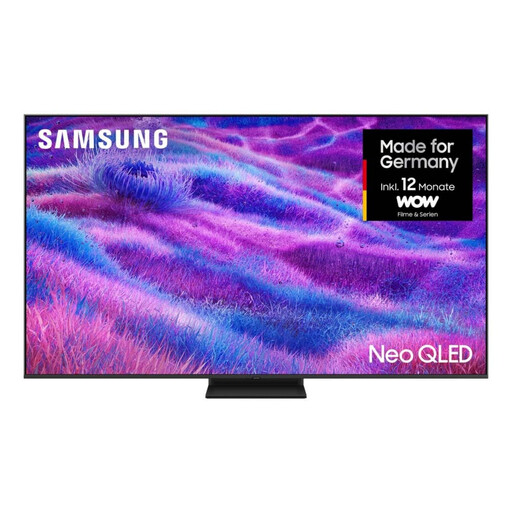
Samsung Neo QLED 4K QN80F, 75 inches, Mini LED TV

Samsung Neo QLED 4K QN80F, 75 inches, Mini LED TV

The 75-inch screen gives you a specific size to compare with your measured viewing distance.

75 inches; 4K; Mini LED; Tizen; energy efficiency class F.

View at Joybuy

KOORUI K65N3UQ-T8, 65 inches, 4K UHD QLED smart TV

KOORUI K65N3UQ-T8, 65 inches, 4K UHD QLED smart TV

Compare the 65-inch screen with your viewing distance, and check that the TV supports the catch-up apps you need.

65 inches; 4K UHD; QLED; Tizen OS.

View at Joybuy

TCL 75T8D, 75 inches, QLED with QD Mini LED

TCL 75T8D, 75 inches, QLED with QD Mini LED

The 75-inch screen is worth comparing with a longer viewing distance; check how subtitles look in dark scenes on the specific model.

75 inches; QLED; QD Mini LED; 4K HDR; Google TV.

View at Joybuy
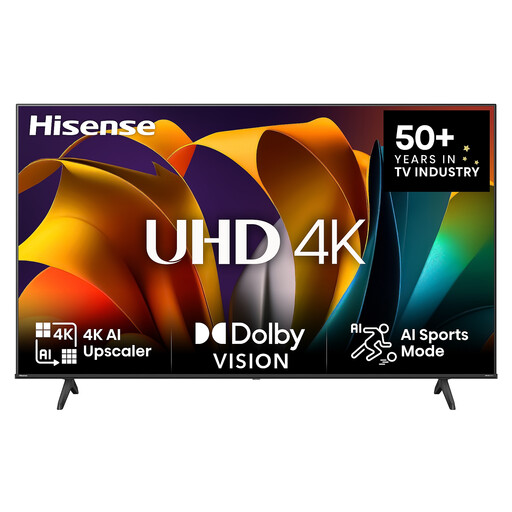
Hisense 75E6NT, 75 inches, 4K UHD smart TV

Hisense 75E6NT, 75 inches, 4K UHD smart TV

Compare the 75-inch screen with your actual viewing distance; check that VIDAA supports the apps and subtitle options you want.

75 inches; 4K UHD; LED; VIDAA; 60 Hz; energy efficiency class E.

View at Joybuy
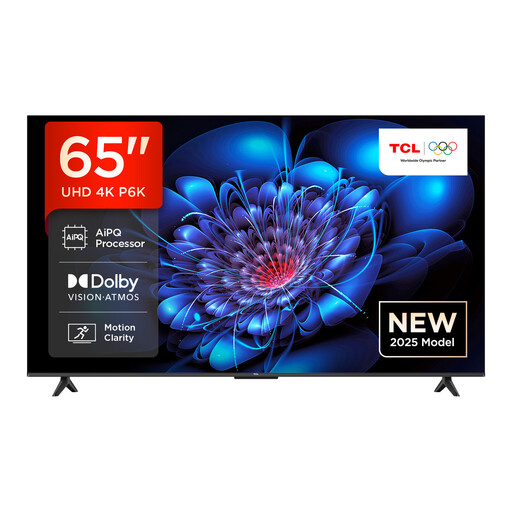
TCL 65P6K, 65 inches, Direct LED TV

TCL 65P6K, 65 inches, Direct LED TV

The 65-inch screen gives you a size to compare with your viewing distance; check that the specific model supports the apps you need.

65 inches; Direct LED; 4K HDR; Google TV.

View at Joybuy

Frequently asked questions

What size TV do I need for a long viewing distance?

First, measure the distance from your seat to the screen, then watch a subtitled scene from your usual position. Samsung Germany lists screen size, resolution and content as factors, but a size guide can’t guarantee that subtitles will be easy for you to read.

Why doesn’t the subtitle button switch on subtitles in the ARD Mediathek app?

According to the ARD help pages, the physical subtitle buttons usually don’t work in the smart TV app. During playback, use the arrow buttons to bring up the player controls, then select the speech bubble icon.

Are English subtitles available for every drama series I want to watch?

No, you can’t assume they’ll always be available. In the ARD Mediathek, programmes with subtitles are marked with the UT symbol. Check the specific series and the provider you actually use.

What should I check before setting up a large TV?

Check that the TV’s dimensions, including the stand and the space it takes up, will fit where you plan to put it. For wall mounting, the VESA mounting pattern of the exact model also needs to match your bracket; Sony, for example, lists 30 × 30 cm for the K-65XR95M2.

What are my rights if a TV I bought online is faulty?

For a qualifying EU consumer purchase, the seller must provide a legal guarantee of at least two years from the date you receive the goods; this is separate from any voluntary manufacturer’s guarantee. Online purchases also generally come with a 14-day right to cancel, subject to the conditions that apply in each case.