Families with seats at the side of the sofa
If several people sit off-centre in front of the TV, check the colours and contrast from the seats you actually use. RTINGS.com notes that VA LCD panels typically have narrower viewing angles.


OLED is a sensible place to start if you often sit off-centre and watch dark shows with bright subtitles. Unlike backlit LCD, it has no LCD dimming zones that can cause halos, as RTINGS.com explains. If your room gets plenty of daylight or you’re considering an LCD model, check the viewing angles, reflections and subtitles on the specific TV. Availability and controls also depend on the programme and the app you’re using.
If several people sit off-centre in front of the TV, check the colours and contrast from the seats you actually use. RTINGS.com notes that VA LCD panels typically have narrower viewing angles.
Here, the key things are clear text against dark images and easy subtitle selection in your preferred streaming service. ARD points out that subtitles depend on the programme and how it’s played in the app.
In daylight, assess viewing angles alongside reflections and how the picture looks in your own room. Anti-reflection claims apply to the specific model, not automatically to an entire product range.
A good fit if: you often sit off-centre and want bright subtitles to stand out clearly in dark scenes.
The trade-off: Burn-in is still a consideration if you use the TV for very long periods with mostly fixed picture elements. RTINGS.com also notes that tests with permanently static images don’t directly reflect watching a changing series.
A good fit if: you’re considering an LCD for spread-out seating and are happy to accept lower contrast in a dark room.
The trade-off: RTINGS.com describes IPS panels as typically having wider viewing angles than VA, but lower contrast. Check the panel type of the specific model.
A good fit if: daylight performance or the specific LCD features matter to you, and your main seats are near the centre of the screen.
The trade-off: According to RTINGS.com, VA typically offers high contrast but narrower viewing angles. Local dimming can make halos around subtitles visible in dark scenes.
Don’t compare technologies by name alone. What matters is how the same dark scene with subtitles looks from the seats you usually use.
| What matters | What to check when buying | Who it matters most to |
|---|---|---|
| Picture quality from the side | Assess the picture from the outer seats; RTINGS.com notes that VA LCD typically has narrower viewing angles. | If I regularly sit off-centre, I want the picture to look good from there too; around 28% of consumers put side-on picture quality first. |
| Subtitles in dark scenes | Try a dark scene with bright subtitles; RTINGS.com describes possible LCD halos, while the ARD Mediathek notes that subtitle controls depend on the programme and app. | If I want to read subtitles clearly against dark images, I’ll also check my preferred service; around 28% of consumers prioritise subtitle readability. |
| Picture in daylight | Check reflections where you plan to position the TV; only attribute anti-reflection claims to the specific model named. | If my living room is bright during the day, I want to assess the picture under my usual lighting; around 17% of consumers put daylight performance first. |
| Total costs and reception | Compare the EU energy label for SDR and HDR, as well as the connections and reception options you need; the European Commission explains the figures for both picture formats. | If I need to keep the purchase price and possible ongoing costs in mind, I’ll also check that the reception option suits my household; around 16% of consumers prioritise total costs and reception. |
| Clear dialogue | Listen to a dialogue-heavy scene on the TV; if you’re planning to add another device, check which audio connections you need. | If I want voices in shows to be easy to understand, I’ll assess the sound directly on the TV; around 11% of consumers put dialogue clarity first. |
A picture that looks impressive from the front won’t necessarily show how colours and contrast look from the outer seats. RTINGS.com notes that VA LCD typically has narrower viewing angles.
Check dark scenes and subtitles from the seats you regularly use.
The number of dimming zones alone doesn’t show how precisely a particular model controls bright text against a dark picture.
Compare a dark scene with subtitles on the specific TV and check information about that model.
Subtitles need to be available for the programme in question, and the way you turn them on can vary depending on how you’re watching.
Try a programme that actually has subtitles on your preferred service. According to ARD, the subtitle button on the remote usually doesn’t work in the ARD Mediathek app.
The EU energy label also gives separate figures for SDR and HDR content. The reception option and connections you need also affect how well a TV suits your household.
Compare the figures for the same model and check which reception type and delivery services you need before buying. The European Commission explains the SDR and HDR figures; the Federal Network Agency provides information about the change to cable TV charges through rental service costs.
Depending on your household, electricity use, delivery services or a separate reception contract may be relevant. Check these details for your own reception option rather than assuming a standard amount.
OLED models for watching shows from the side; manufacturer specifications vary by model.
OLED models for buyers who also want to assess the screen surface where they plan to position the TV.
OLED models with built-in Fire TV for buyers who want to assess the picture and integrated sound together.
OLED models with Google TV; Sony describes the K-55XR8M2 as the BRAVIA 8 II.
An LCD alternative to compare: according to TCL, the 55C7K listed for Germany uses QD-Mini LED and an HVA panel.
This selection includes LG OLED TVs from 55 to 83 inches for watching shows with subtitles. In particular, compare the picture from the seats you usually use and choose a screen size that suits your room.
 No image available
OLED is a sensible place to start for dark shows with subtitles, but check how the picture looks from where you actually sit.
77 inches; 4K; Smart TV; webOS 26. According to the product details, a stand isn’t included; the configuration described is designed for wall mounting.
 No image available
If several people watch from the side, compare the picture on the specific TV from the outer seats.
83 inches; OLED; 4K; Smart TV. The product name mentions wide viewing angles, but assess the picture from the seats you plan to use.
 No image available
OLED is one option to consider for dark scenes with subtitles; check the app and subtitles for your preferred service separately.
55 inches; 4K OLED; 144 Hz; webOS. The product description recommends leaving the TV on standby for automatic pixel cleaning.
 No image available
OLED is one option to consider for dark shows with subtitles; check the picture from the outer seats in your living room.
77 inches; 4K; 120 Hz; webOS; energy rating D. The product name mentions wide viewing angles.
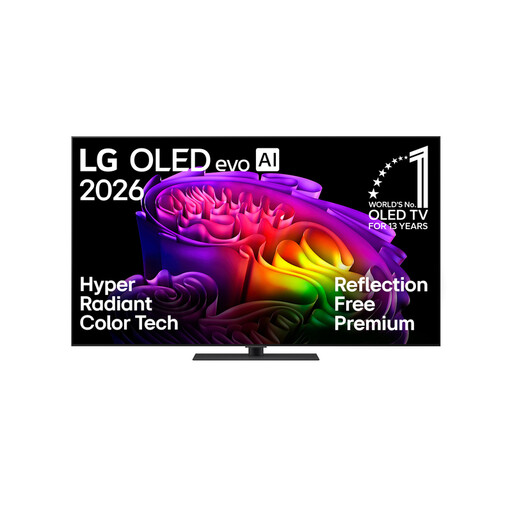 No image available
If reflections are a concern, check the screen surface where you plan to position the TV and assess the picture from the side on the specific model.
65 inches; 4K; Smart TV; with stand. The product details describe the screen surface as anti-reflective.
No. Mini LED is still a backlit LCD, and the precision of its controls affects whether halos are visible in dark scenes. RTINGS.com notes that halos around subtitles can result from less effective dimming. Test the specific model with subtitles and from your usual seats at the side.
If subtitles are available for the programme, use the arrow buttons during playback to open the controls, then select the speech-bubble icon. According to ARD, the subtitle button on the remote usually doesn’t work in the ARD Mediathek app; availability depends on the programme.
If you mainly watch programmes with changing content, results from tests using permanently static images can’t be applied directly. Burn-in remains a consideration if a TV displays the same fixed picture elements for very long periods each day; RTINGS.com highlights this usage pattern. LG says its OLED TVs automatically clean the pixels when switched off.
Compare the model-specific SDR and HDR consumption figures on the EU energy label; the European Commission explains the figures for both types of content. The Federal Network Agency describes the change, effective since 1 July 2024, to cable TV previously charged through rental service costs. According to ARD ZDF Deutschlandradio Beitragsservice, the broadcasting contribution is generally charged per home, not separately for every new TV. The Verbraucherzentrale explains the difference between statutory consumer rights and a voluntary guarantee, and lists TVs among the products covered by the repair rights that have applied since 31 July 2026.