What should you consider when buying?
Large-screen Mini LED or LCD TV
Suitable if: You often watch in daylight or leave static menus on screen for long periods.
Trade-off: The panel type alone won’t tell you how a particular model looks from seats at the side; check your actual seating plan.
Large-screen OLED TV
Suitable if: You watch moving concert footage mainly in a room you can dim, and dark scenes matter to you.
Trade-off: In a very bright room, or if static displays appear repeatedly for long periods, consider Mini LED too. RTINGS highlights the risk of burn-in from static content displayed for extended periods; this does not mean ordinary concert videos will cause damage.
The Verbraucherzentrale and RTINGS recommend considering viewing distance and screen size together. For sound, you should also check that your system’s connections match those on the TV you’re considering.
| What matters |
What to check when buying |
Who is it important for? |
| Screen size for a long viewing distance |
Distance to the furthest seat you regularly use, available wall space and how easy it is to make out details in one of your own recordings from there. |
If I want to make out gestures from the back of the room, the screen size needs to suit both the viewing distance and the room. Around 33% of consumers put screen size first. |
| Sound for listening together |
Inputs on your existing system, the TV’s audio outputs and a typical recording played through the entire setup. |
If we want to assess voices using our existing system, its input must match the TV’s audio output. Around 27% of consumers prioritise audio connectivity. |
| Playing your own files |
Check the container, video codec and file system against the specifications for the specific model; alternatively, check an existing HDMI playback device. |
If you want to play your own concert recordings directly, check file compatibility in advance. Around 20% of consumers put playback of their own files first. |
| Room and seating conditions |
Take account of typical room brightness, reflections and picture quality from the seats furthest to the side. |
If I watch from seats at the side or in bright ambient light, the picture needs to work well in those conditions. Around 20% of consumers prioritise suitability for their room and seating. |
Joybuy products for longer viewing distances
The following Joybuy products include large-screen Mini LED and OLED Smart TVs to compare with your viewing distance and room lighting; the selection also includes a TV and soundbar set.
 No image available
TCL 75Q7D PRO, 75 inches, 4K SQD Mini LED
Assess the 75-inch screen from the furthest seat you regularly use, with one of your own recordings.
Listed features include 4K, SQD Mini LED, 760 Local Dimming Zones, 2.000 Nits HDR, Anti-Reflection and 144 Hz.
View at Joybuy
 No image available
TCL 75T8D, 75 inches, 4K QD Mini LED
This 75-inch screen is a large-format option; check how well it suits your needs from your actual seat.
The product specifications list 4K, Google TV, QD Mini LED Dimming and an Onkyo 2.1 sound system.
View at Joybuy
 No image available
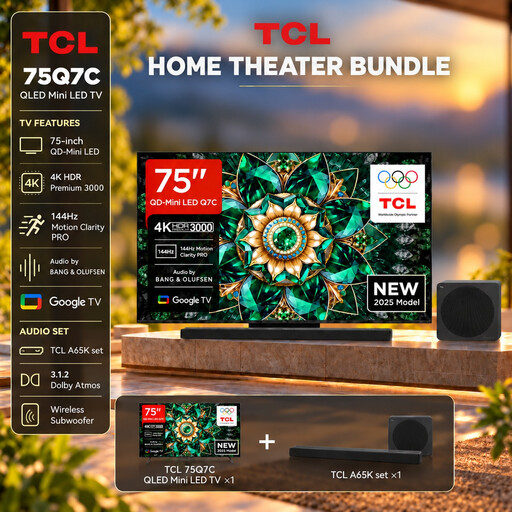
TCL 75Q7C with A65K soundbar, 75 inches, 4K
This set combines a large-screen TV with a soundbar; check that the sound suits your planned setup and how you intend to use it.
Listed features include 75 inches, 4K, QLED Mini LED and 144 Hz VRR. The product title describes it as a TV and A65K soundbar set.
View at Joybuy
 No image available
LG OLED83C67LA, 83 inches, 4K OLED Smart TV
Compare the 83-inch screen with your viewing distance and the available space for a stand or wall mounting.
The product specifications list OLED, 4K and wide viewing angles. For wall mounting, the description specifies an LG-approved bracket and professional installation.
View at Joybuy
 No image available
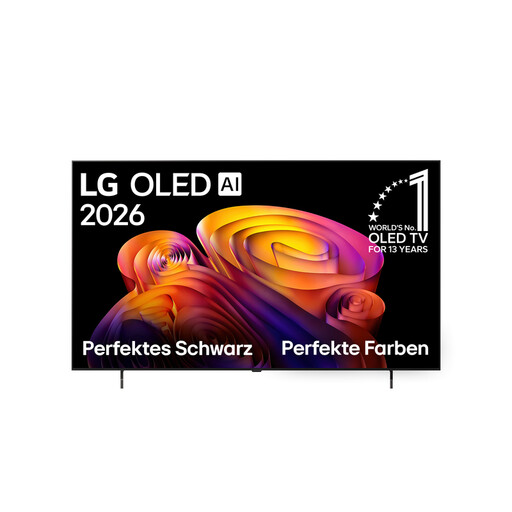
LG OLED65B68LA, 65 inches, 4K OLED Smart TV
Check the 65-inch screen using one of your own recordings, viewed from the furthest seat you regularly use.
Listed features include OLED, 4K and Dolby Vision HDR. For wall mounting, the description specifies an LG-approved bracket and professional installation.
View at Joybuy
Frequently asked questions
Is a 75-inch TV always big enough for a long viewing distance?
Not necessarily. Measure the distance to the seats you regularly use and, if possible, assess the screen size you’re considering with one of your own recordings. It’s not possible to recommend a definite size without knowing the room dimensions.
Can I simply watch a concert recording from a USB stick?
Only if the specific TV supports both the file and the storage device. Check the container, codec and file system against the manual, and test a typical file. Sony’s guidance on exFAT for files over 4 GB doesn’t automatically apply to other brands.
What should I check when setting up or wall-mounting the TV?
Check the dimensions, weight and mounting instructions for your chosen model against your furniture or bracket. Sony refers BRAVIA owners to the manuals for both the TV and the bracket; don’t assume that a third-party bracket will necessarily be suitable.
How can I compare energy consumption, and what rights do I have when buying online?
The EU energy label shows, among other things, a TV’s energy consumption for SDR and HDR; compare the figures for the specific model. According to Your Europe – European Union, consumer purchases in the EU are generally covered by a statutory legal guarantee of at least two years from the seller. Online purchases of goods generally come with a 14-day right to cancel, subject to legal exceptions.


