Teams with a wide seating layout
If guests also sit well to the side, check how the picture looks from the end seats. RTINGS explains that viewing angles can vary depending on the TV and panel type.


If guests regularly sit well to the side, use OLED models as a starting point for comparison and assess the picture from the actual end seats, too. In a bright room, a low-reflection Mini LED LCD could also be an option, but you’ll need to check the side view of the specific model separately. Also consider file compatibility and long periods showing a static image, as both matter for playback and OLED in particular.
If guests also sit well to the side, check how the picture looks from the end seats. RTINGS explains that viewing angles can vary depending on the TV and panel type.
If daylight or lights remain on during screenings, assess reflections and the side view together at the intended installation location.
If you’re playing existing videos, check that your files are compatible with the exact TV model or planned HDMI player. Sony notes that compatibility varies by model and playback method.
A good fit if: many guests sit to the side and you mostly show films with moving images.
The trade-off: Image retention needs to be considered if you display static images, logos or menus for long periods; LG describes this as a risk scenario.
A good fit if: daylight or lights are particularly distracting during screenings and you’d like to compare an LCD alternative.
The trade-off: Mini LED alone tells you nothing about the viewing angle; assess the end seats with the specific model.
A good fit if: a wide seating layout is a particular priority when choosing an LCD.
The trade-off: RTINGS generally describes IPS LCD panels as offering wider viewing angles but lower contrast than VA LCD panels. Check the panel type and picture quality of the exact model.
For these screenings, the percentages below each refer to consumers’ main buying priority.
| Priority | What to check before buying | Who is it most important to? |
|---|---|---|
| Picture from the side | Identify the furthest seats and assess the same film scene from those seats and from directly in front. RTINGS notes that the side view varies depending on the panel type. | If guests sit well to the side, I want to know whether the picture and contrast still look good from my seat. Around 36% of consumers focus mainly on the side view. |
| Daylight and reflections | Test the TV in its actual position at the time of the screening, and assess reflections separately from the side view. | If windows or lights can’t be screened off during a showing, I want to weigh up distracting reflections and visibility from the end seats together. Around 29% of consumers prioritise the room environment. |
| Film file playback | Test a representative original file, including sound and subtitles, using the intended playback method. Sony explains that compatibility depends on the model and connection method. | If we want to play existing videos directly, I want to know in advance whether the picture, sound and subtitles will work. Around 21% of consumers focus on film playback. |
| Long running times and static images | Compare the EU energy label for the specific screen size and check whether the same image will remain on screen during breaks. LG notes the risk of displaying static images for long periods on OLED TVs. | If the TV is often switched on or displays menus and logos during breaks, I want to consider power consumption and how it will be used. Around 14% of consumers pay particular attention to long-term use. |
Screen size and viewing angle are different things. RTINGS explains that picture quality on LCD TVs changes depending on the panel type and viewing angle.
Assess the picture from the furthest intended seat rather than relying on screen size alone.
Mini LED refers to the backlight; it doesn’t, by itself, tell you the viewing angle of the LCD panel.
Check the side view of the specific model, even if a low-reflection screen surface could be useful in your room.
File and codec support can vary depending on the model and playback method. Sony highlights these differences for USB and network playback.
Test an original file, including sound, using the planned connection. If direct playback isn’t suitable, you may need an additional HDMI player.
Under § 15 UrhG, whether a showing is public depends, among other things, on whether it is intended for a number of members of the public. The Media Centres’ Hanover office notes that rights are required for public film screenings.
For every film, check who the audience is, the terms of use, and the film rights and, where applicable, music rights.
The OLED65C57LA from the C5 range is a specific OLED model to consider for comparison. LG lists webOS 25 and Dolby Vision for this version.
The 65OLED810/12 is a 65-inch OLED model with Ambilight. Philips describes its picture quality as remaining stable when viewed from different angles.
The GQ65QN90FATXZG is a German 65-inch Neo QLED QN90F and an LCD model to consider comparing in rooms where light and reflections matter.
The 65C8K is another QD Mini LED option to consider when comparing LCD TVs.
This selection includes OLED, LED and Mini LED TVs in a range of screen sizes. Compare the view from the actual end seats and check that your film files will play using the intended playback method.
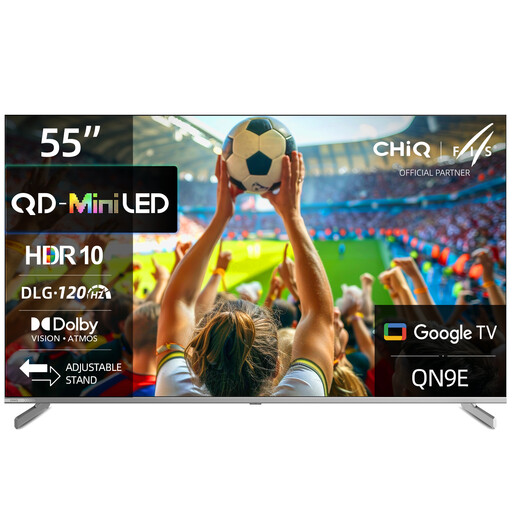 No image available
A 55-inch option for a more compact screening area; assess the side view from the intended seating position.
4K Mini LED, Google TV, Dolby Vision and Dolby Atmos are listed in the product name.
 No image available
An option for comparing Mini LED models, with an anti-reflection feature listed in the product name. Still check reflections and the side view at the installation location.
55 inches, 4K, Google TV and Dolby Vision IQ are listed.
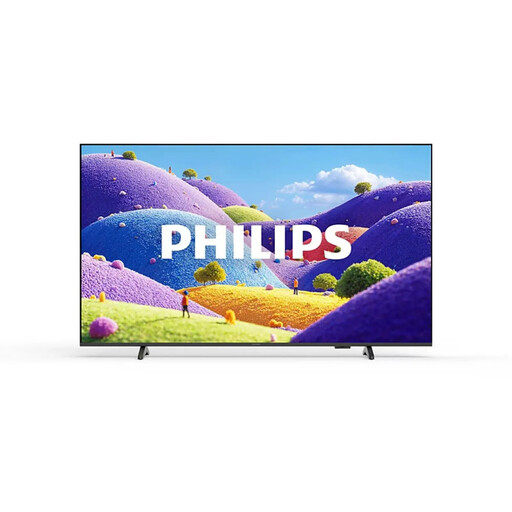 No image available
A larger screen option to compare if you have the space; screen size alone won’t determine how the picture looks from the end seats.
HDR10+, Titan OS, 3 HDMI ports and 2 USB ports are listed in the product name.
 No image available
An OLED option to compare for side seating; check the picture from the actual end seats.
83 inches, 4K, webOS and Dolby Vision are listed. If static images, logos and menus are displayed frequently or for long periods, consider the risk of image retention on OLED.
 No image available
A 55-inch OLED option to compare for side seating; assess the picture from the end seat.
4K, webOS and Dolby Vision are listed. If static images, logos and menus are displayed frequently or for long periods, consider the risk of image retention on OLED.
No. A USB port doesn’t guarantee that every file will play. Check the supported formats for the exact TV model and test an original file with sound. Sony explains that compatibility depends on the model and playback method. An HDMI player could be an alternative if direct playback isn’t suitable.
With OLED, avoid leaving menus or logos on screen unchanged for long periods. LG describes static images displayed for a long time as a risk; protective features don’t rule out image retention completely.
Compare the EU energy label and power consumption figures for the specific models and screen sizes. The Verbraucherzentrale (consumer advice centre) lists power consumption as an important point to compare when buying a TV.
You can’t determine that from the fact that volunteers are involved alone. Under § 15 UrhG, whether a screening counts as a public showing depends, among other things, on whether it is intended for a number of members of the public. The Media Centres’ Hanover office notes that rights are required for public film screenings; check the film rights and, where applicable, music rights for every film.
Measure the available space and check sightlines from the end seats. If you’re planning to wall-mount the TV, check the wall and the right bracket for the exact model. LG notes that the type of wall and the installation environment can affect mounting.