
Lieferung heute & morgen

Qualitätsgarantie

Willkommens-Angebote freischalten: KOSTENLOSE Lieferung | Bis zu 80 % RABATT | Kostenlose 30-Tage-JoyPlus-Testphase
App herunterladen
A smart Wi-Fi plug with energy monitoring can switch household appliances on and off via an app or voice command while recording their electricity consumption. For beginners, this may sound straightforward. In practice, however, incorrect Wi-Fi requirements, insufficient load capacity or limited compatibility can quickly lead to the wrong purchase.
This buying guide explains which technical specifications are important to check before buying a smart plug, and which models are suitable for different households.
Many Wi-Fi plugs work exclusively with 2.4 GHz Wi-Fi. A modern dual-band network is generally suitable, but setup can fail if your smartphone and the plug are connected to the wrong frequency band during pairing. Before buying, check whether your router provides a separate 2.4 GHz network.
Some models also support Bluetooth for setup, but this does not necessarily replace the Wi-Fi connection. The term ‘no hub’ simply means that no separate bridge is required.
A plug rated at 10 A and 2,300 W is not automatically suitable for every high-powered household appliance. Models rated at 16 A and up to 3,680 W offer a higher permitted connection rating according to their product specifications. The appliance rating plate and the information on the plug always remain decisive.
Heaters, irons and other appliances with a high continuous power draw should not be operated unattended. Even a plug with overload protection does not replace proper use and regular checks.
A plug with energy monitoring can display current or historical consumption figures. However, this does not automatically provide an exact electricity bill calculation. To calculate costs, you also need to consider the actual electricity tariff, measurement deviations and the relevant period.
The feature is particularly useful for identifying consumption patterns, for example with office equipment, lighting, entertainment electronics or chargers. Before buying, check whether the app shows only real-time values or also provides history and total consumption figures.
For low-power devices such as lamps, routers or chargers, a 10 A model is often sufficient. For appliances with a higher power demand, a 16 A version may be more suitable, provided the manufacturer explicitly states the corresponding rating.
Also look out for:
A Wi-Fi plug with app control, remote control and scheduling can be used for recurring routines. Typical features include a timer, countdown timer, schedules and an away mode.
If you already use Amazon Alexa, Google Home, Apple Home or SmartThings, read the compatibility list carefully. A Matter plug can make it easier to integrate the device with several supported smart home systems. ‘Works with Alexa’ does not automatically mean that every feature in the manufacturer’s app is also available through voice control.
A compact plug can help prevent neighbouring sockets from being blocked. With extension leads or wall sockets with limited spacing, the external dimensions are particularly important. For a German installation, the plug should be compatible with a suitable CEE-7/4 Schuko socket.
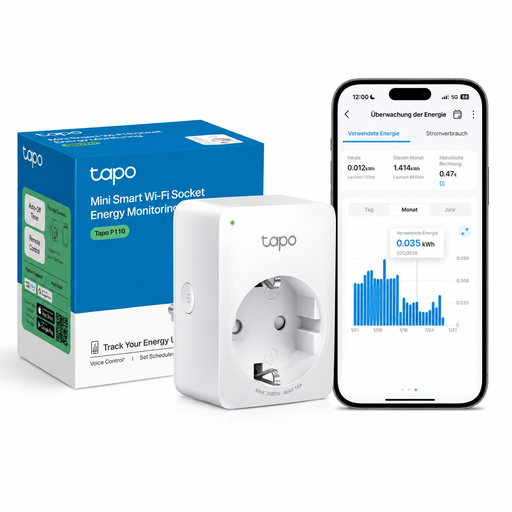
Why this product suits this profile: This plug is designed for beginners and, according to the product description, does not require an additional hub. It supports app control, schedules and voice control via Alexa and Google Assistant.
The specifications explicitly state 2.4 GHz Wi-Fi, a maximum load of 2,300 W and energy monitoring. This means key buying criteria can be checked in advance.
Compact design, remote control, timer and scheduling functions, plus energy consumption monitoring.
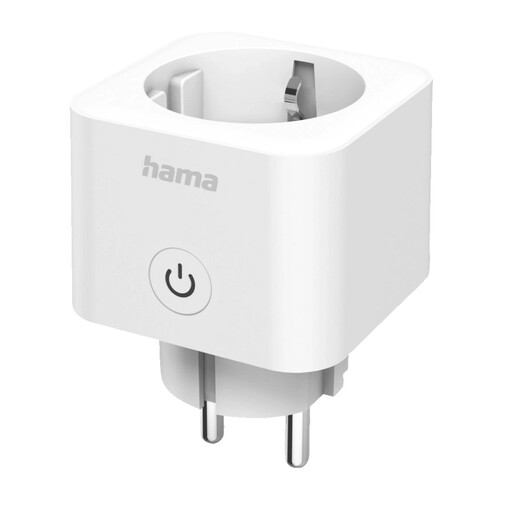
Why this product suits this profile: According to the product data, the Hama model uses Matter and is compatible with Apple Home, Google Home, Samsung SmartThings, Alexa, Home Assistant and Smart Life.
Matter support reduces the risk of being limited to a single platform. The maximum power rating of 3,680 W is also specified.
Matter protocol, energy consumption monitoring, remote access and a direct connection to 2.4 GHz Wi-Fi without a gateway.
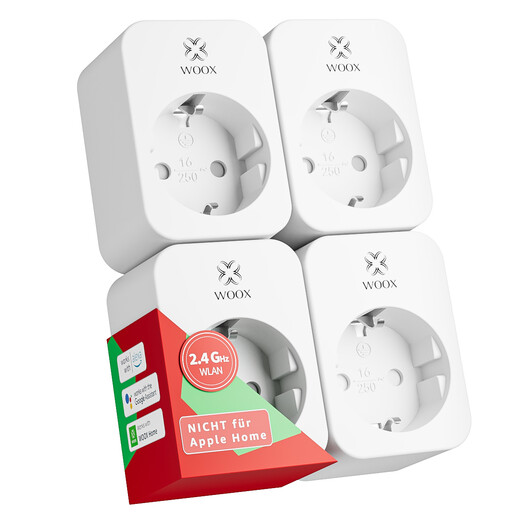
Why this product suits this profile: The set contains four plugs and, according to the product description, is suitable for several rooms, such as the living room, home office or bedroom.
The product data specifies 16 A or 3,680 W, energy monitoring and exclusive support for 2.4 GHz Wi-Fi. This makes it easier to compare the specifications with your router and connected devices.
Four-pack, Tuya Smart and Woox Home apps, timer, countdown and away mode; TÜV, CE and RoHS certified according to the product description.
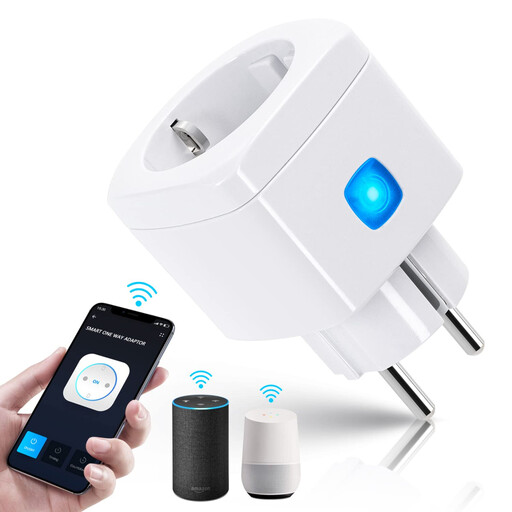
Why this product suits this profile: The plug features overcurrent and overload protection, as well as an independent safety cover. It is designed for indoor use and supports Alexa and Google Home.
The limit of 10 A and 2,300 W is clearly stated. It is also explicitly noted that the plug supports only 2.4 GHz Wi-Fi and is not suitable for damp conditions.
Flame-retardant ABS material according to the product information, timer and countdown functions, plus protection mechanisms against overcurrent and overload.
We have put together a complete, regularly updated list of products that fully meet these strict selection criteria and the safety regulations applicable in the EU.
The plug should be kept dry, remain easily accessible and be fully inserted into the wall socket. Disconnect it from the mains before cleaning. If it becomes hot, damaged or develops a fault, stop using it.
Yes, according to the product descriptions, several of the models mentioned connect directly to 2.4 GHz Wi-Fi. A hub is not required in this case. However, depending on the smart home system, Matter models may require a compatible control device or central app for certain functions.
Its own power consumption depends on the model, network operation and current operating status. Without specific manufacturer data, it is not possible to provide a reliable general figure. The energy monitoring feature in the app primarily refers to the connected appliance and should not be equated with a calibrated household energy measurement.
Its service life depends on the number of switching cycles, environment, load and correct use. A fixed lifespan therefore cannot be stated in general terms. For everyday use, regular visual checks, observing the maximum power rating and using the plug in dry indoor areas are all essential.