
Lieferung heute & morgen

Qualitätsgarantie

Willkommens-Angebote freischalten: KOSTENLOSE Lieferung | Bis zu 80 % RABATT | Kostenlose 30-Tage-JoyPlus-Testphase
App herunterladen
A smart E27 LED bulb combines the classic screw fitting with app, voice control and automation features. Models with RGBW lighting, dimmable white light and decorative filament designs are particularly popular. Choosing one may seem straightforward at first, but technical differences can make a real difference in everyday use.
If you’re looking for an E27 smart LED bulb for your living room, bedroom or an open pendant light, there are three common pitfalls to avoid before you buy:
E27 refers to the standard screw fitting, which has a diameter of 27 millimetres. The fitting alone doesn’t tell you whether the bulb’s shape will suit your light. Before ordering, compare the height, diameter and available space inside the light fitting.
Brightness is measured in lumens (lm). A bulb rated at 420 to 470 lm is typically suitable for decorative lighting, bedside tables, smaller table lamps or as an additional light source. Depending on the room size and light fitting, that level may not be enough to light a large living space on its own.
A wide beam angle, such as 300° or 320°, spreads the light all around. This works well with open shades, but the light may look different in deep or enclosed lamps.
A colour-changing smart bulb can add splashes of colour. For everyday use, it’s also worth looking for white light that you can adjust to suit your needs. The warm white to daylight white range is usually given in kelvin:
The specifications for a dimmable LED bulb should explicitly state that its brightness can be adjusted. With smart bulbs, you control the brightness through an app, voice command or automation – not necessarily with a conventional wall dimmer. A standard dimmer may cause smart bulbs to malfunction, so only use one if the manufacturer explicitly says it’s suitable.
If you use Alexa, Google Home or Apple HomeKit, platform compatibility is a key consideration. A Matter LED bulb can make it easier to connect the bulb to several compatible smart home platforms. Even so, check whether you’ll need the manufacturer’s app for certain features.
Also look out for the following:
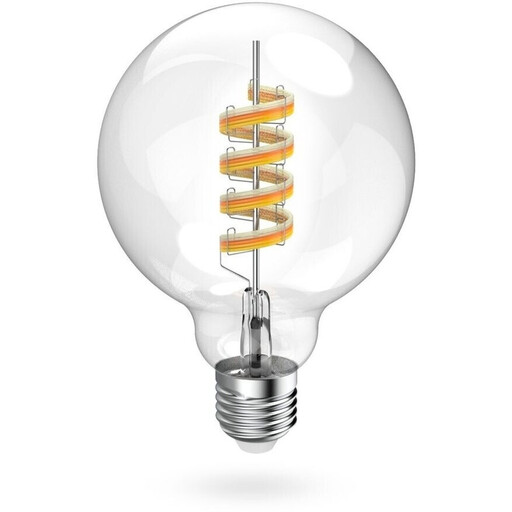
Why this product suits this profile: The G95 globe shape pairs a visible filament design with app and voice control. According to Hama’s product information, the bulb connects directly via 2.4 GHz Wi-Fi and doesn’t need a gateway.
The specifications list the fitting, dimensions, luminous flux, colour temperature range and Matter compatibility. This makes it easier to check that the socket, space in your light fitting and smart home system are all suitable before you buy.
4.9 W, 470 lm, 2,700 to 6,500 K, RGBW, dimmable, schedules and a 320° beam angle.
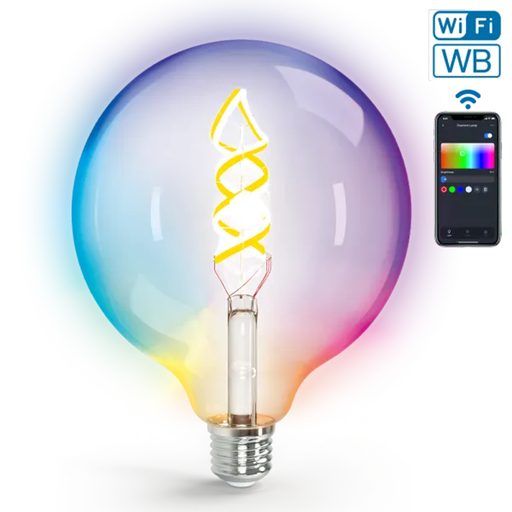
Why this product suits this profile: The large G125 globe shape is designed for anyone looking for a decorative glass bulb with visible filaments and flexible RGBW control.
The product information specifies a 2.4 GHz Wi-Fi connection. Before fitting the bulb, compare its dimensions – around 125 mm in diameter and 163 mm high – with the space available in your light.
4.9 W, 420 lm, RGBW, 2,700 K, app and voice control via Aigosmart, plus scene settings.
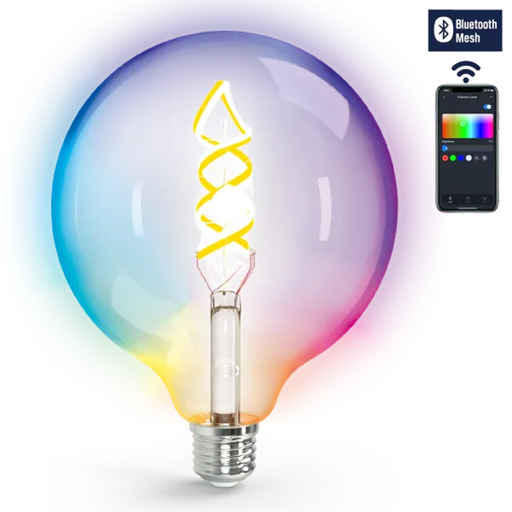
Why this product suits this profile: Bluetooth Mesh may be a good option for households with several compatible bulbs, particularly if you want connected control across multiple rooms.
The product information specifies Bluetooth Mesh, a luminous flux of 470 lm and a G125 shape. This lets you check whether the network type, range and space requirements suit your setup.
E27 fitting, 4.9 W, 470 lm, dimmable RGBW light, filament design and Matter support according to the product description.
We’ve put together a complete, regularly updated list of products that meet these strict selection criteria and fully comply with the safety regulations in force in the EU.
To set up an LED bulb with app control, first screw it into an E27 fitting that’s switched off. Then switch on the light and install the relevant manufacturer’s app. Check that your smartphone is connected to the required 2.4 GHz Wi-Fi network. Depending on the model, you can then create rooms, groups, schedules and scenes.
The operating environment and heat dissipation are particularly important for the bulb’s lifespan. The models listed are intended for dry indoor spaces. Moisture, direct sunlight, extreme temperatures and fully enclosed light fittings can affect how they perform. Figures such as 10,000 to 15,000 operating hours are provided by the manufacturer or listed in the product information; they don’t guarantee a specific lifespan in practice.
Working out the electricity use is simple: a 4.9 W bulb used for three hours a day consumes around 5.4 kWh per year. The actual cost depends on your electricity tariff. The energy efficiency class, such as F, should therefore be considered alongside the wattage and luminous flux.
It depends on the model. The product information should explicitly state compatibility with Alexa or Google Assistant. Matter models may work with several platforms, but you’ll often need the manufacturer’s app for setup as well.
No, not every model does. Some Wi-Fi bulbs connect directly to a 2.4 GHz router and, according to the product information, don’t need a gateway. Bluetooth and Bluetooth Mesh products may have additional requirements. Check the information about network and gateway support before you buy.
The rated power is shown in watts, for example 4.9 W. Using a lower brightness setting may reduce consumption, depending on the electronics and operating mode, but this varies between products. To calculate the cost, you’ll need the wattage, daily usage time and your electricity tariff.