
Lieferung heute & morgen

Qualitätsgarantie

Willkommens-Angebote freischalten: KOSTENLOSE Lieferung | Bis zu 80 % RABATT | Kostenlose 30-Tage-JoyPlus-Testphase
App herunterladen
Smart glasses combine eyewear, Bluetooth audio and digital functions in one wearable device. Depending on the model, they may also include a camera, AI support, translation, navigation or an integrated display. This can be practical for cyclists, travellers, professionals and outdoor users – provided the technical specifications match the intended use.
As a Joybuy Product Recommendation Officer, I filter the most important buying criteria from the product information. This makes it easier to assess marketing terms and avoid common purchasing mistakes.
Many models are marketed as AI glasses, ChatGPT glasses or smart glasses. In practice, this may simply refer to a voice assistant that works through a smartphone and app. A visible image in your field of vision is an additional feature and must be explicitly described as an AR display, HUD or waveguide display.
If you are looking for glasses for navigation, teleprompting or discreet notifications, you should therefore check:
Camera glasses with a high megapixel count may sound impressive at first. However, for cycling and outdoor recordings, image stabilisation, field of view, video length, storage and transfer are also important. Camera glasses can also raise legal and social questions: people should not be recorded without a proper reason or without complying with applicable data protection rules.
For situations where a camera is unwanted, a camera-free model may be the better choice. According to the product information, the Even G2 is made without a camera and instead uses a micro-LED display.
The claim that translation glasses support ‘125 languages’ or ‘145 languages’ says little on its own about how they can actually be used. Important factors include supported language pairs, translation direction, internet connection, app compatibility and free usage allowances. The Verbex models, for example, are described as offering an ongoing translation function and a monthly free allowance of 1,200 minutes. Before buying, check whether these conditions suit your travel or working routine.
For AR glasses, display type, resolution and field of view are key specifications. A smaller field of view can show notifications or navigation prompts more discreetly, while a larger field of view displays more information. For everyday use, it is also important to know whether the display remains transparent and allows you to see your surroundings clearly.
The display must not distract you from traffic when driving, cycling or operating machinery. Only use these functions when it is safe to do so.
When comparing smart glasses with a camera, buyers should look at least at these specifications:
Open-ear audio leaves your ears uncovered and can help you stay aware of your surroundings. However, the volume should still be kept at a sensible level. For frequent users, battery capacity, charging time and real-world runtime are also important. ‘Up to’ always indicates a maximum value, which may decrease depending on volume, camera use, display brightness and connection.
For outdoor use, it is worth checking the protection rating. IP65 means protection against dust and water jets, but it is not intended for swimming or submersion. IPX4 indicates protection against splashing water; it does not mean the product is fully waterproof.
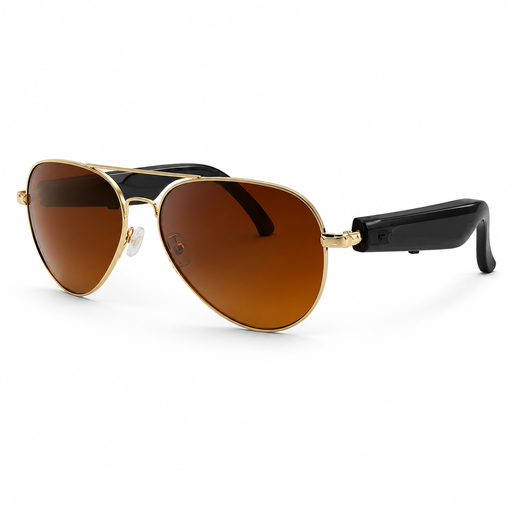
Why this product suits the profile: These glasses combine translation, music, calls and voice control in one Bluetooth model. According to the product information, they support Android and iOS as well as more than 100 languages.
The product description clearly states the app pairing requirements, supported platforms and translation allowance. A display is not listed as a feature.
Voice control, music and calls; according to the specifications, 1,200 free translation minutes per month.
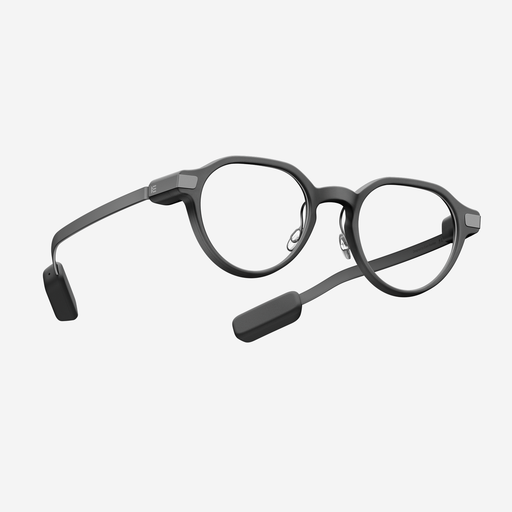
Why this product suits the profile: These camera-free smart glasses are designed for users seeking an unobtrusive display for translation, prompts, navigation and presentations.
The absence of a camera reduces the risk of unclear recording situations. At the same time, the display is described as a standalone feature.
Titanium temples and a magnesium frame; according to the manufacturer, the glasses weigh 36 g and offer up to two days of regular use.
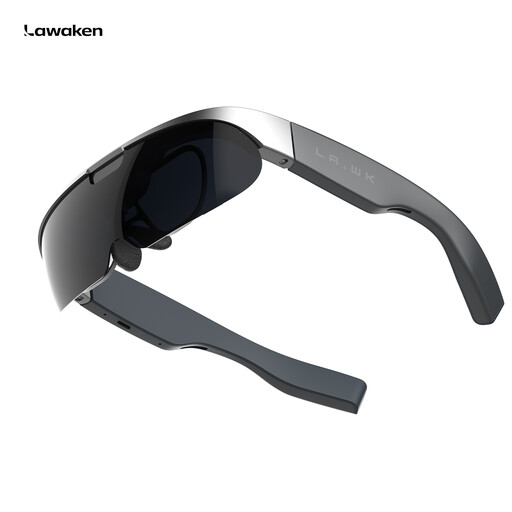
Why this product suits the profile: This model is designed for cycling and outdoor use, combining an AR HUD display, camera, open-ear audio and sports data connectivity.
The specifications provide concrete details such as display field of view, camera resolution, Bluetooth version, runtime and protection ratings, rather than using only general AI terms.
According to the product data, 4K video, 8 hours of use, a 120° camera field of view and IPX4/IP5X ratings.
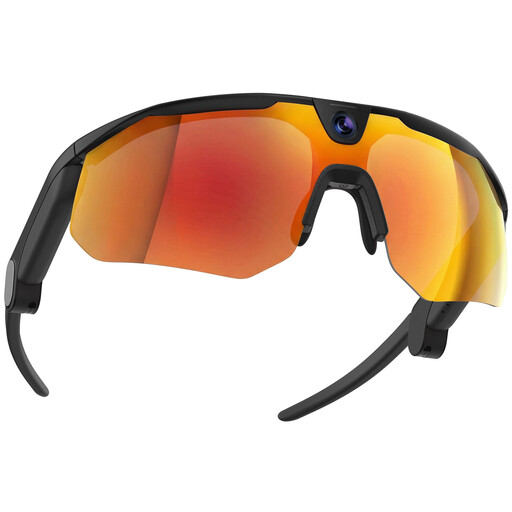
Why this product suits the profile: For cyclists and walkers, the focus is on the camera, open audio output and AI-assisted video editing.
The camera specifications include 16 MP, 3K video at 60 frames per second, a 120° field of view and EIS. Check the compatibility of the high frame rate before buying.
According to the product description, the glasses weigh 49 g and feature open-ear audio and wind-noise reduction for active use.
We have put together a complete, regularly updated list of products that fully meet these strict selection criteria and the safety regulations applicable in the EU.
After unpacking, users should first install the appropriate app, fully charge the glasses and check the permissions. Camera and translation functions may require Bluetooth, Wi-Fi, microphone, camera and location access. Permissions that are not needed can be disabled.
Before using the glasses for the first time, it is also advisable to:
Depending on the model, glasses without a visible display can play music, make calls, use voice assistants or record photos and videos. Translation glasses without a display usually provide translations through audio or the paired smartphone app. An explicitly stated AR display is required for prompts to appear directly in your field of vision.
Battery life depends heavily on the camera, display, volume and Bluetooth connection. The product information available here states, for example, up to two days of regular use for the Even G2 and up to eight hours for the LAWAKEN LAWK ONE. These are manufacturer or product specifications and may be lower in everyday use.
In many cases, yes. The smartphone often handles app pairing, internet access, translation, AI processing, navigation or data storage. Before buying, check the operating system, app availability and any restrictions on individual functions.