
Lieferung heute & morgen

Qualitätsgarantie

Willkommens-Angebote freischalten: KOSTENLOSE Lieferung | Bis zu 80 % RABATT | Kostenlose 30-Tage-JoyPlus-Testphase
App herunterladen
Whether you are filming a vlog, livestream, travel video or TikTok clip, a smartphone gimbal can make movement look noticeably smoother. However, the number of axes alone does not determine how practical it is in everyday use. Incompatible mounts, limited battery life and apps that do not work with your device can quickly leave this accessory unused after just a few outings.
That is why the following selection from the Joybuy Product Recommendation Officer focuses on clear product data, typical usage scenarios and potential purchasing pitfalls.
A 3-axis gimbal can compensate for rotational movement on the tilt, roll and pan axes. However, this only works within its specified load capacity. If you attach a heavy smartphone along with an additional lens, protective case or LED light, the motors may be placed under greater strain. This can result in shorter battery life, jerky movement or stabilisation that is not suitable for the combination being used.
Before buying, you should therefore check:
Panorama, time-lapse, subject tracking and special shooting templates are often controlled via a manufacturer’s app. Not every function is available with every smartphone camera, operating system or camera app. For example, the DJI Osmo Mobile 7P notes that the DJI Mimo app is not available in the Google Play Store due to platform compatibility and must be downloaded from the official DJI website.
If you mainly use the standard camera, Instagram, TikTok or a streaming app, check in advance which buttons and modes actually work with them.
A foldable smartphone stabiliser or a selfie stick with tripod is practical when you are out and about. However, a very lightweight model can tip over more easily on uneven ground, in windy conditions or when the arm is extended. A phone tripod should therefore not only be compact, but also suitable for the intended height and the weight of the smartphone.
For moving shots, a three-axis gimbal is useful when movement in several directions needs to be compensated for. You should also pay attention to the movement angle and the position of the motors. An offset roll axis or an extended arm can prevent the smartphone from intruding into the frame during wide-angle shots.
Nevertheless, a smartphone gimbal cannot replace steady camera work. Rapid changes of direction, stairs or uneven surfaces can still produce visible movement.
The stated runtime refers to the manufacturer’s test conditions and may vary depending on motor load, Bluetooth, app usage and ambient temperature. Models with longer operating times are practical for day trips. Also check whether the device can charge the smartphone while recording and which charging adaptor is required.
For integrated lithium batteries, the following applies: do not store them in very hot conditions, use only suitable power supplies and stop using a damaged or unusually hot device.
A MagSafe phone mount can make setup quicker, but it is not automatically compatible with every smartphone. Android devices or iPhones without a suitable magnetic back may require an additional case or adaptor.
The following connections may also be important for content creators:
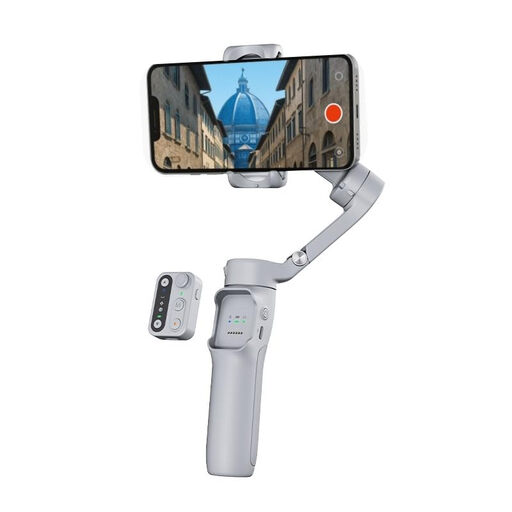
Why this product suits this profile: The foldable design, stated battery life of up to 11 hours and detachable remote control are aimed at beginners who want to film on the go without needing another person to operate the camera.
The 10-metre remote control reduces reliance on another person. Before use, check the load capacity, how securely the smartphone sits and the thickness of its case.
3-axis system, foldable body, portrait and landscape modes, plus modes such as panorama and time-lapse via the hohem Joy app.
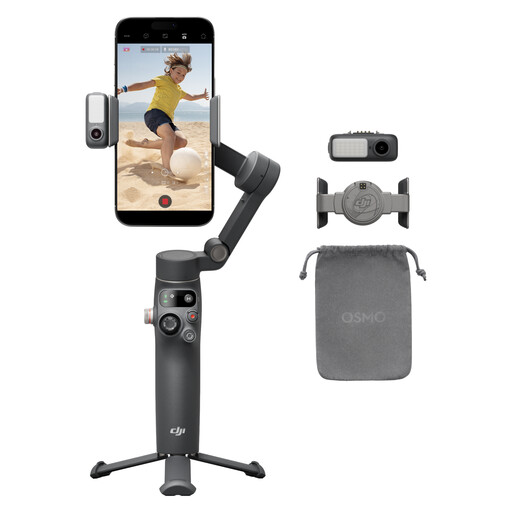
Why this product suits this profile: Content creators and vloggers get a 3-axis system with an integrated extension pole and tripod. This model is an appealing choice for anyone who wants to combine several shooting functions in one device.
The integrated extension and tripod reduce the need for separate accessories. Check app availability and smartphone compatibility before buying.
Stated usage time of up to 10 hours, magnetic smartphone clamp, subject tracking, and lighting or receiver functions via the multifunction module.
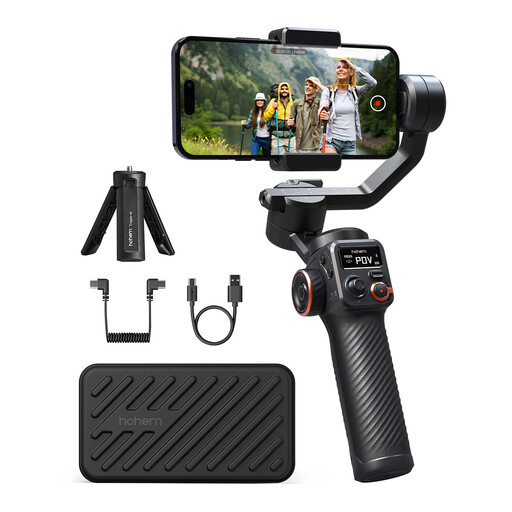
Why this product suits this profile: For frequent vlogs, livestreams and travel footage, the stated battery life of up to 18 hours, OLED display and several 1/4-inch connections are useful features.
The stated load capacity of up to 400 g provides flexibility for different smartphones. However, the maximum load, including accessories, must not be exceeded.
OLED display for battery level and mode, 335-degree tilt range, reverse charging and stated IPX5 splash resistance.
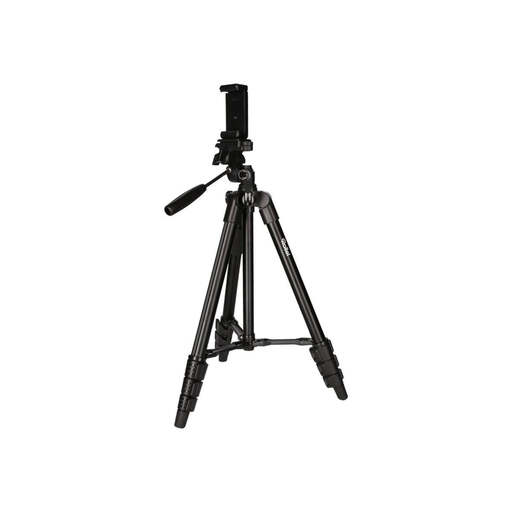
Why this product suits this profile: Travel bloggers and those making static recordings get a classic smartphone tripod with mount and Bluetooth remote shutter.
The integrated spirit level helps you keep the setup straight. In windy conditions, the lightweight tripod should not be left unattended.
Weight of 595 g, packed length of 39 cm, four aluminium leg sections, height from 39 to 120 cm and stated maximum load of 2 kg.
A gimbal stabilises movement, but it does not automatically replace lighting, audio equipment or a secure place to set your phone down. A small ring light can provide more even illumination for video conferences, livestreams or indoor filming. For static setups, a magnetic mini tripod such as the Ulanzi MA38 4-in-1 Magnetic Phone Tripod is a suitable choice. With magnetic mounts, always check compatibility and ensure the connection is secure before letting go of your smartphone.
For a classic selfie stick with tripod, the Ulanzi JJ02 Phone Tripod Stand is also worth considering. If you need additional lighting, the ULANZI Ring Light for Phone is a compact option with three colour temperatures and five brightness levels.
We have put together a complete, regularly updated list of products that fully meet these strict selection criteria and the safety regulations applicable in the EU.
Mount the smartphone centrally and, if possible, without a loose-fitting case. Only switch on the gimbal once the phone is securely seated in the mount. Then pair it via Bluetooth, install the manufacturer’s app if required, and select portrait or landscape orientation. Avoid overloading the motors.
The operating time per charge depends on motor load, Bluetooth, the app and temperature. Depending on the model, product specifications may state up to 10, 11 or 18 hours. Actual battery life depends largely on how light the smartphone is and how often the motors need to make adjustments.
Yes, if you often want to record while walking, take selfies from a distance or make hands-free travel videos. For occasional group photos or static videos, a phone tripod with a Bluetooth shutter may be sufficient. The right choice therefore depends more on the amount of movement involved than on what the accessory is called.