
Lieferung heute & morgen

Qualitätsgarantie

Willkommens-Angebote freischalten: KOSTENLOSE Lieferung | Bis zu 80 % RABATT | Kostenlose 30-Tage-JoyPlus-Testphase
App herunterladen
A smartphone gimbal can significantly reduce shaky footage when walking, travelling or vlogging. However, not every model is suitable for every use. Marketing terms such as “AI tracking”, “professional stabilisation” or “all-in-one” reveal little about how practical a product really is in everyday use.
Three common purchasing pitfalls occur particularly often:
A 3-axis gimbal typically compensates for movement across the tilt, roll and pan axes. This is particularly important when you are walking while filming, turning around or switching between portrait and landscape orientation.
Also pay attention to the stated rotation range. A wide pan range supports panoramas and dynamic camera movements. The hohem Smartphone Gimbal Stabilizer with OLED Display, for example, specifies 335° of tilt rotation and a roll motor offset by 30°. This can help with wide-angle shots, but it does not replace correct mounting and balancing.
The maximum payload must be suitable for your phone and any accessories. The hohem model specifies a payload of up to 400 g. The Rollei Easy Creator Gimbal has a clamp width of 6.5 to 9.5 cm and a maximum payload of 2.5 kg. These figures should always be compared with the actual dimensions and weight of your smartphone.
A sturdy clamp is important, but it must not press on buttons or ports continuously. With magnetic mounts, check whether the supplied clamp works with your existing case.
Battery life depends on tracking, lighting and motor load. The hohem model specifies up to 18 hours, while various Insta360 Flow models are listed with up to 10 hours. These manufacturer figures are guidelines and may vary in real-world use.
With a gimbal with AI tracking, app compatibility is crucial. Tracking may be limited to faces, people, animals or specific applications. Before buying, check the following:
An integrated phone tripod, a selfie stick with gimbal or an extendable extension pole can eliminate the need for additional accessories. However, these features often increase the weight and packed size.
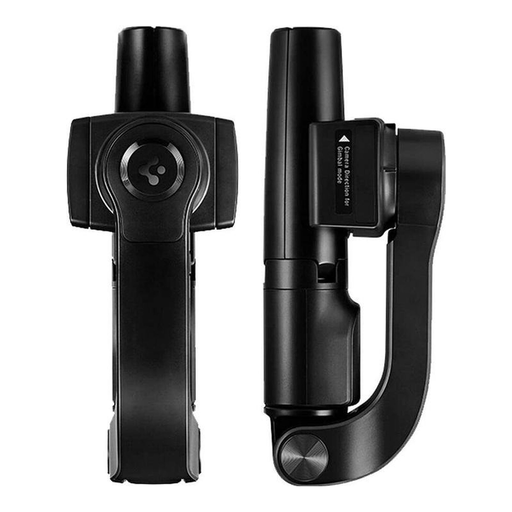
Why this product suits this profile: This compact smartphone stabiliser is designed for users who want to create selfies, short clips and simple travel footage without extensive additional equipment. According to the product information, it is compatible with iOS and Android and weighs 220 g.
The product description clearly lists its functions: Bluetooth connectivity, selfie stick and tripod functionality. Even so, you should check that the mount is suitable for your phone before buying.
220 g weight, Bluetooth shutter release, plus combined gimbal, selfie stick and tripod functionality.
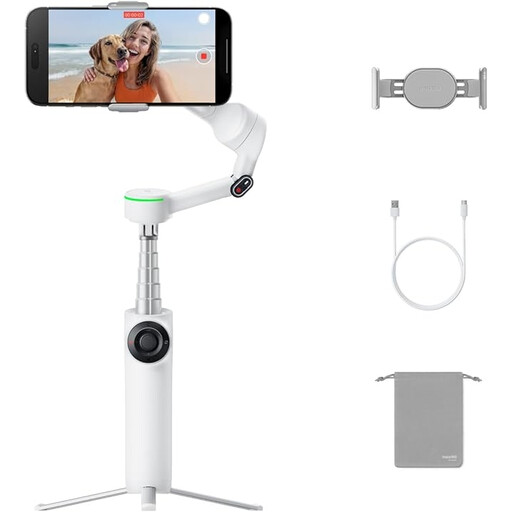
Why this product suits this profile: The Flow 2 Pro combines 3-axis stabilisation with 360° pan tracking, multi-person tracking and Apple DockKit support for more than 200 compatible iOS apps.
Its extensive tracking functions are backed up by specific compatibility information. Buyers using Android or unsupported apps should check the available features separately in advance.
360° pan tracking, integrated tripod and selfie stick, plus support for Dolby Vision and Apple ProRes according to the product description.
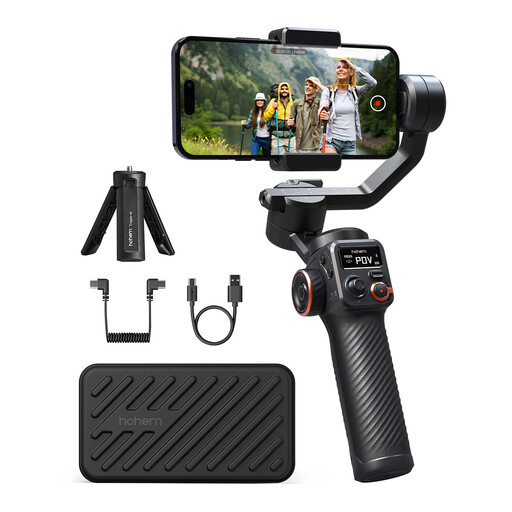
Why this product suits this profile: For longer vlogs, travel and repeated filming sessions, its specified battery life of up to 18 hours, OLED display and reverse charging are valuable features.
The OLED display shows the battery level, Bluetooth status and recording mode. Its stated 400 g payload helps with planning accessories, but this limit must not be exceeded.
Up to 18 hours of stated runtime, 335° of tilt rotation, OLED status display and IPX5 splash protection according to the product specifications.
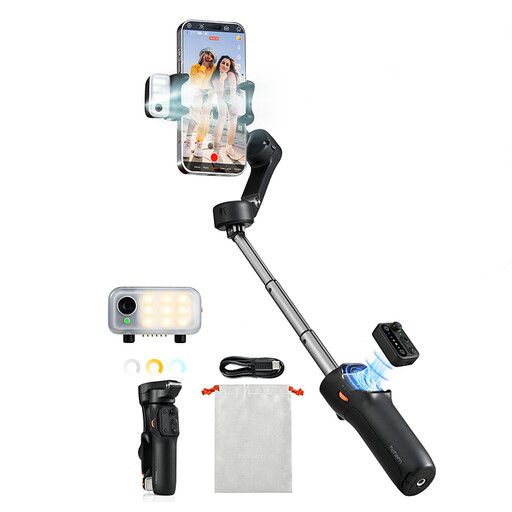
Why this product suits this profile: The combination of a detachable remote control, foldable body and specified 11-hour battery life makes it suitable for solo filming, vlogs and travel videos.
According to the product information, the remote control enables filming from up to 10 m away. As the model is not waterproof, it is not suitable for use in rain or high humidity.
3-axis stabilisation, foldable design, remote control and support for portrait and landscape orientation.
We have put together a complete, regularly updated list of products that fully meet these strict selection criteria and the safety regulations applicable in the EU.
Mount your smartphone centrally and remove a heavy case if necessary. Do not switch on the gimbal without a phone inserted if the manufacturer warns against doing so. Moving axes can trap fingers, hair or loose clothing.
Also observe the protection rating: IPX5 means splash protection, not suitability for submersion. Models without a specified protection rating should not be used in the rain or damp environments. Lithium batteries must not be disposed of with household waste; they must be disposed of in accordance with local requirements.
Open the device, place the smartphone in the clamp and align it as centrally as possible. Then switch it on, connect via Bluetooth or the app and, if necessary, perform the automatic calibration. Before recording, check that the desired portrait or landscape orientation is supported.
Practical battery life depends on motor load, tracking, lighting and charging functions. The product specifications in this selection range from around 10 to 18 hours across various models. For longer sessions, a battery level display and USB-C charging are useful.
Many models support both platforms, but not every function is universally available. Native app integration, DockKit, gesture control and AI tracking may depend on the operating system, smartphone model or app being used. For this reason, check the compatibility list for the specific product before buying.