
Lieferung heute & morgen

Qualitätsgarantie

Willkommens-Angebote freischalten: KOSTENLOSE Lieferung | Bis zu 80 % RABATT | Kostenlose 30-Tage-JoyPlus-Testphase
App herunterladen
Great vlogs are about more than having a powerful smartphone. Shaky footage, poorly lit faces or an unstable phone holder can all affect picture quality. So if you’re buying smartphone accessories for vlogging, don’t be swayed by a long product description or flashy feature names alone.
Three common buying pitfalls to watch out for:
First, check the maximum smartphone size, mounting type and operating system supported. Many Bluetooth selfie sticks work with iOS and Android, but features such as gesture control or native tracking may have additional technical requirements.
For magnetic holders, check whether you need a compatible case or a suitable magnetic adapter. Your smartphone should sit securely in the clamp without covering any buttons or camera lenses.
For moving footage, a smartphone gimbal with 3-axis stabilisation is a different type of product from a basic selfie stick. A gimbal electronically compensates for certain movements, but it needs a battery, setup and a properly balanced smartphone.
For a selfie stick with a tripod, look out for:
Set up a long stand fully open on a level surface. Before each recording, check that all the legs are stable and the holder is firmly closed.
When choosing smartphone lighting, brightness settings, colour temperature and the mounting type matter more than the generic label “studio light”. Warm light may suit indoor settings, while more neutral or cooler settings can work better in daylight.
Also check for:
A small light attached directly to your smartphone is handy for video calls, selfies and short clips. For longer livestreams, position the light so it doesn’t dazzle you. ULANZI specifically advises against looking directly at the LEDs at maximum brightness and says to keep the Ring Light for Phone 4" away from water.
The selection below groups smartphone accessories for vlogging by typical use. Technical details are based on the product information provided. Before buying, also check the latest compatibility details on the product page.
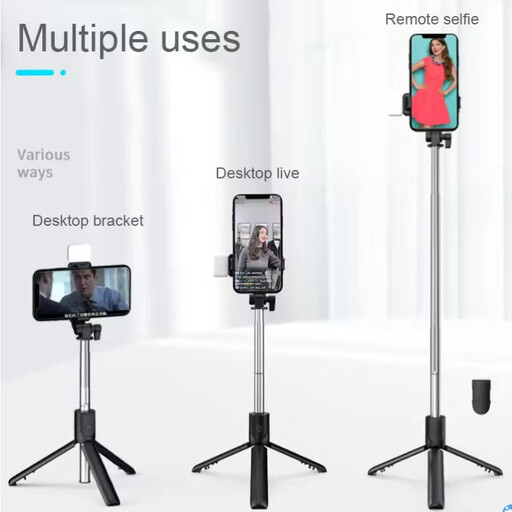
Why it suits this type of user: At around 100 cm long, this compact selfie stick is suitable for simple selfies, short vlogs and shots with iOS or Android smartphones.
The product details specify a Bluetooth connection, tripod function and remote control range of less than 10 metres. This makes it easy to check some of the key buying criteria in advance.
Built-in fill light, portrait and landscape modes, and a weight of around 200 g.
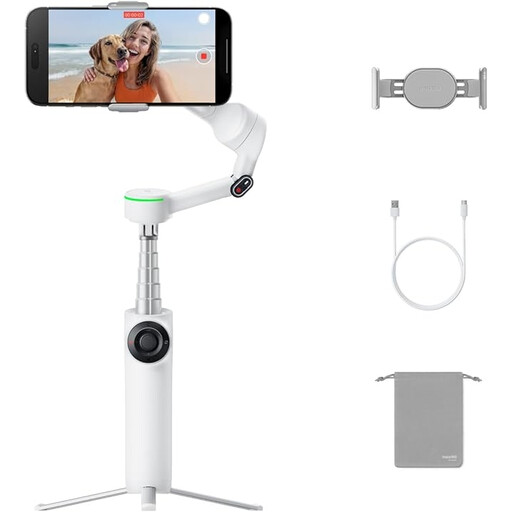
Why it suits this type of user: For vloggers and travellers who want to combine moving shots, group photos or livestreaming with a foldable system.
The product details list 3-axis stabilisation, a built-in tripod and a selfie stick function. However, native tracking is limited to compatible iOS devices and apps.
360-degree pan tracking, built-in extra features and a stated battery life of up to 10 hours.
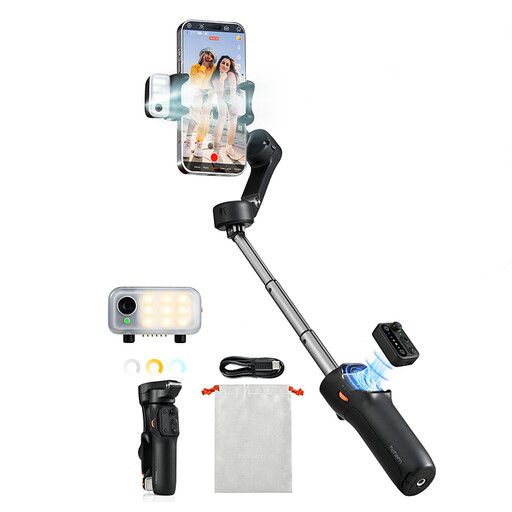
Why it suits this type of user: A good fit for anyone looking for stabilisation, tracking and a tripod function in one device for walking, travelling or longer recording sessions.
The product details list an extendable pole, a tripod, a detachable remote control and compatibility with many iPhone and Android smartphones. However, the device is not waterproof.
3-axis stabilisation, AI tracking that product details say doesn’t require a Bluetooth or app connection, and a stated battery life of up to 13 hours.
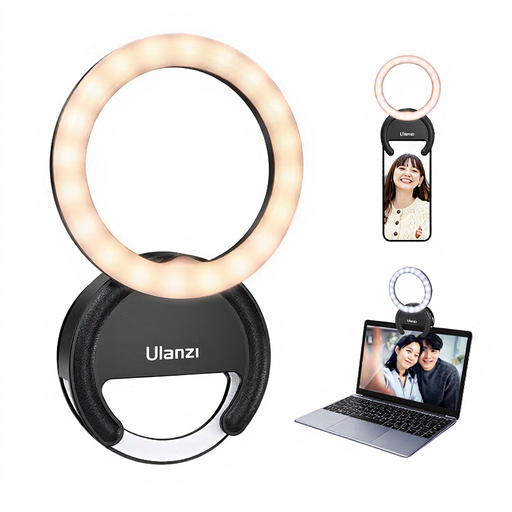
Why it suits this type of user: A good option for selfies, video calls, make-up videos and short TikTok or YouTube clips indoors.
Three colour temperatures and five brightness settings let you adjust the light for different indoor settings. You’ll still need to check the mounting and power supply.
Compact design, a colour temperature of 3,000 to 7,000 K and five adjustable brightness settings, according to the product details.
We’ve put together a complete, regularly updated list of products that meet these strict selection criteria and fully comply with the safety regulations in force in the EU.
A Bluetooth selfie stick with a tripod function and built-in fill light is often all you need to get started. If you mainly film while seated, you may not need a gimbal. For moving shots, a smartphone gimbal with 3-axis stabilisation may be a better choice.
Place the light source roughly at eye level and slightly in front of your smartphone. If you wear glasses, positioning the light slightly to one side can help reduce reflections. Don’t point the LEDs directly at your eyes for extended periods. For livestreaming, make sure there’s enough ventilation around the device.
Lifespan depends on the hinges, clamps, battery and how the item is transported. Use rechargeable devices with the recommended charging accessories and protect them from moisture. If a gimbal makes unusual motor noises or won’t balance properly, stop using it and check the manufacturer’s guidance. Also keep small accessories and batteries out of the reach of children.