
Lieferung heute & morgen

Qualitätsgarantie

Willkommens-Angebote freischalten: KOSTENLOSE Lieferung | Bis zu 80 % RABATT | Kostenlose 30-Tage-JoyPlus-Testphase
App herunterladen
A smart plug with energy monitoring can switch lamps, entertainment electronics and household appliances on and off via an app, while also displaying their electricity consumption. This sounds straightforward at first, especially for those new to smart home technology. In practice, however, unsuitable Wi-Fi requirements, incompatible load limits or unclear monitoring functions can quickly lead to the wrong purchase.
This guide explains which technical specifications really matter when choosing a Wi-Fi smart plug, and which model is suitable for different types of household.
Many smart plugs work exclusively with 2.4 GHz Wi-Fi. This is standard for many devices, but it also means that a smartphone connected only to a 5 GHz network during setup may not find the plug. Before buying, check whether your router provides a separate 2.4 GHz network.
Bluetooth-supported pairing can make setup easier, but it does not replace the required connection to a compatible Wi-Fi network. The app you use is also important: depending on the model, you may need Tapo, Smart Life, Tuya Smart, Aigosmart or Woox Home.
Depending on the model, a plug with energy monitoring may display current power, voltage, current or historical consumption figures. These can be used to calculate consumption and estimated costs. However, accuracy depends on the measuring circuit, the appliance’s power consumption and the electricity tariffs stored in the app.
The ‘Monitor energy consumption’ function therefore provides guidance and comparative figures. It does not replace a calibrated meter for billing purposes. If you want to measure electricity consumption, you should also check whether daily, weekly, monthly and annual figures can be saved or exported.
According to the product specifications, a 16 A smart plug can typically switch up to 3,680 W at 230 V. This does not mean that every heater, air conditioner or machine should be operated through it continuously. Some models are designed for just 10 A or 2,300 W.
The manufacturer’s specifications are particularly important for appliances with a high start-up load. Fan heaters, irons and other high-load appliances should only be used unattended if this is permitted by the instructions for use. Do not connect multiple extension blocks or adaptors in a chain.
Most Wi-Fi smart plugs require 2.4 GHz Wi-Fi in accordance with IEEE 802.11 b/g/n. You should also check whether the plug works with your system:
A smart plug with app control should offer, at a minimum, switching, schedules, countdown timers and, where applicable, an away mode. With cloud-based solutions, users should also check the manufacturer’s privacy and firmware information.
Not every plug with energy monitoring displays the same values. Useful information includes:
The display should clearly distinguish between instantaneous power and cumulative energy consumption in kilowatt-hours. This is the only way to make meaningful comparisons between standby appliances and regularly used devices.
For indoor use in dry environments, many models are designed as compact plug-in adaptors. Pay attention to the stated rated load, the dimensions and whether neighbouring sockets will remain accessible. Devices with IP00 or IP20 protection are not suitable for damp conditions or outdoor use. Outdoors, you need a clearly specified protection rating such as IP44.
Safety features such as overload protection, protective contacts, a flame-retardant housing and a defined state after a power cut may be important. However, they do not replace correct use within the manufacturer’s specified limits.
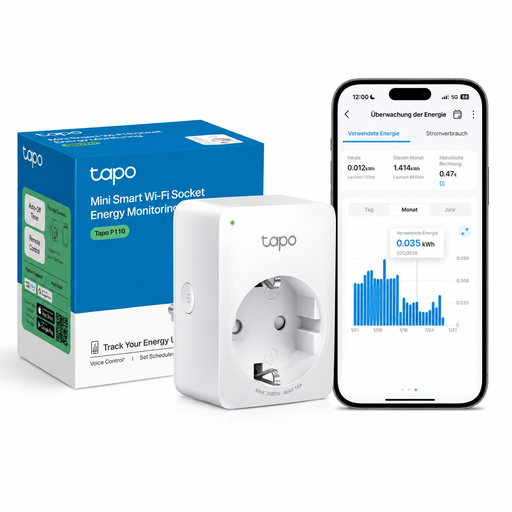
Why this product suits this profile: Setup is completed through the Tapo app, with no additional hub required. App control, energy display, scheduling and voice control via Alexa or Google Assistant cover the typical needs of beginners.
The product specifications clearly state 2.4 GHz Wi-Fi, a maximum load of 10 A or 2,300 W, and the required app.
Compact design, remote access, timer and away mode; no hub required.
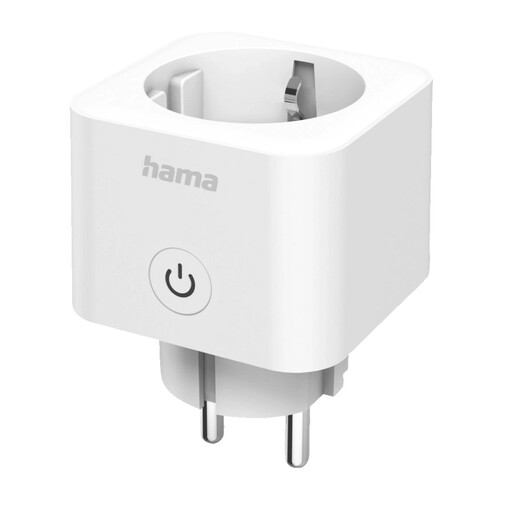
Why this product suits this profile: Matter support makes it easier to integrate the plug with compatible platforms such as Apple Home, Google Home, Alexa, SmartThings, Home Assistant and Smart Life.
Compatibility and 2.4 GHz Wi-Fi are listed in the technical specifications; setup is completed using a Matter QR code.
Cross-platform Matter standard and energy consumption display without an additional hub.
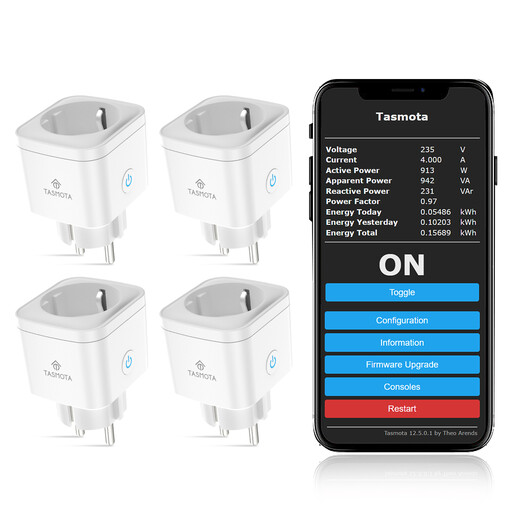
Why this product suits this profile: Tasmota is an appealing choice for users who run Home Assistant, MQTT, Domoticz, ioBroker or OpenHAB and prefer local automations.
Local control reduces reliance on a manufacturer’s cloud. Manual calibration is recommended for precise readings.
Four devices per pack, with measurements for power, voltage, current and total consumption.
We have put together a complete, regularly updated list of products that fully meet these strict selection criteria and the safety regulations applicable in the EU.
Most models in this selection require 2.4 GHz Wi-Fi. With dual-band routers, your smartphone should be connected to the 2.4 GHz network during setup. A 5 GHz-only network is generally not sufficient.
Its own energy consumption depends on the model and network operation. The product specifications do not state a specific standby value for every plug. If you want to monitor small appliances that remain switched on continuously, look for a clear energy display and technical information about standby consumption.
A timer plug or app control can prevent unnecessary operating times. However, the plug does not reduce consumption automatically. The key factors are suitable schedules, the maximum load of the appliance and the choice of connected devices. For heaters and other high-load appliances, follow the relevant manufacturer’s safety instructions.