What should you look for when buying?
First, make sure the game and platform are compatible. Then choose a connection that suits your desk, and only consider extra features if the game actually supports them.
| Buying consideration |
What to check |
Who is this important to? |
| Game and platform support |
Check the game, platform and specifically supported controllers. |
If I want to avoid buying the wrong product, I first check that it’s supported by my game and platform. Around 36% of consumers put compatibility first. |
| Space and connection |
Check available USB ports and their location, Bluetooth availability and cable management. |
If I want to keep as much clear space as possible on my small desk, I consider the connection and the space needed for a cable or receiver. Around 29% of consumers prioritise desk space and connection. |
| Control features |
Check whether extra buttons can be assigned, and whether the game supports haptics and trigger features. |
If I want to use particular buttons or feedback features, I first check that my game supports them. Around 21% of consumers prioritise control features. |
| Accessories and set-up |
Check what’s included, the power supply and the connections required for the specific product. |
If I want to avoid needing extra accessories after buying, I check whether I’ll need a cable, receiver or power supply. Around 14% of consumers focus mainly on accessories and ongoing requirements. |
Joybuy PC controllers
The following Joybuy models are listed as PC gamepads and include both wired and wireless options.
 Image unavailable
EasySMX D10 PC controller
A wireless option for PC, provided your game supports the controller and your PC supports the connection you choose.
Features listed in the product name include Bluetooth, TMR joystick, dual-mode triggers, mechanical buttons, a 1000 Hz polling rate and RGB lighting. Compatible platforms listed are PC, Switch, Android and iOS.
View at Joybuy
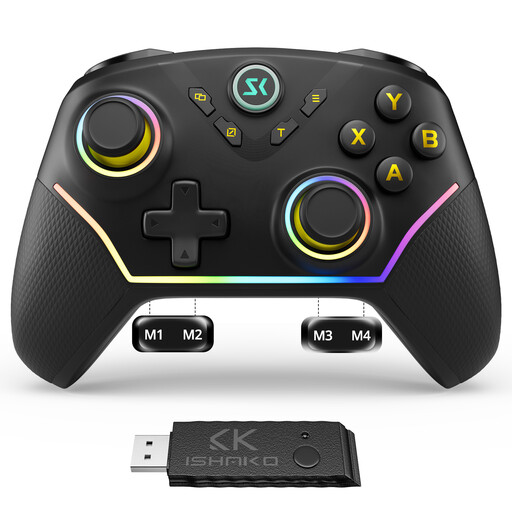 Image unavailable
CHENGDAO wireless controller for PC
A wireless option for PC if you’re looking for extra assignable buttons and your game supports the controller.
The product name lists Windows PC and Nintendo Switch, along with four rear buttons and Hall Effect sticks and triggers. According to the product description, this model isn’t compatible with Xbox, PlayStation or GeForce Now.
View at Joybuy
 Image unavailable
Microsoft Xbox Series X/S Wireless Controller, Pulse Red
A wireless option for PC and Xbox systems, provided the game and connection are compatible with your device.
The product name lists Xbox One, Xbox Series X/S and PC as compatible platforms.
View at Joybuy
 Image unavailable
BEITONG PanGu Modular Wireless Gaming Controller
A wireless option for PC if you want to use interchangeable controls and the layout suits your game.
The product name lists interchangeable joysticks, buttons and directional pads, as well as vibration motors. Compatible platforms listed are PC, Nintendo Switch, Switch 2 and Android.
View at Joybuy
 Image unavailable
GameSir G7 HE Wired Controller
A wired option for PC if you have a USB port available and can manage the cable on your desk.
The product name lists Hall Effect sticks and Xbox Series X/S, Xbox One and Windows 10|11 as compatible platforms.
View at Joybuy
Frequently asked questions
Do I need a gamepad for every snowboarding game on PC?
No. Steam lists a controller as required for Shredders and doesn’t list a keyboard and mouse as a supported alternative. Ubisoft, on the other hand, also lists a keyboard and mouse for Riders Republic on PC. So check the details for the specific game.
How do I connect an Xbox Wireless Controller to a Windows PC?
According to Xbox Support, you can connect via USB, Bluetooth or an Xbox Wireless Adapter. For an Xbox Series generation controller, Support specifies USB-C and requires a data-capable cable. For Bluetooth, your PC must support the connection.
Does DualSense haptic feedback work automatically over Bluetooth on PC?
No. Sony says that haptic feedback on PC requires both a game that supports it and a USB connection. Check separately which effects a particular snowboarding game actually uses.
What should I know about buying and disposal in Germany?
For products covered by harmonised EU regulations that require the relevant marking, the CE mark is a manufacturer’s declaration of conformity, not an independent quality mark, as explained by the European Commission. The German Federal Network Agency (Bundesnetzagentur) monitors electrical equipment and radio products, among other things. According to the German Environment Agency (Umweltbundesamt), a controller that has reached the end of its life must not go in household waste. Where possible, removable batteries should be disposed of separately.


