Players who use headphones with their controller
If you’d like to connect a wired headset to your gamepad rather than your gaming device, check the audio connection, platform and connection method together.


First, choose a controller that works with your game and platform, then decide whether to connect your headphones to the controller or directly to your gaming device. A headphone socket alone doesn’t guarantee that audio will work over every connection: Sony requires the DualSense to be connected by cable when used with a PC, while Nintendo lists the Switch 2 Pro Controller for use with the Switch 2 only.
If you’d like to connect a wired headset to your gamepad rather than your gaming device, check the audio connection, platform and connection method together.
For snowboarding games on PC, you’ll need a controller supported by the specific game, with controls that suit the way you play. Shredders’ Steam page lists support for Xbox and PlayStation controllers, but that doesn’t automatically apply to every snowboarding game.
If you already own a PS5, Xbox or Switch 2, check that both the game you want and the controller work with that specific system.
First check the game and platform, then the audio connection you want, and finally any additional control and connectivity features.
| What matters when buying | What to check | Who will find this most important? |
|---|---|---|
| Game and platform compatibility | Check that the controller is supported by the specific game and the right console generation. Shredders’ Steam page lists Xbox and PlayStation controllers. | When I play on PC or console, I want to know whether my specific game and device version support the controller. Around 34% of consumers put game and platform compatibility first. |
| Headphone audio through the controller | Check the connection, platform and connection method together. Sony requires a wired connection when using the DualSense with a PC; Nintendo lists a four-pole 3.5 mm CTIA socket for the Switch 2 Pro Controller. | If I want to keep my headset connected to my gamepad, I want to be sure the audio will work with my system. Around 33% of consumers prioritise a headphone socket on the controller. |
| Controls for turns and tricks | Compare the stick layout and button mapping with the inputs you use in the game. Extra buttons only matter if you actually plan to use them. | For the way I play, it matters whether the key inputs are laid out to suit me; I don’t automatically need extra buttons. Around 20% of consumers prioritise the controls. |
| Connection type and accessories | Check whether you need USB, Bluetooth, a wireless receiver or a cable. Turtle Beach lists wireless use on PC and wired use on Xbox for the Stealth Pivot. | If I want to switch between wireless and wired connections depending on my gaming device, I want to know which options are available beforehand. Around 13% of consumers pay particular attention to setup and any extra accessories required. |
Sony requires the DualSense to be connected to a PC or Mac by cable to use its headset socket. Bluetooth alone isn’t enough.
Check the controller connection and headphone audio as two separate features.
Turtle Beach lists wireless use for the Stealth Pivot on PC, but wired use on Xbox. The connection method can therefore vary depending on your gaming device.
Check the connection table for the exact model and your platform, and make sure you have a suitable cable if needed.
Shredders’ Steam page lists Xbox and PlayStation controllers. This doesn’t confirm support for every other snowboarding game.
Check controller support for your specific game and version before choosing a gamepad.
Xbox Wireless Controllers are an option for Xbox and Windows if you want to connect a compatible wired headset to the controller.
The DualSense is a good fit for a PS5 or supported PC games. The DualSense Edge is worth considering if you’ll make use of its extra customisation options.
The Switch 2 Pro Controller is worth considering if you own a Switch 2 and the game you want is available on that console.
The Stealth Pivot may appeal to PC players looking for wireless connectivity and customisable button modules; according to the manufacturer, it requires a wired connection on Xbox.
The Ultimate 2 Bluetooth is designed for supported Switch and Windows setups if you don’t need to connect your headphones to the controller.
The products below are game controllers for Windows PC and/or Xbox. If you want to connect headphones to the controller, check the audio connection for your platform and connection method.
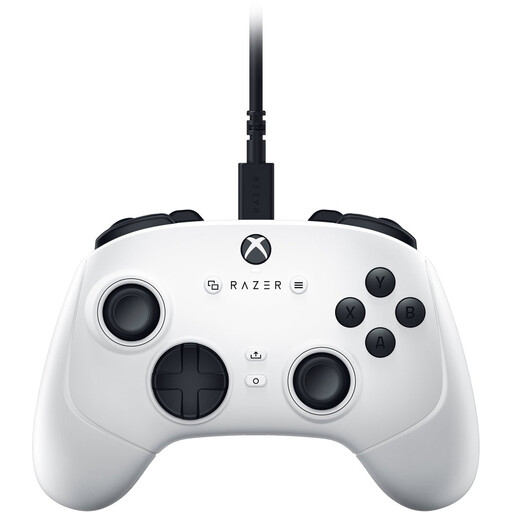 Image unavailable
For snowboarding games on a Windows PC or Xbox if you want extra mappable controls.
Four rear paddles and six mappable buttons.
Hall Effect sticks and wired USB-C connectivity with a 3 m cable.
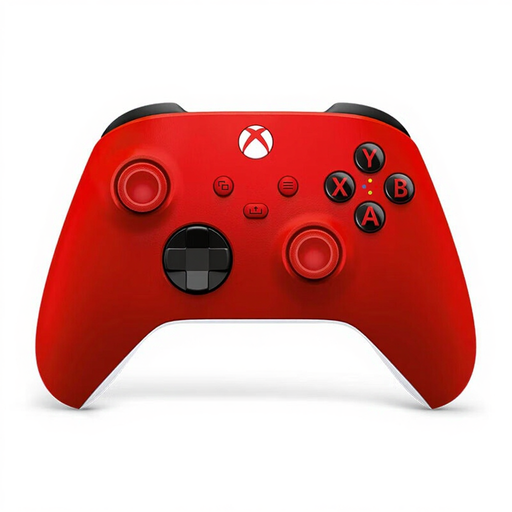 Image unavailable
For Xbox or Windows PC if you’re looking for a controller from the Xbox ecosystem and want to connect a compatible wired headset.
3.5 mm headset socket; Xbox Wireless and Bluetooth.
For Windows, check the controller connection and headset audio separately. Microsoft describes headset audio, among other methods, when connected via the Xbox Wireless Adapter.
No. Sony requires the DualSense to be connected to a PC or Mac by cable to use its headset socket.
No. Nintendo lists the Switch 2 Pro Controller for use with the Nintendo Switch 2 only.
Microsoft lists a USB cable, the Xbox Wireless Adapter for Windows or Bluetooth. If you want to connect headphones to the controller, check the audio connection too; the Xbox headset guide describes using the Wireless Adapter on Windows, among other methods.
According to the European Union’s consumer information, when you buy from a business seller, you’re generally entitled to a legal guarantee of at least two years from the date you receive the goods. This is separate from any voluntary manufacturer’s warranty.