What should you look for when buying?
First check the game and platform, then consider screen reflections, and finally look at the connection and extra features.
| What matters |
What to check before buying |
Who should consider this? |
| Game and platform compatibility |
Check the game and version, console or PC, and the controller’s full model name. |
If I want to be sure my controller works with my device and snowboarding game, I check the details for that exact combination. Compatibility is likely to be the main buying consideration for around 36% of consumers. |
| Visibility in a bright room |
Check for reflections where you actually play. Consider screen position and lighting separately from your controller choice. |
If daylight makes it harder to see the screen, I sort out the viewing conditions first rather than looking for new controller features. Visibility in a bright room is likely to be the top priority for around 29% of consumers. |
| Seating position and connection |
Check the cable route, whether you need a receiver, and the connection specified for your model and platform. |
If I move from my desk to the TV, the connection needs to suit where I’m sitting. For around 21% of consumers, this practical connection setup is likely to be the main consideration. |
| Button mapping and in-game effects |
Try the available game settings and check which extra buttons or effects are supported in the specific version. |
If I want to customise controls or use supported feedback, I check the game’s features first. Extra control options are likely to be decisive for around 14% of consumers. |
Controllers at Joybuy
This selection includes controllers with different platform and connection specifications. What matters is the information for each product variant and whether your specific game supports it.
 No image available
Razer Wolverine V3 Tournament Edition White
A wired option if you’re looking for a controller for PC or Xbox and a cable works with your seating position.
Described as a USB gamepad for PC and Xbox; product details state that it’s wired.
View at Joybuy
 No image available
CHENGDAO wireless controller for PC and Nintendo Switch, silver
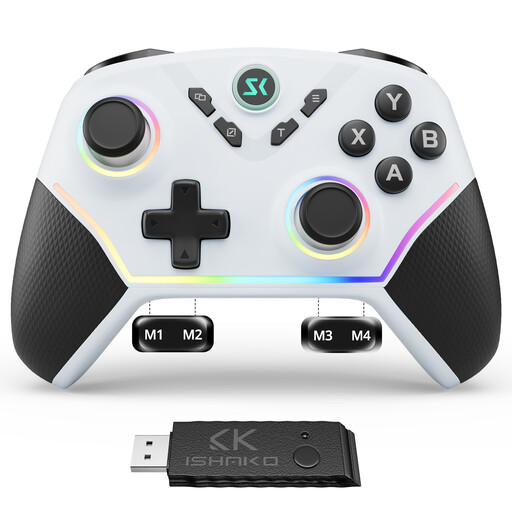
A possible choice if you’re looking for a controller for PC or Nintendo Switch with extra rear buttons.
The product name specifies four rear buttons, as well as Hall effect joysticks and triggers. Connection options are listed as Bluetooth, 2.4 GHz wireless and a USB-C cable.
According to the product details, it isn’t compatible with Xbox or PlayStation.
View at Joybuy
 No image available
Microsoft Xbox Wireless Controller, Deep Pink
An option if you’re looking for an Xbox Wireless Controller for a supported game or a compatible PC.
The product name lists Xbox One, Xbox Series X/S and PC as compatible platforms, and Deep Pink as the colour. Ubisoft lists the Xbox Wireless Controller for Riders Republic on supported platforms.
View at Joybuy
 No image available
PlayStation DualSense Wireless Controller, Midnight Black, with USB cable
An option for supported PS5 and PC games if you’re looking for a DualSense with extra feedback features.
The product name specifies a wireless connection and a USB cable. The PlayStation Store lists vibration and trigger effects for the PS5 version of Riders Republic. On PC, features depend on the game, and haptic feedback requires USB.
View at Joybuy
 No image available
BEITONG KP70 Elite Wireless Gaming Controller
A possible choice if you’re looking for a controller with programmable buttons for one of the listed platforms.
The product name specifies six programmable buttons, haptic triggers and adjustable joystick tension. Compatible platforms are listed as PC, Nintendo Switch and Switch 2, Steam and Android.
View at Joybuy
Frequently asked questions
Do I need a special controller for a bright room?
No. Screen reflections aren’t a controller feature. The German Federal Institute for Occupational Safety and Health describes glare on screens. Check the lighting and screen position first, then choose your controller based on the game, platform and where you’ll be sitting.
How do I set up the controls in Riders Republic?
Under “Options” and “Controller”, Ubisoft describes the button mapping and the “Racer”, “Steep” and “Trickster” presets for supported input devices. Try these settings before treating extra controller features as a reason to buy.
Does Bluetooth work on Windows PC with the 8BitDo Ultimate 2C Wireless?
For this specific wireless variant, 8BitDo lists the 2.4 GHz receiver or a wired connection for Windows. According to the manufacturer, Bluetooth is listed for Android.
Are DualSense effects the same in Riders Republic on PC and PS5?
No, the details vary by version. The PlayStation Store lists vibration and trigger effects for the PS5 version. On PC, DualSense features depend on the game, according to Sony; a USB connection is required for haptic feedback.


