What to consider when buying
First decide which game and game mode you want. Then compare screen connections, disc drives and any potential extra costs.
| Buying factor |
What to check |
Who should pay particular attention? |
| Availability of your chosen game |
Check the platform and console generation listed in the German store details for the specific game. |
If I want to play a particular game, its platform is what matters. Around 33 % of consumers prioritise having their chosen game available. |
| Screen and space |
Check for a spare HDMI port, room for the console and adequate ventilation. Handheld mode doesn’t require an external monitor. |
If my work monitor is often in use or I have little space on my desk, a setup that suits my workspace matters most. Around 27 % of consumers prioritise screen or space requirements. |
| Playing together |
Know the difference between local split-screen and online multiplayer, and check the number of controllers needed and any subscription requirements. |
If I want to play with friends on the same screen, the game needs a suitable local mode; online play isn’t the same thing. Around 20 % of consumers prioritise playing together. |
| Discs and extras |
Check the full model variant, including whether it has a disc drive, and only budget for subscriptions or extra controllers you actually need. |
If I want to use my existing game discs, a disc drive is important. With a Digital Edition, I’ll need to buy games digitally. Around 20 % of consumers focus on media format and potential extra purchases. |
Joybuy products on this topic
The portable retro handhelds below have their own displays, so they may be worth considering if you’d rather not use your work monitor for gaming. This doesn’t mean they support the snowboarding games mentioned here: before buying, check that your chosen game is available and compatible with the device.
 No image available
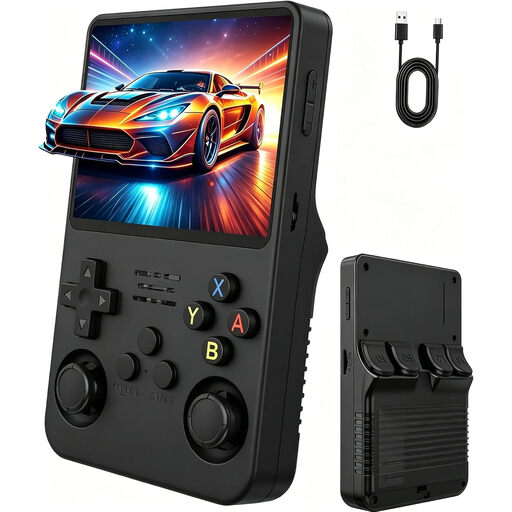
Handheld Retro Game Console, 3.5-inch IPS (Natural Matt Black)
The built-in display may suit you if you’d rather not use an external monitor at your desk. Check that the snowboarding game you want is available on the device.
The product title mentions a 3.5-inch IPS display and two joysticks.
View at Joybuy
 No image available
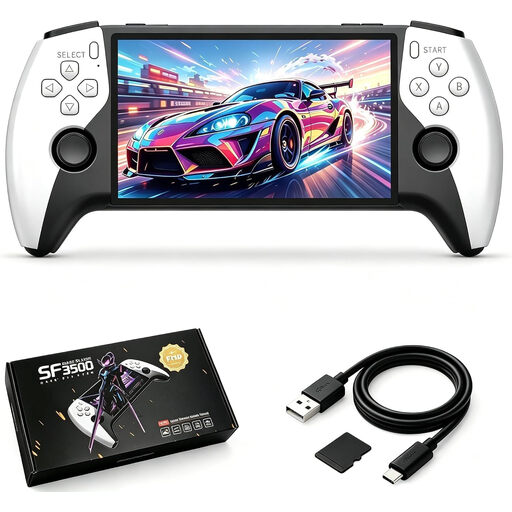
Retro Handheld Console SF3500, 5.5-inch IPS, 32 GB
The built-in display lets you play without an external monitor. Check in advance whether your chosen snowboarding game runs on this device.
The product title mentions a 5.5-inch IPS display and 32 GB.
View at Joybuy
 No image available
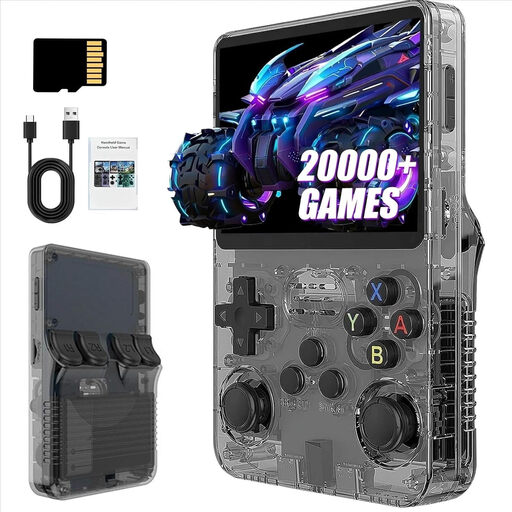
Retro Handheld Game Console, 3.2-inch (Grey)
The built-in display is an option if you don’t want to use an external screen for gaming. Check compatibility with the game you have in mind.
The product title mentions a 3.2-inch display and a rechargeable battery.
View at Joybuy
 No image available
R36S Pro handheld console, 3.5-inch, 13 GB
The built-in display can leave your desk monitor free. Before buying, check that your chosen snowboarding game is available on the device.
The product title mentions a 3.5-inch display and 13 GB of storage.
View at Joybuy
No image available
R36S Pro handheld console, 3.5-inch, 31 GB
The built-in display can leave your desk monitor free. Check in advance whether your chosen snowboarding game runs on this device.
The product title mentions a 3.5-inch display and 31 GB of storage.
View at Joybuy
Frequently asked questions
Does every Switch game work on Switch 2?
No. Nintendo doesn’t guarantee full compatibility for every Switch game. Some titles may not work, or may have limited functionality, so check the snowboarding game you want before buying.
Can I connect a Switch 2 to my office monitor?
Yes. Nintendo says you can connect the Switch 2 to a monitor via its dock and HDMI. For use with a TV or monitor, Nintendo also specifies the compatible power adapter and an Ultra High Speed HDMI cable. Check that your monitor has a spare HDMI port.
Do I need an online subscription to play Shredders?
Not for the listed single-player game on its own. For online play on PS5, PlayStation lists PS Plus as a requirement. The German Xbox Store lists a suitable Game Pass subscription, available separately, for online multiplayer on Xbox.
Can a Digital Edition play my game discs?
No. A console without a disc drive can’t play your existing game discs directly. Check the exact Xbox Series X version, as Microsoft lists models both with and without a disc drive, as well as an all-digital version. The PS5 Digital Edition also doesn’t have a disc drive as standard.
Is a manufacturer’s warranty the same as your statutory consumer rights?
No. Verbraucherzentrale distinguishes statutory consumer rights against the seller from a voluntary warranty with its own terms and conditions. If a product is faulty, the first step is usually to ask the seller to put things right, for example by repairing or replacing it. Check any additional warranty offers separately.


