Co-op sessions on Switch
If you want to play with your existing Joy-Con, check whether the game supports your preferred player count and controller configuration. Nintendo notes that the available configurations vary from game to game.


Whether your existing Joy-Con are enough for a co-op platformer depends on how many people are playing and which controller configurations the game supports. Check the game and platform first, then choose between using Joy-Con individually and opting for full gamepads. If you’re playing on the sofa, also consider power and cable routing.
If you want to play with your existing Joy-Con, check whether the game supports your preferred player count and controller configuration. Nintendo notes that the available configurations vary from game to game.
If you prefer a full gamepad for directional controls and jumping, check the game’s controller requirements and make sure the button layout suits you. Nintendo describes both using Joy-Con 2 individually and using a Pro Controller with supported games.
If you’re choosing an extra controller for a PC or console, check platform compatibility and consider whether you want a wireless connection or a wired one. Microsoft and PlayStation list different connection options for their controllers on compatible PCs.
You don’t need a special controller specification for a bright living room. What matters is whether the game supports the controller, what each player needs to input and how it connects to your device. Nintendo notes that the available Joy-Con 2 configurations depend on the game.
| What to consider | What to check before buying | Who it matters most to |
|---|---|---|
| Player count and compatibility | Check the platform, local co-op mode, player count and supported controllers for the game. | If I want to play with other people, I first check whether everyone can join in using the controllers we already have. Around 36% of consumers prioritise having the right controls for everyone playing. |
| Grip and button layout | Compare the controls required with the configurations supported by the game. | If you prefer a familiar layout for jumping and changing direction, compare individually held Joy-Con with a full gamepad. Around 29% of consumers prioritise grip and button layout. |
| Connecting from the sofa | Check supported wireless or USB connections, your seating distance and cable routing. | When I’m on the sofa, I want to use my controller without a cable running across the walkway. Around 21% of consumers prioritise a practical connection from where they’re sitting. |
| Power | For wireless models, consider the batteries or rechargeable battery and the right way to charge them. | If I want several controllers ready to use, I need to know how they’re powered and charged. Around 14% of consumers pay particular attention to power and battery requirements. |
Nintendo says the available controller configurations depend on the game. So having a pair of controllers doesn’t guarantee that a particular platformer supports the number of players you want.
Before buying, check the player count and which controllers the game supports.
According to PowerA, the PowerA Advantage Wired Controller for Nintendo Switch 2 can only be used when the console is docked. It doesn’t support motion controls or games that require Joy-Con exclusively.
Check that docked play, the controller requirements and cable routing all work for your gaming set-up.
8BitDo lists different platform compatibility for the Ultimate 2C Bluetooth and Ultimate 2 Bluetooth. A firmware update is required for the stated use with Switch 2.
Check the full model name and make sure you have the required firmware version.
Microsoft notes that rechargeable AA batteries cannot be charged inside the controller.
Before buying, decide which batteries you’ll use and how you’ll charge them.
Joy-Con and Pro Controllers for supported Switch and Switch 2 games.
Xbox Wireless Controllers for Xbox and compatible Windows PC games.
DualSense for PS5, as well as supported PC games and applications.
A wired alternative for docked Switch 2 play, such as the Advantage Wired Controller for Nintendo Switch 2.
Controllers with platform compatibility that varies by model, including the Ultimate 2C Bluetooth and Ultimate 2 Bluetooth.
This selection includes Joy-Con for Switch and Switch 2, as well as full gamepads for Switch 2, Xbox and compatible PC or multi-platform gaming. The right option still depends on the game’s controller requirements and how you’ll connect it from your seat.
 No image available
For two players on Switch 2, as long as the game supports using Joy-Con 2 individually.
Includes one left and one right Joy-Con 2. The product description lists a wireless connection and two wrist straps.
 No image available
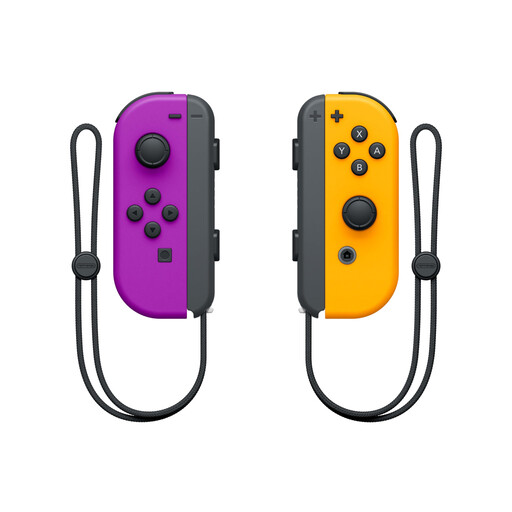
An option for two-player gaming on Switch, provided the game allows you to use Joy-Con individually.
The product description lists one left and one right Joy-Con, Bluetooth and the option to use them separately as two controllers.
 No image available
For compatible PC or Switch gaming, provided the platform and connection are supported by the game.
Compatible platforms listed include PC, Nintendo Switch, Switch 2, Steam and Android. The description lists wired, wireless and Bluetooth connections, as well as six programmable buttons.
 No image available
For Xbox or a compatible Windows PC, provided the game supports the controller.
Bluetooth and Xbox Wireless are listed as connection options. According to the product description, two AA batteries are included; Microsoft notes that rechargeable AA batteries can’t be charged inside the controller.
 No image available
A full gamepad for one player, provided the Switch 2 game supports this type of controller.
The product description lists motion controls, HD Rumble 2 and mappable GL/GR buttons, as well as a wireless Bluetooth connection and a rechargeable battery.
Yes, if the game supports using each Joy-Con 2 horizontally on its own. Nintendo describes each Joy-Con 2 as an individual controller in this configuration; the options available can vary from game to game.
From the HOME Menu, select ‘Controllers’, then choose the appropriate grip/order and press the buttons shown. Next, check that the game supports this configuration.
Yes, Nintendo confirms that it connects wirelessly to Switch 2. Whether it’s suitable for the way you want to play still depends on the game’s requirements.
According to Microsoft, rechargeable AA batteries can’t be charged inside the controller. You’ll need a separate charger, or you can use a compatible rechargeable battery pack instead.
No. A bright room doesn’t in itself call for a special controller specification. Instead, check game compatibility, controller configuration, power and cable routing.