
Lieferung heute & morgen

Qualitätsgarantie

Willkommens-Angebote freischalten: KOSTENLOSE Lieferung | Bis zu 80 % RABATT | Kostenlose 30-Tage-JoyPlus-Testphase
App herunterladen
A weak TV speaker, hard-to-follow dialogue or a lack of bass are common reasons for buying a soundbar with a subwoofer. But technical terms such as Dolby Atmos, 5.1 or 500 watts don’t tell you on their own whether a system will suit your living room. The key factors are the connections, room size, speaker layout and how you plan to use it.
A high power rating doesn’t automatically mean balanced sound. Depending on the manufacturer, the quoted figure may refer to continuous or peak power. You should also consider the number of channels, driver size, frequency range and room acoustics.
A Dolby Atmos soundbar can process Atmos signals, but you’ll need compatible content and a suitable connection. HDMI eARC is a good choice for many TVs, as it can carry more data and multichannel audio. An older HDMI ARC connection or an optical cable may limit the audio formats available.
A wireless subwoofer will usually still need a mains socket. ‘Wireless’ generally refers to the audio connection between the soundbar and subwoofer, not the power supply. Surround systems may also have additional rear speakers that need their own power or speaker cables.
The channel number describes the speaker configuration:
In a bedroom or compact living room, a short 2.1 soundbar may be more practical than a large home cinema system. Films and games are more likely to benefit from separate surround speakers in a larger room.
For a soundbar for your TV, HDMI ARC or HDMI eARC is usually the most convenient connection. It often lets you adjust the volume with your TV remote. Check for:
A Bluetooth soundbar is suitable for wireless music streaming. However, Bluetooth isn’t automatically a high-quality multichannel connection for films.
Before ordering, compare the soundbar’s width and height with your TV stand. Up-firing speakers need as much clear space above them as possible and a suitable ceiling height. Avoid placing the subwoofer in a closed cabinet, as this can affect its bass performance.
Useful features include automatic room correction, voice enhancement, night mode and app control. These can adjust the sound, but they’re no substitute for choosing the right position.
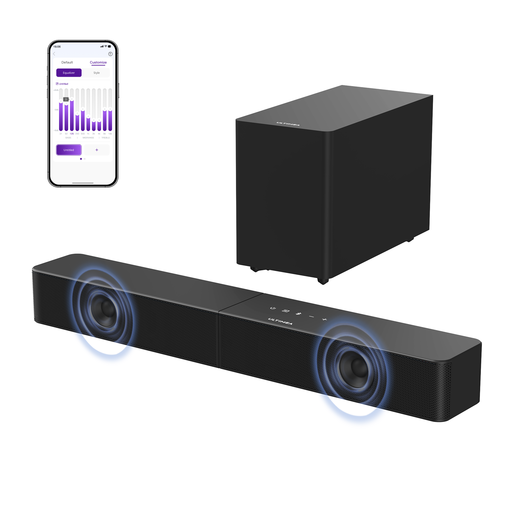
Why this product suits this profile: Its 2.1 configuration, HDMI ARC, optical input and Bluetooth 6.0 cover everyday TV and music listening. App control and an equaliser let you fine-tune the sound without adding extra speakers.
Alongside its 240-watt peak power, the specifications list the drivers, frequency range and connections. This makes it easier to assess the features than relying on the wattage alone.
Wireless subwoofer, 10-band app equaliser and HDMI ARC with shared remote control.

Why this product suits this profile: This system combines 5.1.2 channels, two up-firing speakers, a wireless subwoofer and DTS:X compatibility. It’s designed for film and TV fans with enough room to set it up.
The channel configuration and available HDMI, USB and optical connections are clearly listed. That makes it possible to check compatibility before you buy.
5.1.2 configuration, Dolby Atmos, DTS:X, HDMI passthrough and seven selectable sound modes.
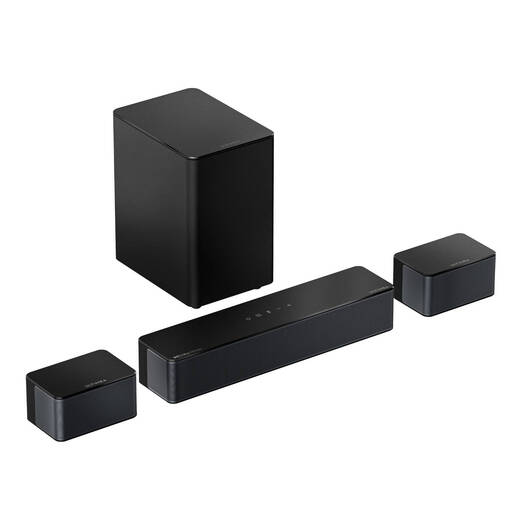
Why this product suits this profile: Two surround speakers, a 5.25-inch subwoofer and six sound modes make this a good option if you watch films, play games and follow sports across a larger seating area.
The specifications clearly state that the surround speakers are wired. This helps you get a realistic idea of the extra installation work before buying.
HDMI eARC, 5.1-channel configuration, app settings and surround speakers you can position separately.

Why this product suits this profile: This compact 2.0 model delivers 50 watts RMS, making it suitable for a desk, bedroom or smaller TV set-up if you don’t need a separate subwoofer.
Its design and intended uses are well suited to compact spaces. That means you don’t need to plan for a large surround system in a small room.
HDMI ARC, optical input, AUX, USB, RCA and Bluetooth, plus wall brackets included.
We’ve put together a complete, regularly updated list of products that meet these strict selection criteria and fully comply with the safety regulations in force in the EU.
If both devices support HDMI ARC or eARC, connect them using an HDMI cable plugged into the ports marked accordingly. Then enable ARC and, if required, HDMI-CEC in your TV’s menu. Optical cables or Bluetooth are alternatives. The audio formats supported depend on your TV, soundbar and source.
There’s no reliable way to give a fixed lifespan. It depends on factors such as how long it’s used, volume levels, heat build-up and the power supply. Keeping the ventilation openings clear, placing it in a dry location and using suitable cables can help it operate safely. Install firmware updates according to the manufacturer’s instructions.
Power consumption depends on the model and whether it’s in use. It’s normally lower in standby than when playing, but the subwoofer still needs to be plugged into a mains socket. To save energy, use automatic shut-off or energy-saving features, and check the specifications for the model you’re considering.