
Lieferung heute & morgen

Qualitätsgarantie

Willkommens-Angebote freischalten: KOSTENLOSE Lieferung | Bis zu 80 % RABATT | Kostenlose 30-Tage-JoyPlus-Testphase
App herunterladen
You don’t need to start with a large surround sound system to improve your TV audio. A soundbar with a subwoofer can distribute dialogue, film soundtracks and deep effects very differently from a TV’s built-in speakers. The key is choosing the technology that suits your room, TV and viewing habits.
Figures such as 240, 420 or 580 watts can refer to different measurements, depending on the manufacturer. They often indicate peak power, which doesn’t reliably tell you how clear dialogue will sound or how evenly the bass will fill the room. More useful factors include the channel configuration, connection types, frequency range and speaker placement.
A wireless subwoofer receives the audio signal wirelessly, but still needs to be plugged into a socket. Surround sound sets may also need power cables or speaker wires for the rear speakers. Before you buy, consider where your sockets are, how far you sit from the system and where cables could become a trip hazard.
A product may support Dolby Atmos, but that doesn’t mean every TV signal will pass the format through to the soundbar. HDMI-eARC is often better suited to higher data rates than an optical cable. Your TV, streaming service, Blu-ray player or games console must also support the audio format you want to use. A Dolby Atmos soundbar won’t automatically create object-based 3D sound without a compatible source.
The channel figure describes the audio channels, not necessarily the number of individual speaker units. A 2.1 soundbar typically combines left and right channels with a subwoofer. A 5.1 soundbar adds a centre channel and surround sound. A 7.1 soundbar adds further surround channels, which may be delivered by physical speakers, virtually or through a combination of both, depending on the model.
Figures such as 5.1.2 indicate two additional up-firing channels. These can help create height effects with compatible Dolby Atmos content. The effect depends on the room’s height, ceiling, seating position and speaker dispersion.
Also check whether your TV labels the connection ARC or eARC, and whether you need to enable HDMI-CEC.
A soundbar for your TV shouldn’t cover the bottom of the screen or the infrared sensor. If you’re wall-mounting it, check the width, bracket and wall material. Avoid placing the subwoofer right in a tight corner, as this can make the bass sound stronger or unbalanced. Rear speakers need enough space around the seating area, as well as safely routed cables.
App control can make setup easier. Depending on the model, a soundbar with app control may offer an equaliser, presets, firmware updates or room calibration. These features are only useful, though, if your smartphone is compatible and the app continues to be supported.

Why this product suits this profile: This 2.1 system is straightforward to set up with a TV or PC, or in a bedroom or smaller living space. It supports HDMI ARC and Bluetooth.
The product description clearly lists several inputs, adjustable bass and treble, and a wired subwoofer. This makes it easier to understand what the setup actually involves.
100 W, HDMI ARC, optical input, RCA, AUX, USB and Bluetooth; designed for wall mounting.

Why this product suits this profile: For film and TV fans with a compatible Samsung TV, this system combines 3.1.2 channels, up-firing speakers, Dolby Atmos, DTS:X and network features.
The channel configuration, 6.5-inch subwoofer and supported connections are clearly specified. Wi-Fi, Bluetooth 5.2 and HDMI ARC add to the connectivity options.
Q-Symphony for compatible Samsung TVs, SpaceFit Sound Pro, SmartThings app, AirPlay 2 and Chromecast compatibility.
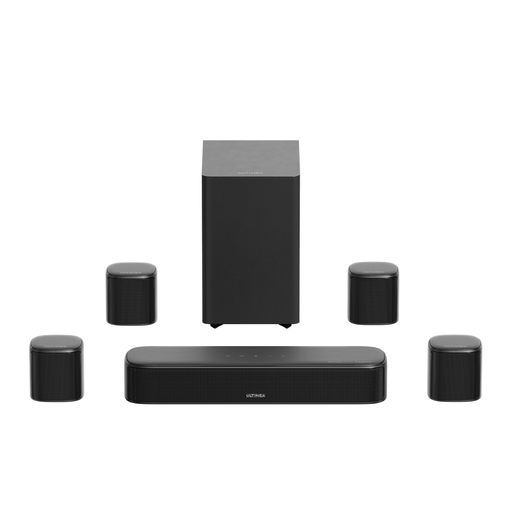
Why this product suits this profile: This 7.1 system is for anyone looking to combine separate surround speakers, app-based adjustments and HDMI-eARC for films, games and music.
The product specifications distinguish between wired front speakers and hybrid-connected rear speakers. This makes it clear that the system isn’t completely wireless.
420 W peak power, 5.25-inch subwoofer, HDMI-eARC, 10-band equaliser and 13 surround levels via the app.
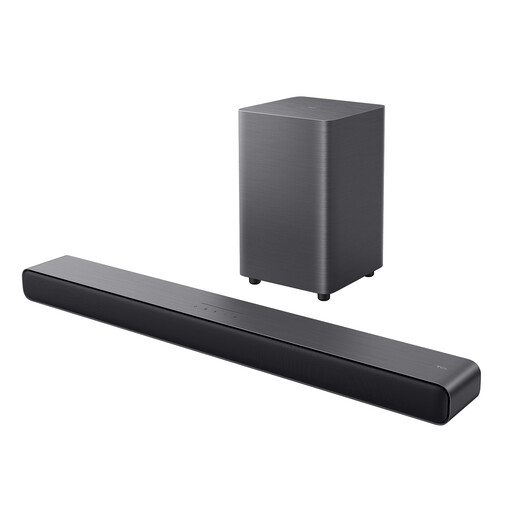
Why this product suits this profile: For TV, music and gaming, this compact 2.1 system offers a wireless subwoofer, HDMI-eARC and a choice of preset sound modes.
The specifications clearly state the 2.1-channel configuration and 4-inch subwoofer. Dolby Atmos and DTS Virtual:X are listed as audio processing formats, not as physical rear speakers.
220 W, HDMI-eARC, Bluetooth 5.3, optical input, USB, wall mounting and six sound modes.
We’ve put together a complete, regularly updated list of products that meet these strict selection criteria and comply fully with the safety regulations in force in the EU.
If your TV has HDMI ARC or eARC, this is usually the most convenient connection. It carries the TV audio and may let you control the volume with a remote. Depending on the model, optical cables, AUX or Bluetooth may also be available. With wireless models, the subwoofer will usually pair with the soundbar automatically, but it still needs its own power supply.
Lifespan depends on how long it’s used, the volume, heat build-up, dust and power supply. Keeping ventilation openings clear, placing the system on a stable surface and using the supplied power adaptors can reduce common sources of strain. For models with an app, also check that firmware and app support are still available.
Power consumption varies by model, volume and number of speakers. The soundbar, subwoofer and rear speakers may each have their own power supply. Check the figures for operating and standby power, and switch the system off completely when you’re away for an extended period, unless you need network or quick-start functionality.