
Lieferung heute & morgen

Qualitätsgarantie

Willkommens-Angebote freischalten: KOSTENLOSE Lieferung | Bis zu 80 % RABATT | Kostenlose 30-Tage-JoyPlus-Testphase
App herunterladen
By: Joybuy Product Recommendation OfficerDate: July 05, 2026
Modern televisions offer impressive picture quality, but their sound often falls short. The slim design leaves little room for powerful speakers, resulting in a thin and underwhelming audio experience. A soundbar for your TV is an effective and straightforward solution to significantly upgrade the sound.
This article serves as your guide. We will introduce different concepts and present a selection of models to provide you with a solid basis for an informed decision, based on objective product features.
Before you decide on a model, several key aspects should be considered to find the right solution for your needs.
The number combinations, like 2.1 or 7.1, describe the number of audio channels.
A subwoofer is exclusively responsible for reproducing deep bass tones.
The type of connection affects both sound quality and ease of use.
Here, we present three models that cover different needs and use cases. The selection is based on technical specifications and feature sets.
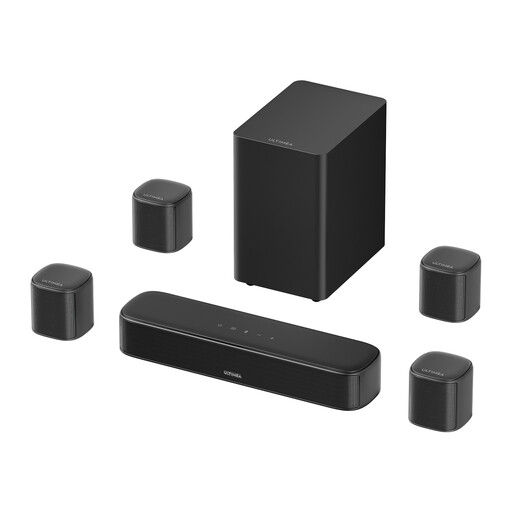
What Makes It Stand Out: The Aura S4T is designed as a 7.1-channel home theater sound system. According to the manufacturer, it uses the VocalMatrix algorithm to extract dialogue and distribute it specifically through the rear surround channels. The system consists of a main unit, four surround speakers, and a subwoofer. The SurroundX technology is designed to enable precise sound reproduction.
Pros:
Who It's For: This model is aimed at users who want a comprehensive home theater experience without the complexity of a traditional Hi-Fi system and who value immersive surround sound for movies and games.
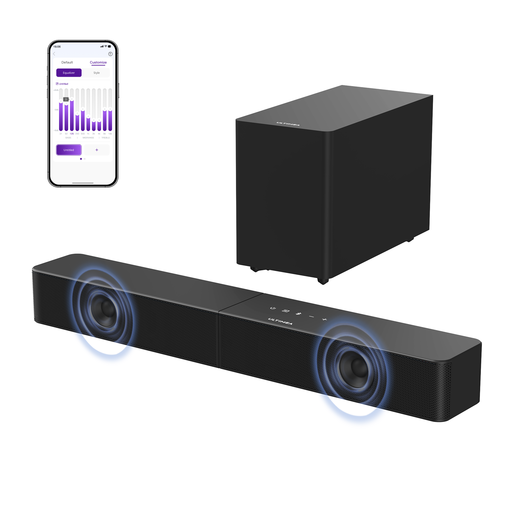
What Makes It Stand Out: The Poseidon R3T is a 2.1-channel soundbar with a wireless subwoofer. The focus here is on powerful bass reproduction and clear voice performance. According to Ultimea, the VoiceMX technology enhances dialogue clarity through real-time digital signal processing. The mica-reinforced drivers are said to provide more precise sound by reducing unwanted vibrations.
Pros:
Who It's For: Ideal for users who want a significant audio upgrade with deep bass for movies and music but prefer a hassle-free installation with a wireless subwoofer.
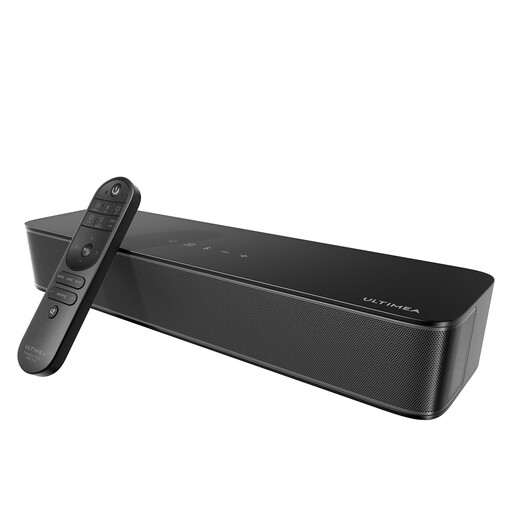
What Makes It Stand Out: The Poseidon M20 is a compact all-in-one solution. It integrates two speakers and a subwoofer into a single enclosure. Despite its small footprint, the BassMX technology is designed to deliver solid bass performance. A special feature is the SUB-OUT port, which allows you to connect an external, active subwoofer if needed and expand the system.
Pros:
Who It's For: This model is a great choice for users with limited space who are looking for a simple and discreet solution to upgrade their TV audio. The expansion option also makes it future-proof.
The models presented here already cover a wide range. However, if you have other brands, price points, or specific features in mind, you can find a wider selection in our main category.
Explore our full range of [Audio Devices] for more models and configurations.
Pay attention to the channel system (e.g., 2.1 for stereo with bass, 5.1 or more for surround sound), connectivity options (HDMI ARC is recommended for ease of use), and the size of the unit in relation to your TV and room. A wireless subwoofer offers additional placement flexibility.
Not necessarily. Many all-in-one soundbars have integrated woofers that already significantly improve bass compared to TV speakers. However, for a cinematic experience with palpable lows, especially in action movies or bass-heavy music, a separate subwoofer is a major advantage.