What to look for when buying
First, work out what kind of display your game actually needs. Then check the refresh rate for each input and the audio connection separately.
| Priority |
What to check when buying |
Who it matters most to |
| Menu readability |
Check resolution and screen size alongside your viewing distance and the UI scaling in your game. |
If I want to read routes and prices comfortably during longer gaming sessions, I’ll base my choice on the game interface itself. Around 29% of consumers are likely to consider readability their main reason for buying. |
| Dark space scenes |
Compare display technologies and, for OLED, check the care guidance and the terms of the specific warranty. |
If dark scenes are my priority, I’ll compare display technologies and take long periods of unchanged cockpit content into account. Around 22% of consumers are likely to prioritise how dark scenes are displayed. |
| Wide cockpit view |
Check how your game displays 21:9 and make sure you have enough space, including for the stand. |
If I want more horizontal screen space while flying, I’ll check how my game makes use of the wider format. For around 21% of consumers, screen width is likely to be their main priority. |
| Smooth flight movement |
Match the refresh rate supported by the specific input at your chosen resolution to the output of your gaming device. |
If you want movement to display as smoothly as your device’s output allows, consider the input, resolution and gaming device together. Around 14% of consumers are likely to name smooth movement as their main reason for choosing a monitor. |
| Connecting headphones |
Check your headset’s connection type, whether you need a microphone and how your gaming device handles audio output. |
If I want to use my existing headset directly, I’ll check which audio connection is right and whether it also supports the microphone. For around 14% of consumers, headphone connectivity is likely to be their top priority. |
Joybuy models for different setups
The Joybuy models below are mainly curved 34-inch ultrawide monitors, with a 27-inch QHD model as a more compact alternative. When choosing, check how your game displays the format, how much desk space you have and which audio connection you need.
 No image available
INNOCN E34A1R 34-inch curved gaming monitor
The wide 21:9 display could be a good fit if your game makes good use of the format and you have enough desk space.
The product title lists 34 inches, 3440 × 1440, VA, 200 Hz, 1500R and 1 ms. 21:9 doesn’t guarantee that your game will display its field of view or menus as you want.
View at Joybuy
 No image available
INNOCN 2751S PLUS 27-inch Mini LED gaming monitor
The 27-inch QHD format is a more compact option for cockpit and trading information. Check readability with your game’s scaling settings.
The product details list QHD at 2560 × 1440, Mini LED with 1152 zones, up to 275 Hz, HDMI 2.1 and DisplayPort 1.4. Audio Out is listed in the description; check that the connection suits your headphone setup.
View at Joybuy
 No image available
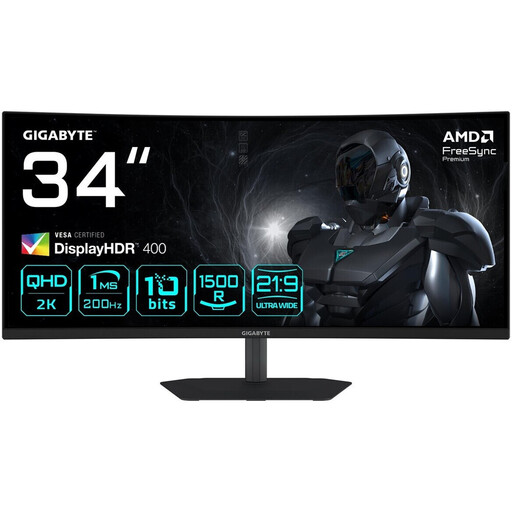
Gigabyte G34WQC2 34-inch WQHD curved gaming monitor
The 21:9 format could be a good choice if your game makes use of the wider display and the monitor fits on your desk.
The product title lists 3440 × 1440, 1500R, 200 Hz and 1 ms; the description lists a headphone output. Check that your game displays its menus and views as you want.
View at Joybuy
 No image available
ASUS TUF Gaming VG34VQ3B 34-inch UWQHD curved monitor
The wide display could suit a cockpit setup if your game makes good use of 21:9 and you have enough space.
The title lists 3440 × 1440, 180 Hz, 1 ms MPRT, VA and 21:9. A headphone output is listed in the product description; check that the connection works with your headset.
View at Joybuy
 No image available
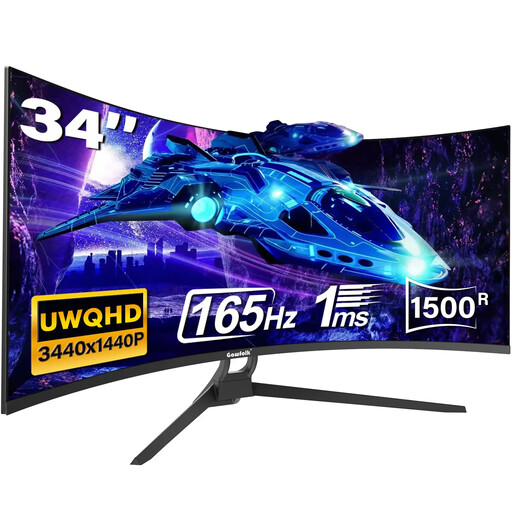
Gawfolk 34-inch UWQHD curved gaming monitor
Ultrawide is an option if your game displays the wider view as you want and you have enough desk space.
The product title lists 3440 × 1440, 21:9, 1500R, 165 Hz, 1 ms MPRT, HDMI 2.1 and DisplayPort 1.4. Check game compatibility and the audio connection you need for your setup.
View at Joybuy
Frequently asked questions
Do I have to plug my headphones into the monitor?
No, as long as your gaming device has another suitable audio connection. ASUS Germany lists a headphone socket for the VG27AQ3A, but that doesn’t mean it supports a headset microphone. So check the connection type and whether you need a microphone for your setup.
What should I consider when setting up and caring for an OLED monitor?
Compare the space you have with the monitor’s dimensions, including the stand. LG says that long periods of unchanged image content can pose a burn-in risk for OLED, so read the care guidance and the warranty terms for the specific offer. For cleaning the screen, LG recommends using a soft cloth, such as microfibre.
What ongoing costs and rights should I consider?
Check the EU energy label for the specific model, including its information for HDR use. The German Consumer Advice Centre distinguishes the statutory rights you have against the seller from a voluntary manufacturer’s warranty. If you’re buying OLED, read the warranty terms before you buy.
What are the rules on labelling and disposal in Germany?
According to the European Commission, electronic displays are generally covered by EU energy labelling and ecodesign requirements. The Federal Network Agency lists CE marking and manufacturer information among the points checked during market surveillance. The German Environment Agency advises that old monitors must not go in household waste; they should be returned separately, for example at recycling centres or retailers.


