What should you look for?
For a group with several people speaking and remote guests joining in, start by checking the distance to each seat. Then compare the conversation features, connections and what’s included.
| What matters |
What to check before buying |
Who will find this most important? |
| Picking up everyone’s voice around the table |
Measure the distance from the intended position to each seat. Jabra states that the Speak2 55 has a microphone range of up to 2.3 m, while HP gives up to 2.5 m for the Sync 40. |
If I want people at the far end of the table to be heard by remote guests, picking up voices from every seat is my priority. Around 36% of consumers focus above all on whether voices around the table are picked up. |
| Keeping the conversation flowing with guests |
Check that the specific model offers full duplex and echo cancellation. Jabra lists both features for the Speak2 55; HP lists full duplex, as well as noise and echo reduction, for the Sync 40. |
If I want to ask questions and make brief comments without unnecessary interruptions, smooth turn-taking is my main concern. Around 29% of consumers prioritise keeping the conversation with remote guests flowing as naturally as possible. |
| The right connection |
Check that USB-A, USB-C or Bluetooth is compatible with the computer or phone you actually use. The dongle supplied with the EPOS EXPAND 40 varies by version. |
If I want to use the speakerphone with my existing laptop or phone, it needs to connect to my device. Around 21% of consumers focus primarily on connectivity and set-up. |
| Portability and what’s included |
Check the talk time and the exact contents of the version you’re buying. With the EMEET Luna Plus, the additional wired expansion microphone is only included in the Meeting Kit. |
If I want to use the device in different rooms, battery power and the right accessories matter to me. Around 14% of consumers prioritise portability and what’s included. |
Speakerphones at Joybuy
These Joybuy products are speakerphones for use around a table or with a computer. Check that the connections, placement and specifications for the specific version suit your room and devices.
 No image available
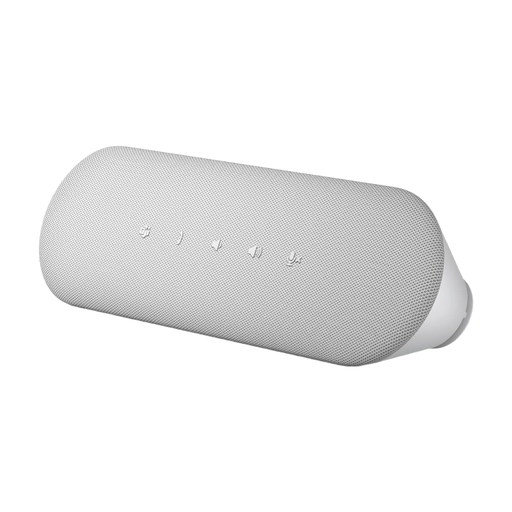
Insta360 Wave AI Conference Speakerphone, Bluetooth, White
According to its product name, this speakerphone is designed for Bluetooth connections. Before buying, check that it’s compatible with your computer or phone.
View at Joybuy
 No image available
EMEET 8-Mic Bluetooth Conference Speaker, 360° Voice Pickup, Lunaplus
The microphones and 360° voice pickup mentioned in the product name are features you can compare with the seating arrangement for your group.
The product name lists eight microphones, Bluetooth and 360° voice pickup. Check the actual range and connectivity for your set-up rather than making assumptions based on these details.
View at Joybuy
 No image available
Dell Pro Desktop Speakerphone SP3022
As a desktop speakerphone, this model is worth considering for a dedicated computer desk. Check that its connection suits your device and take the distances around the table into account.
View at Joybuy
Frequently asked questions
Where should I place the speakerphone for a book group?
Position it so that the distances to the seats are within the range specified for your particular model. For the Speak2 40, Jabra recommends placing it in the centre of the table, with each participant at least 0.5 m and no more than 2.3 m away. Don’t assume this model-specific recommendation applies to other devices without checking.
Do I need to connect a speakerphone to my laptop using Bluetooth?
No, it depends on the model: Jabra describes the Speak2 40 as a USB model, while the Speak2 55 offers USB for a computer and Bluetooth for a mobile phone. Check your computer’s connection and the exact device version in advance.
Which potential extra purchases should I check in advance?
Check what’s included with the specific version, not just the product range name. With the EMEET Luna Plus, the additional wired microphone is only included in the Meeting Kit; HP lists the charging stand for the documented Sync 40+ version as sold separately.
Can I simply record the book discussion?
Under § 201 StGB, making an unauthorised audio recording of a private conversation is an offence. Before planning a recording, check that you have the necessary permission from the people concerned; the Data Protection Conference considers that simply giving people the option to object does not amount to valid consent under data protection law for recorded telephone conversations. A live conversation over a speakerphone is not the same as a recording.
What should I look for on the product label?
For retailers of electrical and electronic equipment, the Federal Network Agency describes checks including the correct CE marking, manufacturer details and clear product identification. A CE statement in a product description, on its own, does not prove that a specific item for sale meets all the requirements.


