Clubs holding hybrid round-table meetings
If several members are sitting together in a flatshare while others join remotely, the distance from each person to the microphone matters, as does the ability to speak and listen at the same time.


For a hybrid club meeting around a flatshare table, choose your speakerphone based first on the greatest distance between seats, microphone coverage and full-duplex performance. Then check that it connects to your laptop or smartphone. If your flatshare is lively or you’re discussing confidential matters, a test call is essential: manufacturers’ claims about range and noise handling don’t guarantee clear speech in every room or privacy when audio is played aloud.
If several members are sitting together in a flatshare while others join remotely, the distance from each person to the microphone matters, as does the ability to speak and listen at the same time.
For a meeting in a shared space, consider how well the group will be picked up, as well as background noise and whether other people might overhear the call.
If you use a laptop for some meetings and a smartphone for others, or move between rooms, choose a connection type and power supply that suit the way you’ll use it.
First, measure the greatest distance between the planned position of the device and a seat. Then make sure the connections, room noise and type of conversation all suit your needs.
| What matters | What to check before buying | Who should consider this? |
|---|---|---|
| Picking up everyone around the table | Measure the greatest distance between seats; compare microphone range, full-duplex performance and expandability, if needed. | If I want people sitting in different places to contribute to a hybrid meeting, table coverage is my main concern. Around 33% of consumers prioritise picking up everyone’s voice. |
| Background noise in a flatshare | Make a test call at a typical meeting time and ask remote participants whether voices sound quiet, echoey or affected by background noise. | If the flatshare is lively during the meeting, I want to know whether remote members can understand what’s being said. Around 27% of consumers prioritise handling background noise. |
| Connecting to the meeting device | Check for USB-A or USB-C on your computer, Bluetooth on your mobile device, any adapters you may need and the exact model variant. | If I switch between a laptop and smartphone, I want to know in advance that the speakerphone can connect to the device I’ll be using. Around 20% of consumers prioritise device compatibility. |
| Privacy in a shared space | Check who might hear the audio playing aloud; for confidential topics, consider changing rooms or rearranging the conversation. | When discussing club business, I want to be able to control who can overhear. Around 13% of consumers put privacy first. |
| Moving between locations and power supply | Check the meeting length, charging options and connections on the specific model variant. | If the meeting location changes, I want to be able to set up the device without keeping it plugged in. Around 7% of consumers prioritise portability and power supply. |
Manufacturers’ range claims apply to the specific model. They don’t prove that voices will come through clearly from every seat in your actual flatshare layout, with its background noise.
Measure the distances and test the device on a call, with people speaking from both nearby and more distant seats.
Microphone processing features don’t stop people in the room from hearing the audio played aloud from remote participants.
For confidential topics, first consider which room and meeting format are appropriate, then choose your device.
Variants in the EPOS EXPAND 40 series differ in details such as whether a USB Bluetooth dongle is included and which platform version they’re designed for. If an adapter you need isn’t included, you may have to buy one separately.
Compare the full model number, what’s included in the box and the UC or Teams version you need.
Jabra describes the Speak2 55 as a portable speakerphone with USB connectivity to a computer and Bluetooth connectivity to a mobile phone.
Anker describes the PowerConf S330 as a USB option and the PowerConf S3 as a model with USB and Bluetooth connectivity.
HP describes the Sync 20 series as speakerphones that connect to a computer via USB and to a smartphone via Bluetooth.
EPOS describes EXPAND 40 as being designed for group discussions. The 40, 40+ and 40T variants differ in details such as UC or Teams compatibility and whether a dongle is included.
EMEET describes the OfficeCore Luna Plus as an expandable option for round-table meetings that are difficult to cover from a single position.
The following Joybuy models are a good starting point for round-table meetings with several people speaking, or for meetings using a laptop. For Bluetooth devices, also check the CE marking and accompanying documentation required for the specific version; the Bundesnetzagentur (German Federal Network Agency) lists these among the requirements for placing electronic products on the market.
 No image available
An option for round-table meetings where you need to pick up voices from several seats or connect devices together.
Product details list eight microphones and a pickup range of 16,4 ft. Bluetooth, a 12-hour battery, touchscreen and cascading support for up to three devices are also listed.
 No image available
An option for a round-table meeting if you plan to use a laptop or smartphone as your meeting device.
Product details list eight microphones, 360° voice pickup and a 3 m microphone range. USB-C, Bluetooth 5.3, up to 10 hours of talk time and touch-sensitive mute are also listed. Daisy-chain or dual-speaker use depends on support for the specific version.
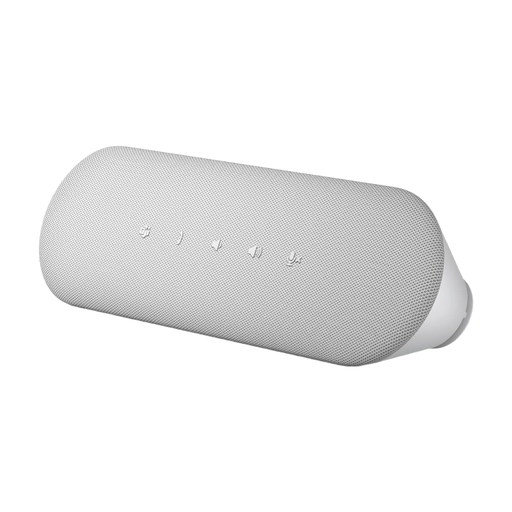 No image available
An option for a club meeting at a fixed computer workstation with a compatible USB port.
Product details list USB-A and USB-C, full-duplex audio, echo cancellation and a dedicated Microsoft Teams button.
Choose a position that works for everyone and measure the greatest distance to a seat. Compare it with the range stated for the specific model, then test the device on a call, with someone speaking from every seat. Manufacturer figures don’t guarantee clear speech in your room.
That depends on the connections available on the specific version. Jabra describes the Speak2 55 as using USB with a computer and Bluetooth with a mobile phone; Anker lists USB-C with a USB-A adapter for the PowerConf S330. Before the meeting, check that your chosen device works as both an audio input and output.
Under section 201 of the German Criminal Code (StGB), recording another person’s privately spoken words without authorisation is a criminal offence. Whether a particular recording is authorised depends on the circumstances. Transmitting audio for a meeting is not the same as recording it.
Check the details for the specific version. The Bundesnetzagentur (German Federal Network Agency) lists CE marking and accompanying documentation among the requirements for placing electronic products on the market; a general description of a brand doesn’t prove that a particular listing has the right documentation.
Your statutory rights against the seller are separate from any voluntary guarantee. The Verbraucherzentrale (German consumer advice centre) says online purchases generally come with a 14-day right to cancel. If a product is faulty, your initial statutory rights may include asking the seller to repair or replace it. Check the requirements and time limits that apply to your purchase.