Solo presenters in a shared house
You’re presenting alone and weighing up the convenience of speaking hands-free at the table against the possibility of others in the communal room listening in.


If several people are joining from the same table, a speakerphone with microphone coverage suited to the seating arrangement and a compatible connection is an obvious choice. Test how clearly everyone can be heard and how easy it is to mute in your usual shared-house environment. If you’re presenting alone and want to stop others in the room listening in through the speaker, a headset may suit your situation better. Manufacturer claims about noise processing are no substitute for testing it yourself.
You’re presenting alone and weighing up the convenience of speaking hands-free at the table against the possibility of others in the communal room listening in.
Several people in the room need to join the update. Seating arrangements, microphone coverage and people speaking at the same time are all important factors to consider.
You hold updates using different devices or in different places, so you need suitable connections and controls that are straightforward for you to use.
First decide whether several people will be speaking together or you’ll be presenting alone. Then compare the seating arrangement, connection and controls with the way you’ll actually use the device.
| Priority | What to look for when buying | Who is it most relevant to? |
|---|---|---|
| Clear speech despite shared-house noise | Check the microphone position and mute controls; test the device in your usual noise levels. | If I’m speaking alone in the communal room, I want to transmit as little background noise as possible. Around 31% of consumers put clear speech despite shared-house noise first. |
| Several voices around the table | Compare the seating positions and number of participants with the stated range of the specific model; try speaking at the same time. | If several team members are sitting around the table with me, everyone should be able to join the conversation. Around 25% of consumers prioritise picking up several voices. |
| Connection to the presentation computer | Check USB-A, USB-C or Bluetooth compatibility with the devices you actually use, then select the microphone and speaker in your meeting app. | If I switch between a laptop and mobile device for my update, the connection needs to work with the devices I use. Around 19% of consumers put connection to the presentation computer first. |
| Confidential solo update | Consider who is allowed to hear the conversation. For a confidential call, a headset may be more suitable than a tabletop speaker. | For a confidential solo update, I want to control who can listen in. Around 13% of consumers prioritise confidentiality for these conversations. |
| Easy to use | Check which connections and features you really need, and whether the device requires mains power or a battery. | If I only use the device occasionally for updates, I don’t want to have to operate or power features I don’t need. Around 12% of consumers put ease of use first. |
Information about the audio processing on individual models doesn’t prove how clearly a conversation will come across when your housemates are in the same room.
Before an important update, test the device from your usual place at the table and in typical noise levels. You should also consider a headset for confidential one-to-one conversations.
The number of microphones alone doesn’t tell you whether voices will be picked up from every seat. Placement and the stated range of the specific model also matter.
Compare the model with your seating arrangement and make a test call to check that everyone can be heard clearly.
In its guidance dated 28 September 2026, the Verbraucherzentrale distinguishes between statutory consumer rights and a voluntary guarantee. The latter does not replace the former.
Keep your proof of purchase and contact the seller if the product is faulty and you wish to exercise your statutory rights.
The Speak2 55 is described as a USB and Bluetooth tabletop device for switching between computer and mobile use, as well as for small groups around a table.
The Sync 10 is a compact USB-powered option for a dedicated laptop workstation.
The PowerConf S3 is described as a USB-C and Bluetooth option with a microphone arrangement designed to pick up voices around the table.
SPACE is aimed at users who want to use the speech and music modes provided by the manufacturer as well as taking part in meetings.
The OfficeCore Luna is described as another USB and Bluetooth option, with AUX and a USB adapter.
This selection includes devices with speakerphone or hands-free functionality for updates at the table or on a laptop. Before buying, check that the connection and features suit your specific seating arrangement and devices.
 No image available
This device, described as a conference speakerphone, may suit updates with several people around the table. Its product name mentions Bluetooth.
Before using the transcription feature, check with everyone involved whether the conversation will be recorded. § 201 StGB makes the unauthorised recording of another person’s privately spoken words a criminal offence; the provision is published on Gesetze im Internet.
 No image available
This desktop speakerphone may suit updates from a dedicated laptop workstation.
For the use described, a direct connection to a USB port on the computer is recommended. Check in advance that your available port is compatible.
 No image available
This device is described as a conference speaker for updates with several people around the table. Check whether Bluetooth or Dual Connection suits your devices.
The product title lists eight microphones, 360° Voice Pickup, Bluetooth, Dual Connection and a 5-W speaker. These features don’t guarantee a particular level of speech clarity in a shared-house room.
 No image available
Before using it for a hands-free update, check whether the specific version offers this feature and the connection you need.
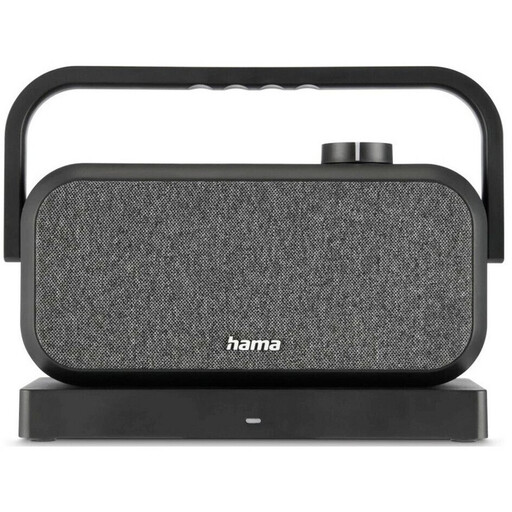
The product title describes a portable stereo speaker with a 2.4 GHz station and Bluetooth.
Connect the specific device using a supported connection, select it as the microphone and speaker in your meeting app, then make a test call. If several people are joining, position the device to suit their seats and the stated microphone coverage.
Follow the care and firmware guidance for the exact model. If the product is faulty, distinguish your statutory rights against the seller from any voluntary guarantee.
Not without taking further steps: § 201 StGB makes the unauthorised recording of another person’s privately spoken words a criminal offence. Discuss any planned recording with everyone involved in advance; simply using a speakerphone is not the same as making a recording.
For products covered by the relevant EU harmonisation legislation, the Bundesnetzagentur explains the requirement for CE marking. Check the marking and product documents for the specific version on offer.