If you’re joining on your own and your flatmates might overhear the meeting, a headset or a quiet room is usually the better choice: a speakerphone’s noise processing doesn’t make audio played out loud private. A speakerphone is more suitable when it’s OK for people in the room to hear the audio, or when several people are joining together. If so, think about where you place it, how to mute it and whether it has the right connection for your meeting device.
Which option suits you?
On your own in a shared living space
If you’re joining on your own, first consider whether your flatmates might hear the meeting audio or have their voices picked up during the call. The German Data Protection Conference points out that video calls can also process the images or voices of people nearby.
Regularly switching between devices
If you take meetings on a laptop and occasionally on your mobile phone, check that the model has the USB and Bluetooth connections you need. The key thing is that it can connect to your devices.
Two people at the meeting table
If you’re joining together from home, both seats should be within the speakerphone’s intended microphone pickup area. An easy-to-reach mute button is also useful, but it’s no substitute for private audio through a headset.
What to look for when buying
First decide whether it’s OK for meeting audio to be played out loud in your shared flat. Then consider the noise around your workspace, how the device connects to your meeting device and how many people will be at the table.
Headset or quiet room
Suitable if: you’re joining on your own and don’t want others to hear the meeting audio.
The trade-off: A headset doesn’t let you play audio through a shared speaker at the table.
Wired USB speakerphone
Suitable if: you’re speaking from a fixed desk with a compatible USB port and are happy for audio to be played out loud.
The trade-off: The cable limits where you can place it.
USB and Bluetooth speakerphone
Suitable if: you switch between your computer and mobile phone, or want to use the device in different places.
The trade-off: Connections and what’s included vary by model and version.
| Consideration |
What to check before buying |
Who it matters most to |
| Being overheard and privacy |
Consider whether it’s OK for this meeting to be played out loud; a mute button won’t stop others from hearing the speaker. |
If you’re joining on your own and don’t want the conversation to be audible in a shared living space, private audio is important. Around 36% of consumers put this first. |
| Being heard clearly over everyday noise |
Check the microphone position and the information about noise processing; the number of microphones alone doesn’t show how clearly you’ll be heard in your shared flat. |
If everyday life is going on in the next room, you’ll want to speak clearly in your meeting without assuming how well the device will perform in your space. Around 29% of consumers prioritise clear speech when there’s household noise. |
| Connections and controls |
Check that the USB connections and Bluetooth functionality you need are compatible with your devices. Also check the version, what’s included and how to mute the device. |
If you switch between your computer and mobile phone, your speakerphone needs to connect to the devices you use. Around 21% of consumers focus on suitable connections and easy set-up. |
| Joining together at the table |
Consider seating, placement and the stated microphone range, but don’t take it as a guarantee of speech quality in your own room. |
If you’re joining together from home, the device needs to pick up both voices at the table. Around 14% of consumers prioritise joining together. |
Common buying misconceptions
-
Confusing noise cancellation with privacy
Microphone processing won’t stop your flatmates from hearing audio played through the speaker. Voices from your home environment may also be processed during a video call.
If the content shouldn’t be heard by others, choose a headset or a quiet room.
-
Assuming models in the same range have identical connections and included accessories
Versions can differ in their connections and what’s included. According to its datasheet, the Yealink SP92 is available in bundles with or without a BT51C dongle; EMEET distinguishes between the Luna Plus and Luna Plus Meeting Kit.
Before buying, compare the full model version and check exactly what’s included.
-
Taking microphone range as a guarantee of quality
A stated range doesn’t guarantee that you’ll be heard clearly from your seat over the noise in your home.
Check that the intended placement and the speakers’ positions suit your meeting.
Key brands to consider
Jabra
The Speak2 range includes USB and Bluetooth options; Speak 510 is another USB/Bluetooth range.
- Jabra lists four beamforming microphones, full-duplex audio and a cable for USB-A and USB-C for the Speak2 55.
- The stated microphone range of up to 2.3 m isn’t an independent measurement for a shared flat. Check that the version and what’s included meet your needs.
HP Poly
The Sync 10 is a wired USB option for a fixed computer desk; the Poly Sync range also includes USB/Bluetooth solutions.
- HP lists two microphones, full-duplex audio and USB power for the Sync 10.
- The USB version isn’t as flexible for mobile phone use as a model that specifically includes Bluetooth. Claims about noise reduction are based on the manufacturer’s information.
Yealink
For the SP92, the connection type and whether a dongle is included are important features to check across versions.
- Yealink lists full-duplex audio, echo cancellation and up to 20 hours of talk time for the SP92.
- The datasheet distinguishes between bundles with and without a BT51C dongle. Battery life is a manufacturer’s claim, not a figure measured for every type of use.
EMEET
The OfficeCore Luna Plus is a USB/Bluetooth tabletop device that, according to the manufacturer, is designed for multiple speakers; its features may be more than one person needs.
- EMEET lists eight omnidirectional microphones and up to ten hours of operation.
- The Luna Plus and Luna Plus Meeting Kit come with different accessories. Noise-cancellation claims don’t mean conversations in a shared flat will be kept private.
AnkerWork
The PowerConf+ is described as a USB-C/Bluetooth solution with a dongle.
- AnkerWork lists six microphones and up to 24 hours of talk time for the PowerConf+.
- Battery life and noise-isolation claims are from the manufacturer and haven’t been independently tested for a shared flat.
Joybuy products
The Joybuy products below range from speakerphones for your computer to a conference camera with a built-in microphone and speaker. With audio played out loud, people in the room will be able to hear your meeting; for confidential conversations, a headset or a quiet room is a better choice.
 No image available
Insta360 Wave AI Conference Speakerphone, Bluetooth, White
Suitable if you’re looking for a Bluetooth speakerphone and are happy for audio to be played out loud in your shared flat.
Bluetooth.
View at Joybuy
 No image available
EMEET Lunaplus 8-Mic Bluetooth Conference Speakerphone
Suitable if you’re looking for a Bluetooth speakerphone for meetings at the table, with stated 360° voice pickup.
8-Mic; 360° Voice Pickup; 5W Speaker.
View at Joybuy
 No image available
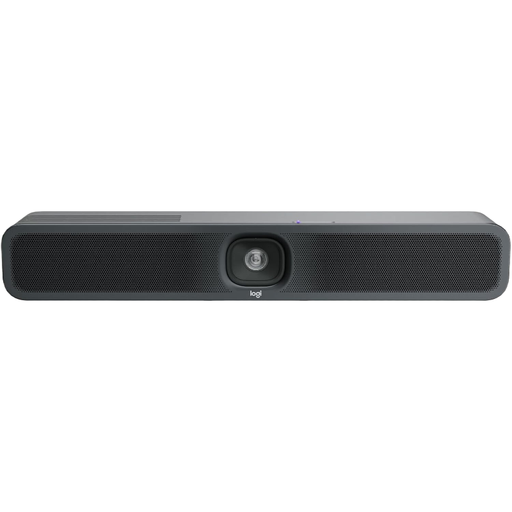
Logitech MeetUp 2, 4K All-in-One Conference Camera
Suitable if you’re looking for a conference camera as well as audio for a meeting on your computer.
4K; USB; built-in microphone and speaker.
View at Joybuy
 No image available
Dell Pro Desktop Speakerphone SP3022
Suitable if you want to use a desktop speakerphone at a fixed computer desk and are happy for audio to be played out loud in your shared flat.
View at Joybuy
Frequently asked questions
Are conference speakers banned in shared flats?
The guidance from the German Data Protection Conference doesn’t set out a blanket ban. It points out that video calls can also process the images or voices of people in the home environment. Whether a particular meeting can be played out loud depends on its content and your organisation’s rules; this isn’t legal clearance for any specific situation.
Where should I place the speakerphone during a meeting?
Position it so that the people who are actually there are within the model’s intended pickup area, then check how clear the audio is in your meeting app. A stated maximum microphone range doesn’t guarantee good speech quality in your room.
What should I check if my team can’t hear me?
Check the connection and mute setting, and make sure the device is selected as the input and output device in your computer’s sound settings. Jabra specifically highlights this device selection for the Speak2 55.
What happens if the product develops a fault after purchase?
For a fault with a consumer purchase, your statutory rights against the seller are separate from any voluntary guarantee. The German consumer advice centre lists repair or replacement as the remedies you can request first; check the guarantee terms for the specific offer separately.


