For a project update in a noisy office, choose a speakerphone that suits your seating arrangement and the way you connect it to your work computer. Manufacturer claims about noise reduction are no substitute for a test call at your actual workstation. If several people will be speaking, take their positions into account when choosing and setting up the device. Poly recommends placing microphones close to the people speaking. For confidential conversations, a separate room or headset may be a better choice than using a speakerphone.
Who a speakerphone is right for
Presenting alone in an open-plan office
If you’re presenting the project update yourself, pay particular attention to the microphone position and how the device handles background noise. Poly recommends placing microphones close to the people speaking.
Small teams taking turns to speak
If several people around the table will be asking questions, check that the microphones cover their seats and that the device supports people speaking at the same time.
People working at different locations
If you present from different computers or rooms, check that the connection, included adapters and exact meeting-platform version are compatible with your setup.
What to consider when buying
The right choice depends on what matters most for your setup: clear speech in an open-plan office, contributions from people in different seats, a compatible PC connection or the flexibility to move between workstations.
| Priority |
What to check when buying |
Who is most likely to care |
| Clear speech despite office noise |
Microphone layout, stated noise-processing features and a test call at your actual workstation. |
If I’m speaking alone in an open-plan office, I want my voice to remain clear despite nearby conversations. Around 36% of consumers would put this first. |
| Several people speaking |
Check the stated microphone range against your seating arrangement and see whether Full Duplex is listed. |
When colleagues ask questions, I want to be heard from several seats around the table. Around 29% of consumers would prioritise picking up multiple speakers. |
| Connection to your work computer |
Check USB-A or USB-C, whether a Bluetooth adapter is needed, your IT requirements and the exact model variant. |
If my work computer has specific connection or IT requirements, I need a compatible connection. Around 21% of consumers would prioritise connection compatibility. |
| Moving between workstations |
Check the weight, portability and stated battery life of the specific variant. |
If I move between workstations frequently, portability and suitable power options matter to me. Around 14% of consumers would choose portability as their top priority. |
Common buying misconceptions
-
Assuming noise cancellation guarantees clear speech
Manufacturer claims are no substitute for testing the device with the background conversations and room acoustics at your workstation.
Before using it regularly, make a test call with realistic office noise and the seating arrangement you plan to use.
-
Assuming Bluetooth support means wireless PC audio
Whether a speakerphone can connect wirelessly to your work computer may depend on the adapter, connection and specific model variant.
Check your computer’s connections, your company’s IT requirements and everything included with the variant you’re ordering.
-
Assuming an older model is still routinely available new because it appears in a comparison
Yealink says it stopped selling the CP900 on 22 December 2025. Its previous position in a comparison therefore says nothing about its current availability.
For older models, check their sales status, the terms of the specific offer and what support remains available.
-
Discussing confidential questions over a speakerphone in an open office
Your choice of audio output affects who can overhear conversations at your workstation. For personal data, the BfDI recommends taking appropriate precautions based on the risks.
Consider confidentiality before the meeting and, if necessary, use a suitable separate room or personal audio device.
Brands to consider
Jabra
Jabra positions the Speak2 55 as better suited to a flexible solo workspace, while the Speak2 75 is aimed at larger groups.
- Jabra lists beamforming microphones and Full Duplex for the Speak2 55 and Speak2 75.
- Range, Bluetooth adapter and meeting certification vary by model and variant. Check the details for the specific version.
EMEET
EMEET describes the OfficeCore M3 and M2 Max as speakerphones for groups, with different specifications for pickup range and connections.
- EMEET promotes the OfficeCore M3 as offering 360° pickup, noise reduction and Full Duplex.
- These manufacturer claims don’t show how clearly conversations will come through in a particular office. Also check the documentation for the specific offer.
AnkerWork
AnkerWork describes the PowerConf S500 as a speakerphone with USB-C, Bluetooth and an included dongle.
- AnkerWork lists four microphones, noise filtering and Full Duplex. The claim that it can be used by up to twelve people also comes from the manufacturer.
- These claims are no substitute for testing it in your own room. Before buying, check that the specific version and its included accessories will work with your computer.
Yealink
Yealink describes the CP700 as a portable speakerphone for personal use and working in different locations.
- Yealink lists an omnidirectional microphone and Full Duplex for the CP700.
- Yealink says it stopped selling the older CP900 on 22 December 2025. Don’t assume it’s still a model you can routinely order new.
Joybuy product selection
The Joybuy products below include speakerphones for several people to speak, as well as a model that connects directly to your work computer via USB.
 No image available
Insta360 Wave AI Conference Speakerphone, Bluetooth, White
For project updates with contributions from people in different seats, when you plan to connect to a computer via Bluetooth.
The product description lists an eight-microphone 3D array, five directional pickup modes, noise cancellation and a pickup range of up to 16.4 feet. For the Bluetooth version, check the details and documentation required for Germany in the specific offer.
View at Joybuy
 No image available
EMEET 8-Mic Bluetooth Conference Speaker Lunaplus
For group discussions where voices need to be picked up from different directions.
The product description lists eight microphones, 360° pickup, noise reduction, USB-C and Bluetooth, along with up to 10 hours of talk time. The stated microphone pickup range is 3 m. For the Bluetooth version, check the details and documentation required for Germany in the specific offer.
View at Joybuy
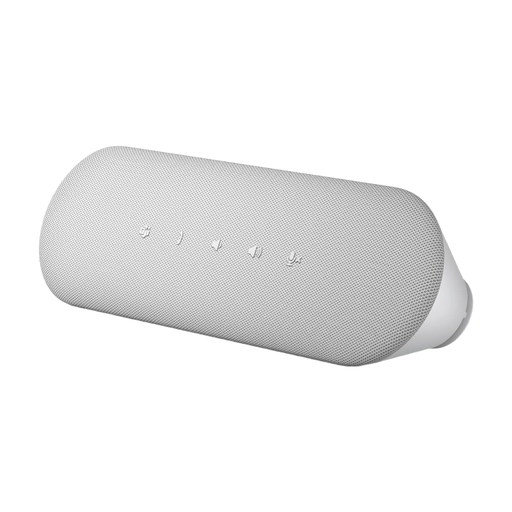 No image available
DELL Pro Desktop Speakerphone SP3022
For a workstation where you want to connect the speakerphone directly to your computer via USB.
The product description lists USB-A and USB-C, echo cancellation, AI noise cancellation, Full Duplex audio and a Teams button.
View at Joybuy
Frequently asked questions
Should I focus mainly on the greatest possible microphone range for a noisy office?
Not necessarily. What matters is where the people speaking are seated and how you position the speakerphone. Poly recommends placing microphones close to the speakers. Also test how well it picks up voices amid the noise at your workstation.
What should I check if the speakerphone stays muted during a meeting?
Check the mute setting, the device connection and the audio device selected in your operating system or meeting software. Yealink recommends these steps for the CP700 and CP900; for other models, follow the relevant instructions.
What should I look out for when buying a Bluetooth speakerphone for the German market?
Bluetooth devices placed on the market in Germany as radio equipment must meet the applicable requirements. The Bundesnetzagentur lists CE marking, a declaration of conformity and required information in German among the points to check. The product name alone doesn’t prove that a specific offer complies.
Is a speakerphone call suitable for discussing confidential project information?
It depends on the information and who else can hear it in the room. For personal data in video conferences, the BfDI recommends taking appropriate precautions based on the risks. If other people could overhear, consider using a suitable separate room or personal audio device. This doesn’t mean speakerphones are always prohibited.


