On your own in a quiet room
If you’d rather join without a headset, check the connection on your computer and make sure you can mute the microphone easily. Jabra describes these features in the manuals for the Speak2 55 and Speak 510.


A speakerphone is a good fit for online training in a shared flat if you’re alone in a quiet, separate room and playing audio aloud won’t bother anyone else in the room. If so, check that it connects to your computer, has an easy-to-reach mute button and provides enough microphone coverage for where you’re sitting. If housemates could overhear, or the content is confidential, a headset or a more private space is a better choice: microphone noise cancellation won’t make audio played through the speaker private.
If you’d rather join without a headset, check the connection on your computer and make sure you can mute the microphone easily. Jabra describes these features in the manuals for the Speak2 55 and Speak 510.
If you’re both joining from the same room, microphone coverage and clear, simultaneous speech matter. For the Speak2 55, Jabra specifies full-duplex audio and microphone coverage up to 2.3 m under the stated conditions.
If you don’t want other people in the shared flat to hear the other participants, first consider a headset or a more private space. A microphone filter won’t stop sound from the speaker being heard around the room.
A good fit if: you want to join hands-free and it’s fine for the training audio to be heard in the room.
The trade-off: The speaker plays the other participants’ voices aloud; microphone specifications don’t tell you whether housemates will be able to overhear.
A good fit if: you’re both authorised to take part and will be speaking from the same table.
The trade-off: Wider microphone coverage can also pick up noise from around the shared flat; check how it performs where you’ll actually be sitting.
A good fit if: you don’t want others to overhear, or you’ll be discussing confidential content.
The trade-off: You give up having audio play freely in the room and the convenience of joining together using a tabletop device.
| What matters | What to check before buying | Who it matters most to |
|---|---|---|
| Overhearing and privacy | Who will be within earshot during the training; if necessary, choose a headset or another room. | If I don’t want housemates to hear the training audio, an open speaker may be the wrong type of device for me. Around 33% of consumers may prioritise privacy. |
| Being heard clearly when speaking | Mute function, microphone coverage and positioning where you’ll sit; make a test call beforehand. | If I want to ask questions and join in discussions, I’ll check whether I can be heard from where I’ll be sitting. Around 27% of consumers may prioritise being heard clearly when speaking. |
| Connection and training software | Check the computer’s USB port against the contents of the specific version; select the input and output in your system and application. | If I want to start training easily on my laptop, the connection and device set-up are key. Around 20% of consumers may prioritise straightforward laptop connectivity. |
| Moving between rooms and devices | Check the connections you need, mobile device support and talk time for the specific version. | If I move between rooms or devices, I need a connection that suits how I’m using it each time. Around 20% of consumers may prioritise switching between rooms or devices. |
Microphone processing affects the signal sent to the other participants. Voices played through the speaker can still be heard around the shared flat.
For confidential content, choose a more private space or a headset first.
Computer connections and included adapters vary by model and version. Jabra says the Speak2 55 isn’t certified for a standard Bluetooth connection to a computer, and audio quality may differ from USB.
Check your computer’s USB port, whether you need a PC adapter, and what’s included with the specific version.
AnkerWork has warned that affected battery cells may pose a fire risk. The recall notice doesn’t automatically apply to every device of this model.
Check the model and serial number using AnkerWork’s recall process. If the device is identified as affected, switch it off and follow the manufacturer’s instructions.
The Speak range includes personal USB and Bluetooth models. For the Speak2 55, Jabra specifically distinguishes between USB for computers and Bluetooth for mobile devices.
The Poly Sync 20 USB-A is a portable speakerphone for calls on a computer and via Bluetooth on a mobile device.
The CP700 is a compact personal speakerphone with USB and Bluetooth.
EPOS describes the EXPAND 20 as a portable, wired plug-and-play speakerphone.
EMEET presents the OfficeCore M3 as a USB and Bluetooth option for group calls.
Joybuy’s selection of speakerphones and speakers with microphones for online training.
 No image available
If two people will be joining together, check how well the microphones pick up voices from where they’ll actually be sitting.
The product title specifies Bluetooth and the black finish.
 No image available
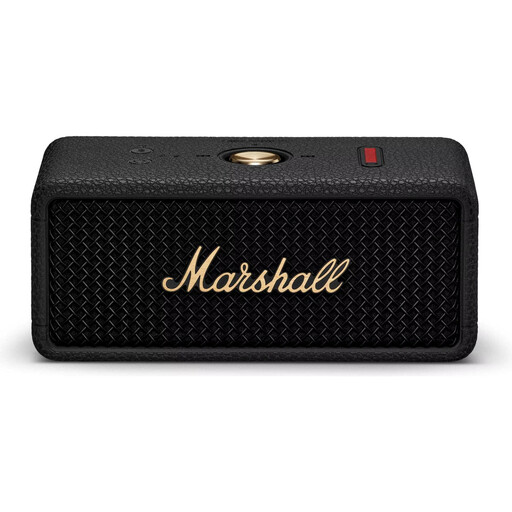
If you’re considering a portable speaker for training, first check whether the application can use this model’s microphone as an input device.
The product title specifies Bluetooth and the Black Brass finish.
 No image available
If several people will be speaking around the table, check how well it picks up voices from where you’ll be sitting and whether the mute button is easy for you to use.
The product title specifies 8-Mic, Bluetooth and 360° Voice Pickup.
 No image available
To join from your computer, check that the connection is compatible, then select the device as both the microphone and speaker in your operating system and training application.
The product title identifies this model as a desktop speakerphone.
Connect it to the device you’ll be using, then select it as both the microphone and speaker in your operating system and training application. Check the mute function and make a test call from where you’ll be sitting. Jabra specifically describes selecting devices separately in this way for the Speak2 55.
Not without permission: Section 201 of the German Criminal Code makes recording another person’s privately spoken words without authorisation a criminal offence. If you plan to record, check with everyone involved beforehand; buying or using a speakerphone is not the same as making a recording. The Federal Ministry of Justice and the Federal Office of Justice are sources for the text of the law.
The Federal Network Agency states that products covered by the relevant EU harmonisation legislation and placed on the EU market must carry a CE mark. Check the labelling and product information for the specific version; a CE mark alone doesn’t prove speech quality.
For a consumer purchase, the seller is generally your point of contact for your statutory rights. The Verbraucherzentrale states that these rights generally apply for two years from purchase or delivery, and distinguishes them from a voluntary manufacturer’s warranty.
No. Check the serial number first: AnkerWork has warned that affected battery cells may pose a fire risk and offers a serial number check. The notice doesn’t mean every unit is affected. If the device is identified as affected, AnkerWork advises you to switch it off and follow the customer service team’s instructions.