What should you look for in a small tutorial room?
First, consider who will be speaking in the room and where the device will sit. Then check that the way you run your tutorial, the PC connection and any device changes are all taken into account.
| What you need |
What to check before buying |
Who is this important to? |
| Voices around the room |
Work out which seat is furthest from the device, and compare only the stated range for the specific model. Yealink lists up to 1.5 m for the CP700, while HP lists up to 2.5 m for the Sync 40. These figures aren’t based on tests in the same room. |
If I want questions from several seats around the table to come through clearly, the distance from those seats to the device matters to me. Around 33% of consumers prioritise picking up multiple voices. |
| Natural question-and-answer sessions |
Check for full-duplex audio and make sure the mute button is easy to reach. Jabra lists full-duplex for the Speak2 55, as does AnkerWork for the PowerConf S330. |
When people ask questions, I don’t want the presentation and replies to interrupt each other unnecessarily. Around 27% of consumers prioritise a smooth question-and-answer session. |
| Connection to the room PC |
Check the USB-A or USB-C ports, any adapters you may need, and the audio settings in your meeting app. AnkerWork lists USB-C and a USB-A adapter for the PowerConf S330. |
If I want to start the tutorial on the room PC without any fuss, the right connection is essential. Around 20% of consumers give top priority to getting started easily on a PC. |
| Different rooms and devices |
Check whether the specific version supports USB and Bluetooth, and remember to consider battery charge and pairing. Jabra lists up to 12 hours of wireless use for the Speak2 55. |
If I want to take the device with me and use it with different devices, having the right connection matters. Around 20% of consumers prioritise use in different rooms or with different devices. |
Joybuy products for tutorials and meeting rooms
This selection includes speakerphones for picking up voices around a table, wireless connectivity and dedicated use with a tutorial PC.
 No product image available
Insta360 Wave AI Conference Speakerphone, White
An option for tutorials where you need to pick up several voices around the table and want Bluetooth connectivity.
The product title lists Bluetooth and the White colour option.
View at Joybuy
 No product image available
EMEET Lunaplus 8-Mic Bluetooth Conference Speaker
Worth considering if several people will be speaking around the table and you want to switch between connection options depending on how you’re using it.
The product title lists eight microphones and Bluetooth.
View at Joybuy
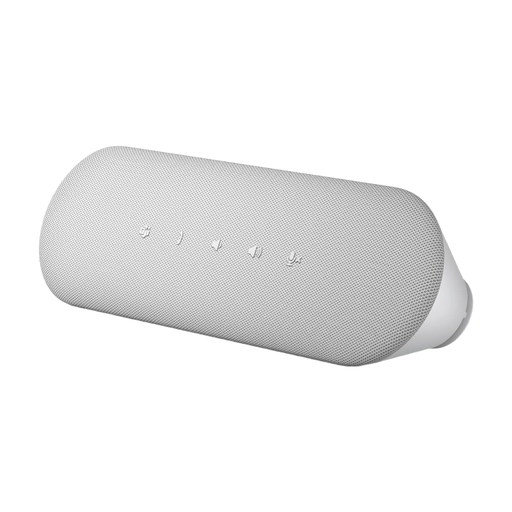 No product image available
Dell Pro Desktop Speakerphone SP3022
A good option for tutorials using a dedicated room PC. Before you buy, check that the connection and audio settings in your meeting app will work with your setup.
View at Joybuy
Frequently asked questions about speakerphones for tutorials
Where should I place the device to pick up questions from around the room?
Start by placing it near the people speaking around the table, then test it from the furthest seat. Yealink lists up to 1.5 m for the CP700 and HP up to 2.5 m for the Sync 40. These model-specific figures are a guide, not a guarantee for every room.
What should I check just before an online tutorial?
Select the speakerphone as the microphone and speaker in your meeting app, check the mute function and ask someone to try a question from the seat they’ll be using. If you have a portable model, also check the battery charge and connection.
Is a manufacturer’s guarantee the same as your statutory rights?
No. If an item is faulty, your statutory rights are against the seller. A guarantee is an additional, voluntary service subject to its own terms. The Verbraucherzentrale recommends checking who the seller is and which guarantee applies to the specific version before you buy.
Does buying online in Germany always come with a 14-day cancellation period?
For consumers, § 312g BGB generally provides a right to cancel distance contracts. § 355 BGB sets out a 14-day period, unless another rule applies to when the period starts. Exceptions and the difference between personal and business purchases should also be considered.
What compliance requirements apply to a Bluetooth speakerphone?
Radio equipment covered by the relevant EU harmonisation legislation must meet the applicable requirements before it is placed on the market. The Bundesnetzagentur explains the CE marking requirement for these products. Check the information and documents for the specific offer.


