What should you look for when buying?
Speakerphone for several people around a table
A good fit if: several people in the room are speaking with the study group joining remotely, and using a speaker at your workspace is suitable.
Consider: sound from the speaker can be heard around the room, and the stated microphone range is no substitute for testing it with your actual seating arrangement.
Portable speakerphone
A good fit if: you want to speak freely and listen through the speaker in different suitable locations.
Consider: a wired connection needs a compatible port; wireless use requires pairing and, where applicable, looking after the battery.
Headset or a quieter spot
A good fit if: you’re joining on your own, discussing confidential information or don’t want others to overhear the session.
Consider: a headset won’t replace a shared table speakerphone when several people in the room need to speak.
The percentages refer to consumers considering a speakerphone for an online study group in a noisy office.
| Priority |
What to check when buying |
Who it matters most to |
| Making sure my voice comes through |
Check the microphone setup, mute function and clarity with the meeting software you use. |
If I need to respond clearly despite conversations in the office, how well my voice is picked up matters to me. Around 30 % of consumers say this is their top priority. |
| Listening without disturbance and in private |
Check whether using a speaker at your workspace is suitable and whether a quieter place is available. |
If I don’t want others to overhear, or want to be less distracted by conversations myself, being able to listen without disturbing others matters to me. Around 30 % of consumers have this as their main priority. |
| Picking up several voices around the table |
Compare seating distances with the model’s stated microphone range; check full-duplex audio and clarity when people speak at the same time. |
If several students are sitting at the table, I need a solution that can handle everyone speaking together. Around 20 % of consumers prioritise having several people participate around the table. |
| Switching between devices and locations |
Check the computer port, Bluetooth device, cable, any dongle needed and the exact product variant. |
If I switch between compatible devices or workspaces, the connection needs to fit the way I work. Around 20 % of consumers say switching devices and locations is their top priority. |
Joybuy product selection
This selection includes speakerphones for groups around a table, plus an in-ear headset as an alternative to taking part using an open speaker.
 No image available
Insta360 Wave AI Conference Speakerphone (White)
For a group around a table, if you want to use a portable speakerphone with a Bluetooth connection.
The product description lists eight microphones, a pickup range of 16.4 feet, Bluetooth, a touchscreen and a battery lasting up to 12 hours.
When using the speaker openly, people in the room may be able to hear the group joining remotely.
View at Joybuy
 No image available
EMEET 8-Mic Bluetooth Conference Speaker, 360° Voice Pickup, Lunaplus
For several people around a table, if you’re considering a speakerphone with USB-C and Bluetooth connectivity.
The product description lists eight microphones, 360° pickup, Bluetooth 5.3, USB-C, a microphone pickup distance of 3 m and up to 10 hours of talk time. The speaker output is rated at 5 W.
When using the speaker openly, people in the room may be able to hear the group joining remotely.
View at Joybuy
 No image available
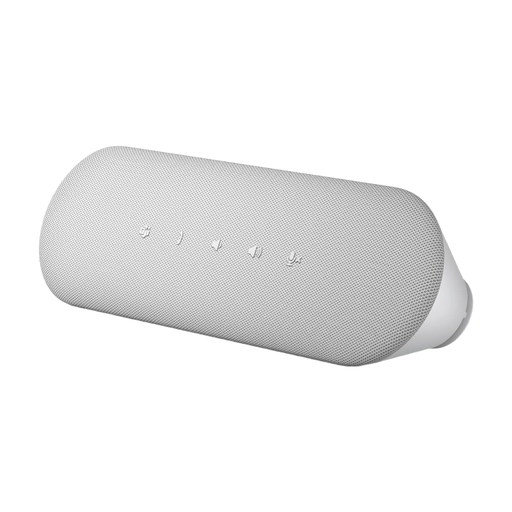
Dell Pro Desktop Speakerphone SP3022
For several people speaking around a table, if a USB desktop device suits your meeting space.
The product description lists USB, stereo output, full-duplex audio and a dedicated Microsoft Teams button. Noise and echo cancellation are also listed as product features.
When using the speaker openly, people in the room may be able to hear the group joining remotely.
View at Joybuy
 No image available
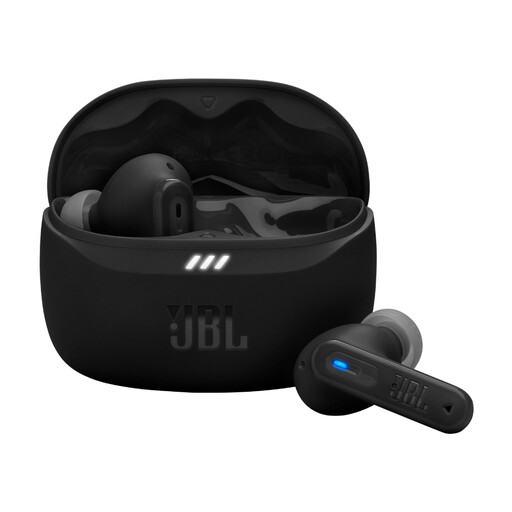
JBL Tune Beam 2 (Black)
A personal listening option if you’re joining on your own and using an open speaker at your workspace isn’t suitable.
The product description lists Adaptive Noise Cancelling, an ambient mode, multipoint Bluetooth, four beamforming microphones for calls and three sizes of ear tips.
In-ear headphones aren’t a substitute for a shared speakerphone when several people need to speak around a table.
View at Joybuy
Frequently asked questions
Will microphone noise cancellation help if I can’t hear the study group over my colleagues?
You shouldn’t rely on it for that. The microphone features described relate to picking up or transmitting speech; the Federal Institute for Occupational Safety and Health identifies intelligible speech from others as a potential source of disruption in the office. For your own listening, consider a quieter spot or a suitable headset.
How do I set up a speakerphone for my study group?
Connect the specific version via the intended USB port or a Bluetooth device supported by the manufacturer, then select it as the microphone and speaker in your meeting software. Before you start, check the seating, cable routing and clarity; the stated microphone range isn’t a test in your room. c’t discusses the challenge of picking up several people clearly in one room.
What should I check about the battery and accessories?
Charge and pair a wireless device in good time; stated talk times are manufacturer figures for specific models. According to Yealink, the BT51C dongle is only included with the relevant dongle version of the Yealink SP92.
What rights apply when buying online?
For a relevant distance purchase from a trader, you generally have 14 days from delivery to cancel; exceptions and rules on return costs may apply. Your Europe states that EU consumer law provides a legal guarantee of at least two years for faulty goods. This is not the same as a voluntary manufacturer’s warranty.
What should I bear in mind about privacy and being overheard in the office?
Remember that when you use a speaker, the group joining remotely can be heard in the room, and voices nearby may be picked up by the video call. The Data Protection Conference’s guidance of 23 October 2020 covers video conferences held by companies, public authorities and other organisations. Follow the requirements that apply in your workplace and avoid transmitting audio unintentionally.


