What should you look for when buying?
For a group sitting around a table with remote participants, the device should pick up everyone’s voices. A headset is a better option if only one person is joining remotely and you don’t want sound playing out loud in the room.
| What matters |
What to look for when buying |
Who will find this especially important? |
| Voices around the table |
Compare the distances between seats and the speakerphone’s position with the microphone specifications for the model; test the person sitting furthest away and people taking turns to speak on a call. |
When several of us are sitting around the table, I want remote participants to hear those sitting further away clearly too. Around 36% of consumers put group call clarity first. |
| Connection to the meeting device |
Check the USB port, Bluetooth and, where applicable, whether a dongle is included with the specific model variant. Make sure the right microphone and speaker are selected in your meeting software. |
If we use a laptop or mobile phone depending on the meeting, I want to connect the speakerphone without any unnecessary fuss. Around 29% of consumers prioritise an easy connection to their meeting device. |
| Moving between rooms |
Check whether the chosen variant has a battery and comes with any carry accessories; don’t assume the stated battery life is guaranteed to last for an entire meeting. |
When we work in different study rooms, it’s important to be able to set up flexibly without overlooking how the device is powered. Around 21% of consumers prioritise portability. |
| The right features |
Before comparing models, decide which connection you need and check exactly what’s included; don’t assume a high product ranking means it’s right for your group around the table. |
If we only want the features our group actually needs, I don’t want to pay for extras we won’t use. Around 14% of consumers focus primarily on keeping costs manageable. |
Speakerphones for study groups and small meeting rooms
This selection includes portable Bluetooth speakerphones and a USB-connected desktop device for study groups.
 Image unavailable
Insta360 Wave AI Conference Speakerphone, White
The Bluetooth connection and battery described make this a good fit for a wireless setup in different rooms.
The product description lists an 8-microphone array, a pickup range of up to 16.4 feet and a built-in battery with 12 hours of runtime. These specifications are no substitute for testing it with your seating arrangement.
View at Joybuy
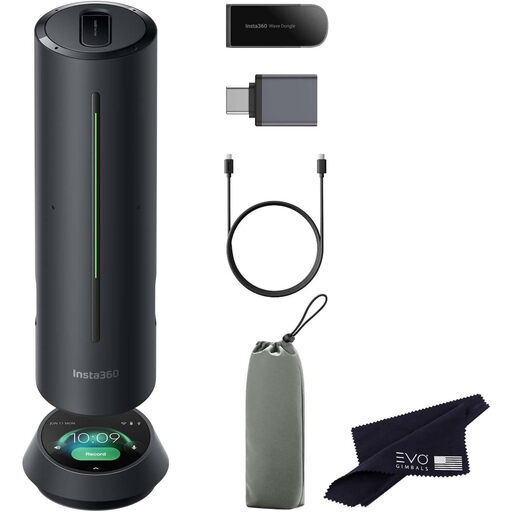 Image unavailable
Insta360 Wave AI Conference Speakerphone, Black
The Bluetooth connection and several pickup modes are useful features for different types of conversation.
The product description lists an 8-microphone array, a pickup range of up to 16 feet and five pickup modes. These specifications don’t prove that people will be heard clearly from every seat in your particular room.
View at Joybuy
 Image unavailable
EMEET Lunaplus Bluetooth Conference Speaker
According to the product description, USB-C, Bluetooth and battery power offer wired and wireless connection options for use in different rooms.
The description lists eight microphones, 360° pickup and up to 10 hours of talk time. According to the product description, the device isn’t waterproof; keep it away from water and high humidity.
View at Joybuy
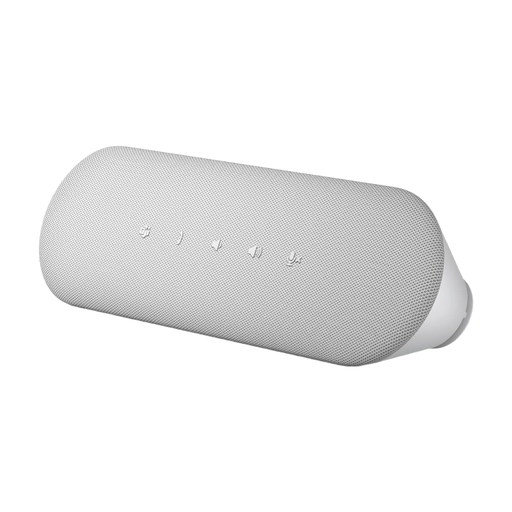 Image unavailable
DELL Pro Desktop Speakerphone SP3022
The desktop setup and direct computer connection described make this a good fit for a study group sharing a laptop.
The product description lists USB-A and USB-C, a Microsoft Teams button, full-duplex audio and echo cancellation.
View at Joybuy
Frequently asked questions
How should we set up the speakerphone for our first call?
Start by placing the device near the middle of the table, select it as the microphone and speaker in your meeting software, then ask the person sitting furthest away to speak too. Adjust its position after a test call. A manufacturer’s claim of 360° pickup doesn’t guarantee the same results in your room.
Do we need a Bluetooth dongle for the group laptop?
Not necessarily. Some models connect via USB cable, while others also offer Bluetooth or a dongle. Check the laptop’s ports and exactly what’s included with the variant on offer before planning to buy any accessories.
What should I do if the product is faulty or I want to return it after buying online in Germany?
The Verbraucherzentrale explains that, in general, the seller is responsible for the statutory guarantee when goods are faulty; the seller is generally required to provide goods free from defects for two years. For online consumer purchases, you usually have a 14-day right to cancel, which you must notify the other party to the contract about. Conditions and exceptions depend on the specific purchase; the Verbraucherzentrale published this guidance on 13 August 2026.
How can I tell if a Bluetooth speakerphone is being sold in compliance with German requirements?
The Bundesnetzagentur lists CE marking, product and manufacturer details, a German-language instruction manual and a declaration of conformity among the points checked during market surveillance. CE marking is the manufacturer’s declaration, not an independent quality mark; check the details for the specific product listing.


