Small group with remote guests
When several people are discussing designs around a table, it matters whether remote guests can hear voices from seats further away.


When choosing a speakerphone for a design briefing in a small meeting room, first consider the distance between the device and the furthest seat, then check how it connects to the meeting computer. If questions are asked frequently, full-duplex audio may be important. Range figures are provided by manufacturers and are no substitute for a test call in the room where you’ll be using the device.
When several people are discussing designs around a table, it matters whether remote guests can hear voices from seats further away.
If people in the room and remote participants regularly talk back and forth, check whether the device supports speaking and listening at the same time.
If you use the device with different computers, check the connections, exact model version and whether a Bluetooth dongle may be needed.
First check the distance to the furthest seat, then how the device connects to the meeting computer, and finally whether full-duplex audio is important for the way you talk.
| What matters | What to check before buying | Who is it important to? |
|---|---|---|
| Picking up voices around the table | Compare the greatest distance between a speaker and the device with the stated range for the exact model version, and make a test call with quieter voices. | When I’m discussing a brief with remote guests, I want them to hear quieter contributions from people at the edge of the table too. That’s why around 40% of consumers put voice coverage first. |
| Keeping the conversation flowing | Check whether full-duplex audio is specified for the exact model version, and test speaking at the same time as a remote participant. | When questions come up frequently, I don’t want to wait until the other person has finished speaking. Around 29% of consumers prioritise a natural flow of conversation. |
| Connection and model version | Check the USB connection, Bluetooth connectivity, meeting software, exact model variant and what’s included in the box. | If I use the speakerphone with different meeting computers, the exact model version needs to work with their connections. Around 21% of consumers prioritise the right connection and model variant. |
| Portability and wireless use | Consider the manufacturer’s stated talk time, charging connection and whether you plan to use the device in different rooms or keep it in one place. | When moving between rooms, I want to be able to carry the device and use it without a fixed connection when needed. Around 10% of consumers put portability first. |
Range figures apply to specific models. Seating distance, quieter voices and room echo can all affect how clearly people are heard in your room.
Measure the distance to the furthest seat and test the device with a call and a typical conversation before using it regularly.
Bundles vary: a PC dongle isn’t included with every version of the EPOS EXPAND 40, while Yealink lists the BT50 for the CP700 as optional.
Check the full model name and what’s included in the box against the connection on your meeting computer.
The AnkerWork PowerConf+ A3301 is not the same model as the PowerConf S3 A3302. Some A3302 devices are subject to a recall due to a potential battery fire risk.
Check the model number. If you have an A3302, check its serial number using AnkerWork’s procedure.
The Speak2 range includes portable USB and Bluetooth speakerphones for group conversations.
The Sync range is designed for personal workspaces and smaller meeting rooms; the exact model version is what matters.
The CP700 is a compact USB and Bluetooth speakerphone for group conversations.
The EXPAND 40 is designed for portable group conversations over USB-C or Bluetooth.
The PowerConf+ range combines USB-C and Bluetooth for flexible group meetings.
The speakerphones below are options for conversations around the table in a small meeting room. Before buying, check that the seating distance, connection and exact model version suit your setup.
 No image available
If you want to use Bluetooth, first check that the exact model version works with your meeting computer and the software you use.
 No image available
The product name specifies eight microphones and 360° pickup. Test it in your meeting room to see whether voices from seats around the edge of the table come through clearly.
Check that the connection options for the exact model version work with your meeting computer.
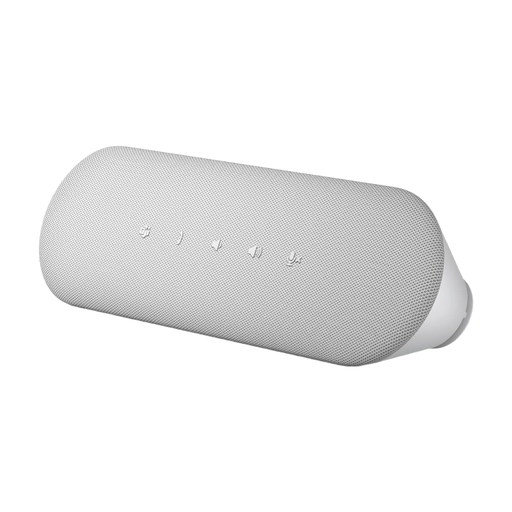 No image available
The SP3022 is described as a desktop device that connects directly to a computer; for best performance, it should be plugged straight into the computer.
No. A stated range doesn’t guarantee that voices will come through clearly in every room. Jabra lists up to 2.3 m for the Speak2 55, while Yealink gives the CP700 a pickup range of 1.5 m. Check the specification for the exact model and test the device with your actual seating arrangement.
Connect the exact model version using a compatible USB connection, or pair it over Bluetooth. Then select it as the input and output device in your operating system and meeting software. Test the mute function and the furthest seats with someone joining remotely; a PC dongle isn’t included with every model version.
Check the documentation and markings for the specific device on offer. As part of its market surveillance, Germany’s Federal Network Agency lists CE marking, manufacturer details, German-language instructions and a declaration of conformity among the points it checks. A CE mark alone does not mean that the authorities have individually approved the product.
AnkerWork has announced a recall for PowerConf S3 devices with model number A3302 that have affected batteries. Check the 16-digit serial number using the manufacturer’s procedure. If your device is affected, switch it off, disconnect it from the power supply and follow AnkerWork’s instructions.
Transmitting a conversation is different from recording it. According to Germany’s Federal Commissioner for Data Protection and Freedom of Information, users are responsible for the personal data contained in conversations they control. Before making a recording, establish its purpose and the relevant legal basis; this does not give you blanket permission to record.