What should you look for when buying?
Start with viewing distance and the seats at either end of the sofa. Then check Game Mode and the HDMI input, before comparing room lighting, how you’ll use the TV and the ongoing costs you’ll share.
OLED
A good fit if: you often sit off to the side and a specific model performs well in your lighting conditions.
Consider: If you use the TV for very long periods with the same bright, static game displays, burn-in is worth bearing in mind. RTINGS distinguishes this type of use from varied viewing.
Mini LED LCD
A good fit if: you play with ambient light on or want to avoid the OLED usage profile. Compare anti-reflection performance and viewing angles on the specific model.
Consider: LCD models can also have limited viewing angles from seats at the sides. CHIP found this with two VA LCD models it tested; that doesn’t mean the same is true of every Mini LED TV.
| What to consider |
What to check when buying |
Who it matters to |
| Clarity and seating positions |
Measure the viewing distance and available width; check that small indicators are clear from every seat you plan to use. |
If I want to read the game views from the end of the sofa, I’ll check screen size and side viewing together. Around 33% of consumers prioritise being able to make out details in the smaller game views. |
| Control response and motion |
Check input lag in Game Mode using a comparable signal; confirm the supported refresh rates and VRR on the HDMI input you’ll use. |
If I want the controls to respond straight away when I steer, I’ll check which modes my game and connected device actually output. Around 27% of consumers put control response and motion first. |
| Room lighting and long gaming sessions |
Compare anti-reflection performance and viewing angles on the specific model; with OLED, consider how you’ll use the TV with static displays left on for a long time. |
If we play during the day or leave the same game display on for a long time, I’ll take lighting and usage time into account. Around 20% of consumers prioritise these conditions. |
| Shared costs and space |
Compare the dimensions and energy information for the specific model; distinguish your statutory rights from a voluntary guarantee. |
If we’re sharing the purchase price and running costs, I’ll compare the space it needs and its energy information before buying. Around 20% of consumers put shared costs first. |
Joybuy products
The Joybuy models below are Mini LED TVs with large screens. Before choosing one, check that the screen size and dimensions suit your viewing distance and room.
 No image available
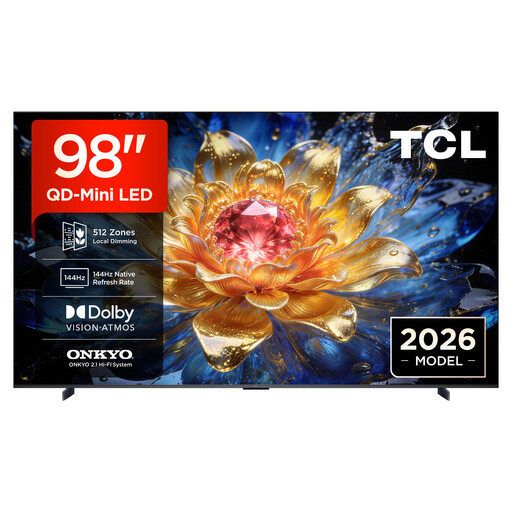
TCL 98T8D, 98-inch
The 98-inch screen could work well for large split-screen views; check that it suits your room and viewing distance.
QD Mini LED, 4K, 144 Hz, VRR and FreeSync Premium Pro.
View at Joybuy
 No image available
TCL 98Q7D PRO, 98-inch
The large screen could be well suited to split-screen gaming; check the space available and viewing distance first.
4K SQD Mini LED, 1.152 Local Dimming Zones, 2.000 Nits HDR, Anti-Reflection and 144 Hz.
View at Joybuy
 No image available
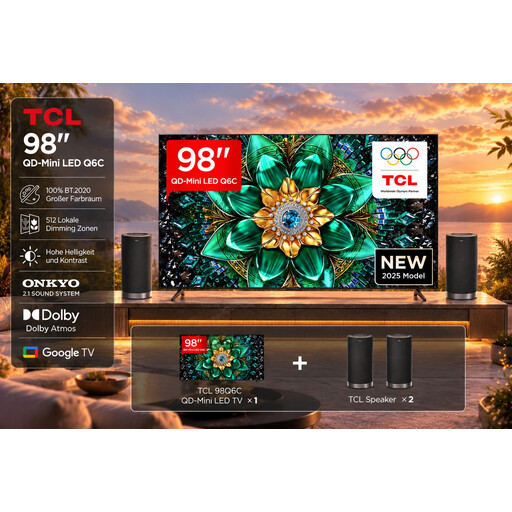
TCL 98Q6C with Z100 speaker set
At 98 inches, this model is worth considering if large split-screen views suit your room and viewing distance.
4K HDR, 144 Hz, FreeSync Premium Pro and HDMI 2.1; Z100 speaker set.
View at Joybuy
 No image available
TCL 75T8D, 75-inch
The 75-inch screen gives you another size option for split-screen racing; choose based on your viewing distance.
QLED with QD Mini LED dimming, 4K, 144 Hz, VRR and FreeSync Premium.
View at Joybuy
 No image available
Hisense 85E8S, 85-inch
The 85-inch screen is worth considering for larger split-screen views; check that you have enough space and the right viewing distance.
4K Mini LED, 144 Hz, VRR and ALLM.
View at Joybuy
Frequently asked questions
Will a 120 Hz TV make every split-screen racing game smoother?
No. The frame rate also depends on the specific game mode and connected device. Check which output options the game offers in local multiplayer and whether the TV supports the signal on the HDMI input you’re using. A 120 Hz panel rating alone doesn’t prove that the game will run at that frame rate; RTINGS explains why gaming needs the right signals.
How should I set up my TV for gaming?
Connect your console to an input that supports the features you need, then enable the right HDMI signal format and Game Mode if required. With a compatible connected device, ALLM can automatically switch to a low-latency mode. Sony UK notes that signal format and device settings also play a part.
What should I bear in mind when using an OLED for long racing sessions?
Take into account how long the same bright, fixed game elements stay on screen. RTINGS describes static content repeated over a long period as a factor to consider and distinguishes it from varied use; this doesn’t tell you how long your TV will last.
How do I compare energy use and my rights if something goes wrong?
Compare the energy information for the specific model on its EU label; the European Commission also includes HDR information. If there’s a fault, your statutory rights apply to the seller, while a guarantee is a voluntary offer with its own terms, as the Verbraucherzentrale explains.
What energy information should I be able to see when buying a TV online?
EU rules require energy labelling for electronic displays, and the label must also be visible when the product is sold online. The European Commission outlines these requirements for electronic displays.


