Motion-sports players
If you play sports that involve swinging or throwing movements, first check which Joy-Con options the game supports. Nintendo specifies different configurations for each sport in Nintendo Switch Sports.


Start by choosing based on the game and console. For Nintendo Switch Sports, the Joy-Con or Joy-Con 2 configuration required depends on the sport; a standard gamepad is only suitable for games with compatible button controls. If a game supports a gamepad, lighting can be useful in a dark room, but it’s still worth checking which parts actually light up, as well as the connection, power supply and number of players.
If you play sports that involve swinging or throwing movements, first check which Joy-Con options the game supports. Nintendo specifies different configurations for each sport in Nintendo Switch Sports.
For a game with button controls, you’ll need a controller that works with both the console and the game. A lit-up design could be useful in a dark room; just check which parts actually light up and which control features are supported.
If you’re playing with other people, check the requirements for the game and mode, as well as the number and configuration of controllers you’ll need. Being able to connect controllers doesn’t automatically determine how many people can play at once.
First, check how the game is controlled and which console it works with. Then you can weigh up lighting, freedom of movement and how to set things up for your gaming session.
| What matters | What to check before buying | Who is this important for? |
|---|---|---|
| Game and console compatibility | Check that the game, console generation and supported controller configuration all match. | If I switch between consoles or generations, my controller needs to work with my game and system. Around 36% of consumers put compatibility first. |
| Motion controls | Check which Joy-Con configuration is supported for each sport you want to play; use separate wireless Joy-Con with wrist straps. | If my sports game involves movement, I need the controller configuration it requires and want to be able to move safely. Around 29% of consumers prioritise suitable motion controls. |
| Finding your way in the dark | Check which parts light up and whether the lighting can be adjusted; RGB lighting doesn’t necessarily mean the buttons are illuminated. | If I’m playing a game with compatible gamepad controls, I want to be able to see my controller more easily in a dark room. Around 21% of consumers prioritise being able to see their controller. |
| Gaming session and power supply | Check the number of players and controllers needed for the game, and plan for cable routing or charging. | For a group gaming session, I need to know how many compatible controllers the game supports and how the setup will work in the room. Around 14% of consumers say getting the gaming session ready is their main concern. |
Lighting doesn’t tell you whether a controller supports the controls a game requires. PowerA notes that its wired Lumectra model for Nintendo Switch 2 doesn’t support motion controls or Joy-Con games.
First check the game’s control requirements, then see which parts of the controller actually light up.
If the controls aren’t compatible, you may also need a suitable controller.
Nintendo says Joy-Con 2 are designed for use with Nintendo Switch 2 only. So, despite the similar product names, the controller generations aren’t interchangeable.
Before buying, check the full controller name against your console.
An incompatible controller may not work with the console you already own.
PowerA quotes up to 10 hours of play per charge for its wireless Switch Lumectra model; actual battery life depends on how it’s used, according to the manufacturer.
Make sure you have a way to charge it that suits the length of your gaming sessions.
You may need to stop and charge during longer sessions.
The number of controllers that can be connected at once doesn’t automatically determine how many people can play a particular game. Nintendo notes that Joy-Con 2 have limitations depending on the controllers and features used; the game mode also matters.
Check the number of local players and the controller configuration required for the sport and mode you want to play.
Extra controllers may go unused if the game mode you choose supports fewer players.
Joy-Con and Joy-Con 2 may suit supported motion-controlled Switch sports games; Pro Controllers are another option for games with compatible gamepad controls.
Depending on the model, Lumectra controllers offer illuminated gamepads for selected Xbox, Windows or Nintendo systems.
The Xbox Wireless Controller is a classic gamepad option for supported Xbox and Windows games with button controls.
DualSense may suit PS5 and supported PC games with gamepad controls.
The G7 HE is a wired Xbox and Windows option for games with standard gamepad controls.
The Joybuy products below include gamepads for selected Switch, PC and Xbox setups, including illuminated models. Whether a model is right for your sports game depends on the platform and control method it supports.
 No image available
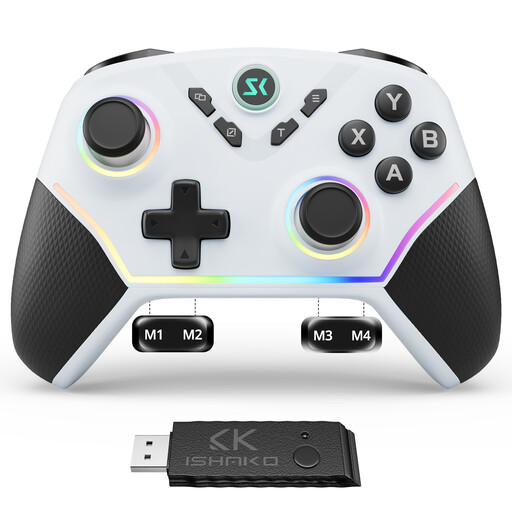
For Switch games with compatible gamepad controls, if you’re looking for an illuminated design.
The product title mentions Bluetooth and a 7-colour LED. The product description lists a 6-axis gyroscope and up to 20 hours of play time; a gyroscope alone doesn’t confirm that a game supports the motion controls you want.
 No image available
For PC or Switch games that support the controller and the control method you want to use.
The product description lists RGB lighting, four rear buttons, Hall Effect joysticks and triggers, and a 6-axis motion sensor. It lists Bluetooth, 2.4 GHz and USB-C as connection options.
 No image available
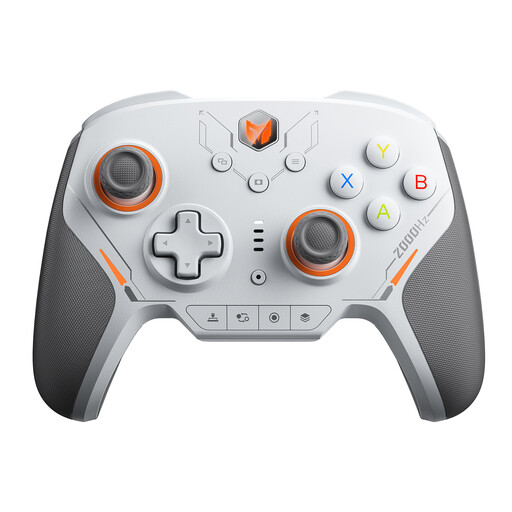
For wireless button controls on PC or Switch, provided the game supports the controller.
The product title lists 16 mechanical microswitch buttons, TMR joysticks and a 2000 Hz polling rate. It lists PC and Switch, as well as iOS and Android, as supported platforms.
 No image available
For PC or Switch 2 games with compatible gamepad controls, if you’re looking for a wireless model with RGB lighting.
The product title lists 14 RGB lights, a 6-axis gyroscope, switchable Hall Effect/microswitch triggers and a 3.5-mm audio jack. It lists PC, Switch 2, iOS and Android as supported platforms.
 No image available
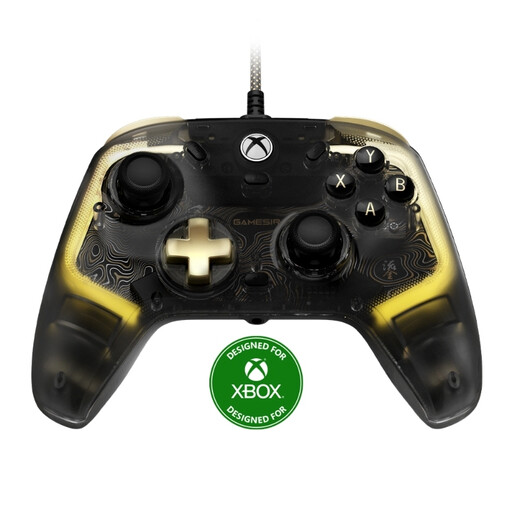
For supported Xbox or Windows games with gamepad controls, if a wired controller suits your setup.
The product title lists RGB lighting and a Hall Effect joystick; the supported platforms listed are Xbox Series X|S, Xbox One and Windows 10/11. The product description says it comes with a detachable 3-m USB-C cable, so remember to plan where it will run in the room.
Don’t assume that you can: Nintendo specifies particular Joy-Con, Joy-Con 2 and Leg Strap configurations for each sport. Check the requirements for the sport you want to play rather than simply checking whether a Pro Controller connects to the console.
No. Nintendo says Joy-Con 2 are designed for Nintendo Switch 2 only. Original Nintendo Switch Joy-Con, however, can be used wirelessly with Nintendo Switch 2.
Clear some space before you start playing. If you’re using Joy-Con separately and wirelessly, attach and lock the wrist straps as shown in Nintendo’s instructions, and wear them on your wrists.
First, check that you’re using the controller configuration required by the game. For Nintendo Switch Sports, Nintendo recommends following the relevant troubleshooting steps for Joy-Con or Joy-Con 2 motion controls if movements aren’t detected properly.