If you usually hold your device while reading sports memoirs, a compact tablet is a natural place to start. Compare the weight with the case attached, and try a typical page from a book using your preferred text size. A larger screen can be more helpful for books with lots of photos or fixed-layout PDF pages, provided you can prop the device up. If you mainly read flowing text and don’t need tablet apps, an e-reader is another option. Before you buy, check that the specific books you want are available in your preferred reading app.
Which option is right for you?
Readers who hold their tablet
If you read longer chapters lying down, compare the weight of the device with its case. Apple lists the current iPad mini (Wi-Fi) at 255 g, while Lenovo lists the ZAF00255SE variant at around 320 g. These manufacturer figures are no substitute for trying a device in your usual reading position.
Readers in low light
If you read in the evening, check that you can adjust the brightness, colour tone and text size to suit your preferences. Apple Support describes Night Shift as a way to adjust the colour temperature and schedule when the feature is used.
Readers of illustrated memoirs
A larger screen can be important for photos, captions and fixed-layout pages. According to tolino, its app supports EPUB and PDF books on tablets. Try a sample first to see how well a particular edition displays.
What should you look for when buying?
Compact tablet
A good fit if: you usually hold your device and want to use reading apps or occasionally view photos as well as read books.
The trade-off: Photos and fixed-layout pages may require more zooming on smaller screens.
Larger tablet
A good fit if: your books contain lots of images or fixed page layouts, and you can prop up the tablet while reading.
The trade-off: The models listed are heavier than the current iPad mini. Apple lists the iPad (A16, Wi-Fi) at 477 g.
E-reader
A good fit if: you read almost exclusively flowing text and don’t need tablet apps.
The trade-off: First check that your specific sports memoirs are compatible with your chosen reading system and any books you’ve already bought.
If you want to read sports memoirs in bed, the main things to consider are how comfortable the device is to hold, how the screen looks in the evening, access to your books and how well illustrated pages display.
| What matters |
What to check before buying |
Who should pay particular attention? |
| Comfort when holding the device |
Compare the weight and dimensions of the exact model variant, including the case you plan to use, and try the device in your usual reading position. |
If I read longer chapters while holding my device, the weight with the case matters more to me than extra screen space. Around 36% of consumers put ease of handling first. |
| Comfortable reading in the evening |
Open a sample page in low light and adjust the brightness, colour temperature and text size in the reading app you’ll actually use. |
If I read in low light in the evening, I want to be able to adjust the display to suit my preferences. Around 29% of consumers prioritise the evening viewing experience. |
| Access to the books you want |
Search for the specific titles and editions, and check the app, account, file format, copy protection and, if relevant, offline access. |
If my books are tied to a particular provider, account or format, I need to check access before buying. Around 21% of consumers put access to the titles they want first. |
| Screen space for photos and fixed-layout pages |
Use a sample to check whether photos, captions and PDF pages are easy to see from your reading distance, and how often you need to zoom in. |
If I want to read books with photos and fixed-layout pages, I want them to be easy to view without frequent zooming. Around 14% of consumers prioritise extra screen space for images. |
How to avoid common buying mistakes
-
Assuming general tablet rankings apply to reading in bed
General rankings don’t necessarily assess how comfortable a device is to hold while lying down.
Start by considering how you hold your device and how a typical book page looks. Use general review results for context afterwards.
-
Assuming models or variants with similar names are the same
The current iPad mini with A20 Pro is not the iPad mini with A17 Pro from 2024. Also, a Joybuy listing for one Galaxy Tab A11 variant specifies 120 Hz, while Samsung lists up to 90 Hz for the Galaxy Tab A11.
Compare the full model number, storage and connectivity version, and the relevant specifications against the details from the manufacturer.
-
Assuming that a reading app means you can access your books
The app, account, edition format and copy protection are separate requirements for opening a particular edition.
Search for the specific sports memoirs you want before buying, and try a sample if possible.
Key brands to consider
Apple
The current iPad mini is a compact tablet option, while the iPad (A16) offers a larger 11-inch alternative.
- Apple lists the current iPad mini (Wi-Fi) at 255 g and the iPad (A16, Wi-Fi) at 477 g.
- Check the generation: the current iPad mini with A20 Pro is not the A17 Pro model from 2024.
Samsung
The Galaxy Tab A11 is a compact Android tablet, while the Galaxy Tab A11+ is a larger 11-inch alternative.
- Samsung lists a resolution of 1,340 × 800 pixels and a refresh rate of up to 90 Hz for the Galaxy Tab A11.
- In its March 2026 review, connect rated the A11 as relatively underpowered and the A11+ as more powerful. These findings apply to these models, not to other Samsung tablets.
Lenovo
The Tab One is another compact Android tablet to compare with the Galaxy Tab A11.
- Lenovo lists 4 GB RAM, 64 GB storage and a device weight of around 320 g for the ZAF00255SE variant.
- The device’s weight doesn’t tell you how comfortable it is to hold with a case. Also check that the specific books you want are available.
Joybuy products for reading in bed
This selection includes compact tablets and larger devices with more screen space for books. Before choosing, check that the size, support surface and ventilation suit the way you plan to use the device in bed.
 No image available
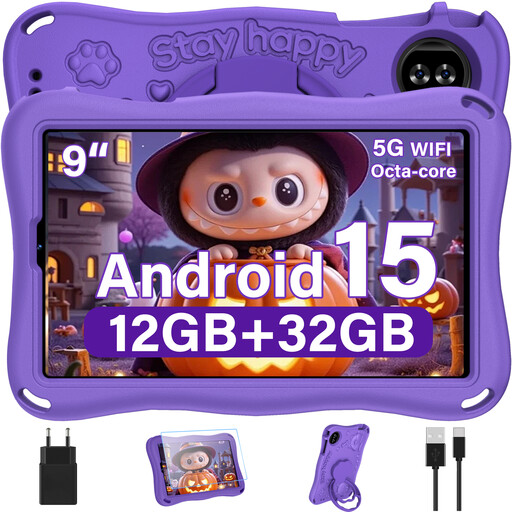
YESTEL T15 Kids Tablet, 9-inch, Android 15, purple
The listed 9-inch screen makes this a compact option if you want to hold a tablet while reading.
The product title specifies Android 15 and a purple version.
View at Joybuy
 No image available
ALLDOCUBE iPlay 70 mini Ultra, 8.8-inch, 12 GB + 256 GB
The listed 8.8-inch screen size makes this a compact tablet option for reading while holding the device.
The product title specifies Android 14 and 12 GB + 256 GB. It also states that no power adapter is included.
View at Joybuy
 No image available
Samsung Galaxy Tab A11+ X230, 11-inch, Wi-Fi, 6 GB RAM, 128 GB
With its listed 11-inch screen, this model may be a better fit if you can prop up the tablet while reading or want more space for images.
The product title specifies Wi-Fi, 6 GB RAM, 128 GB storage and the colour grey.
View at Joybuy
 No image available
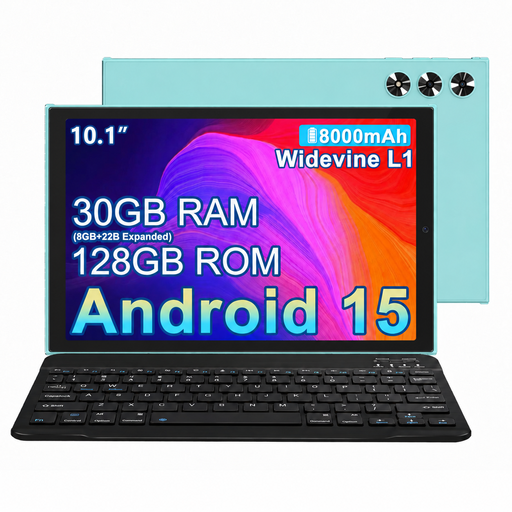
MEBERRY M8, 10.1-inch, 2-in-1 tablet
At 10.1 inches, the listed screen size gives you more space than the compact models, but makes the tablet less comfortable to hold for longer periods.
The product title specifies a case, keyboard and mouse. Check whether these accessories are useful for the way you read.
View at Joybuy
 No image available
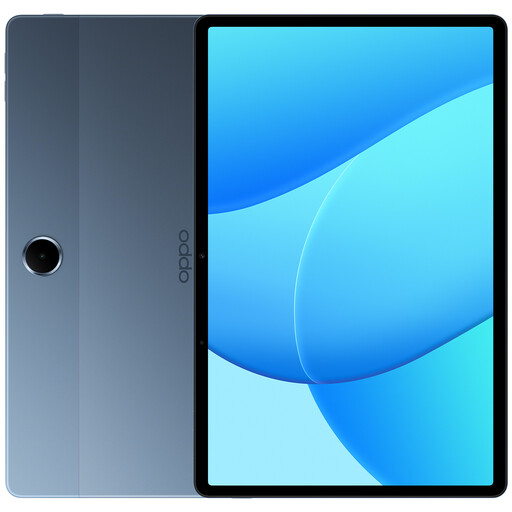
OPPO Pad SE, 11-inch, 128 GB, 6 GB RAM, LTE
The listed 11-inch screen may suit books with images or fixed page layouts, provided you can prop up the device.
The product title specifies LTE and model OPD2420 EUN. The product description advises against using the device on soft surfaces such as a bed or sofa if this could obstruct ventilation.
View at Joybuy
Frequently asked questions
How should I set up a tablet for reading in the evening?
Choose a comfortable text size and background in your reading app, and adjust the screen brightness as needed. On supported iPads, you can schedule Night Shift to adjust the colour temperature. This is a display setting, not a proven promise about its effects on sleep.
Can I read EPUB and PDF books in the tolino app on a tablet?
According to tolino, you can read EPUB and PDF books in the app on smartphones and tablets. Downloaded books can also be read offline. For a specific sports memoir edition, check the provider, copy protection and app access as well.
Can I highlight text in every illustrated edition?
No, not in every edition. tolino describes the highlighting feature for reflowable e-books, not all fixed-layout content. Check the feature using a sample of the specific edition you want.
What should I know about returns when buying online in Germany?
When you buy a tablet online from a trader, you generally have 14 days from delivery to exercise your right to cancel. Exceptions apply to digital online content if a download or stream has started after you expressly agreed to lose your right to cancel. The right to cancel, statutory consumer rights and a voluntary manufacturer’s guarantee are separate matters. Your Europe explains the relevant conditions for consumers in the EU.


