A project folder with individual sports photos
If you want to stick selected match moments into your project, the print size should fit the space available on the page. Canon Germany lists postcard size (100 × 148 mm) for the SELPHY CP1500.


For individual sports photos to stick into a project folder, a printer for postcard-sized prints may be enough. If you want larger photos or to add text to an A4 page, an A4 photo inkjet printer is a better fit. Small self-adhesive prints from a mobile printer work well for collages, but they can’t replace a larger image area. With your chosen model, also check which paper and ribbon or ink it needs, and which printing methods it supports.
If you want to stick selected match moments into your project, the print size should fit the space available on the page. Canon Germany lists postcard size (100 × 148 mm) for the SELPHY CP1500.
If you need more space for images, or want to combine photos and project text on the same page, A4 photo printing and, where needed, scanning and copying features are worth considering. Canon Germany lists these features for the PIXMA G650, while Epson Germany describes the EcoTank ET-8500 as an A4 photo printer.
If you want to stick on small sports photos and print them from a compatible mobile device, a portable sticker photo printer could be a good option. Xiaomi Germany lists a print size of 50 × 76 mm for the Portable Photo Printer 1S; check app compatibility too.
First, decide how large you want the sports photos to be on the finished project page. Then check whether individual prints, A4 photo pages or small self-adhesive photos—and the supplies each requires—are right for your project.
| What you need | What to check before buying | Who it matters to |
|---|---|---|
| Size of individual prints | Decide how large the image should be on the project page, then check that the printer supports the right paper size. Canon Germany lists 100 × 148 mm for the SELPHY CP1500. | If I want to stick in individual match moments, the print needs to fit the space available. Around 36% of consumers put suitable individual prints first. |
| Larger photos and pages combining images and text | Check whether the specific model supports A4 photo printing and, where needed, scanning or copying. Canon Germany lists borderless photo printing up to A4, as well as scanning and copying, for the PIXMA G650; Epson Germany lists A4 photo printing for the ET-8500. | If you want to show a match moment on a larger scale or combine photos and text on one page, you’ll need a printer that supports the right page size. Around 29% of consumers prioritise A4 project pages. |
| Small self-adhesive photos | Check the image size, suitable sticky paper and how to print from your mobile device. Xiaomi Germany lists ZINK printing in 50 × 76 mm format for the Portable Photo Printer 1S. | For a collage, I want to stick on small photos and print them from my mobile device. Around 21% of consumers put photo stickers first. |
| Supplies for repeated printing | Compare the paper, ribbon or ink options for the number and size of photos you plan to print. Canon Germany specifies compatible paper and ribbon sets for the SELPHY CP1500. | If I’m planning several prints or future projects, I want to know which supplies go with each print size. Around 14% of consumers prioritise the supplies needed for print runs. |
A printer designed for small prints or stickers won’t necessarily give you the space you need on an A4 project page. A small print may not do justice to a larger match moment.
Measure the image area you need on the finished page, then check that it matches the printer’s supported sizes before you buy.
A stated yield may be based on a particular photo size. Canon Germany bases the PIXMA G650’s stated yield on 10 × 15 cm prints, so you can’t necessarily apply it to larger photos.
Check which supplies you’ll need for your specific size and planned number of prints, rather than assuming yields for different sizes are comparable.
A review of portable smartphone photo printers won’t necessarily tell you which printer is right for larger project pages. The F.A.Z. Kaufkompass review dated 10 March 2026 covers portable smartphone photo printers.
Only use a review as a guide if the type of printer and printing task match your school project.
There are several options for your project: the SELPHY CP1500 for postcard-sized prints and the PIXMA G650 for A4 photos, scanning and copying.
The EcoTank ET-8500 is worth considering for A4 photo and document printing; the ET-8550 may suit you if you specifically need A3+.
The Portable Photo Printer 1S is designed for small self-adhesive photos printed from a compatible mobile device.
The Mini 2 Retro P210R is an option for small portable photo prints.
These Joybuy products are designed for colour printing, portable prints or project materials. If you need a larger sports photo, check the print size and colour output of the specific model.
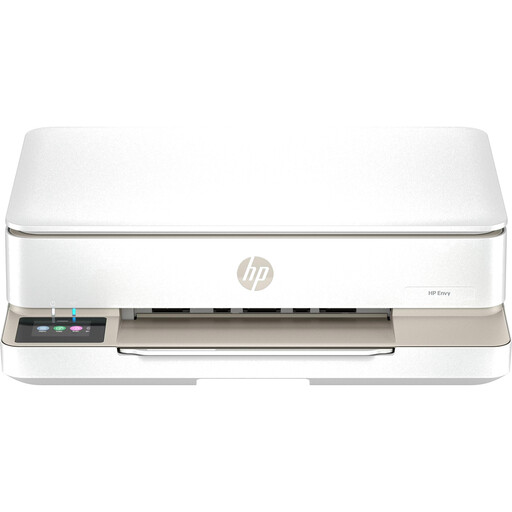 No image available
Could be a good option if you want to print project materials in colour and also scan or copy; check that the photo paper and print size meet your needs.
The product description lists Wi-Fi and USB, plus mobile printing via HP Smart or Apple AirPrint.
 No image available
This model could be useful for printing from your smartphone on the go; before buying, check that its colour output and print size are right for your sports photos.
The product description lists thermal printing, Bluetooth, and photo and document printing from a smartphone.
 No image available
Could be suitable for small prints and stickers on the go; check that the print size fits the space available on your project page.
The product description lists thermal printing, Bluetooth, an app and compatibility with iOS or Android smartphones.
 No image available
This model isn’t suitable for colour sports photos, as the product description specifies black-and-white printing. It may be better suited to notes on the go or other black-and-white prints.
The description lists Bluetooth, an app and ten rolls of thermal paper.
 No image available
Suitable for small self-adhesive photos in a collage, but not for a larger project image.
ZINK prints in 50 × 76 mm format on self-adhesive paper; the description lists Bluetooth and Xiaomi Home. Xiaomi Germany lists Android 8.0 or later and iOS 12.0 or later as supported operating system versions.
It depends on the printer and your mobile device. Canon lists Wi-Fi printing with the SELPHY Photo Layout app for the SELPHY CP1500; Xiaomi lists Bluetooth, Xiaomi Home and supported operating system versions for the Portable Photo Printer 1S. Before buying, check that the printer, app and printing method you want to use are compatible.
For affected EcoTank and Expression models, Epson recommends running a nozzle check first and, if necessary, cleaning the print head according to the instructions for that specific model. This advice doesn’t automatically apply to dye-sublimation or ZINK printers.
No. In Germany, your statutory rights for faulty goods are against the seller; a guarantee is an additional voluntary promise with its own terms. Verbraucherzentrale generally gives a two-year period for statutory rights and describes a conditional 12-month extension if you choose a repair. This extension has applied since 31 July 2026.
Under § 22 KunstUrhG, consent from the person pictured is generally required before an image is shared or displayed publicly. Whether a particular presentation counts as public or an exception applies depends on how the image is used; check with the school and the people shown before exhibiting it publicly or publishing it online. Subject to certain conditions, § 60a UrhG allows some non-commercial uses of published works for teaching, including making copies of up to 15% of a work.