What should you consider when choosing one?
First, decide how you’ll store the copy separately and restore it when needed. Then choose a connector, encryption and capacity to suit your spreadsheets and devices.
| What matters |
What to check before buying |
Who should consider this? |
| Recoverable backups |
Check there’s enough room for the spreadsheet versions you plan to keep; try opening a copy on the device you’ll use to restore it. |
If I need to access earlier spreadsheet versions after a device failure, a tested backup routine and separate storage matter to me. Around 36% of consumers prioritise recovery. |
| Keeping data private if the drive is lost |
Check whether the specific model is encrypted or whether a suitable software solution is available; plan where to store the key or passcode. |
If confidential spreadsheets could be lost while I’m out and about, I want to make unauthorised access harder and still be able to regain access myself. Around 29% of consumers prioritise confidentiality. |
| Access across multiple devices |
Check that the USB-A or USB-C connector and file system work with the devices you plan to use; open a test file on every system you need. |
If I need to open the copy on computers with different ports or operating systems, I want to test access in advance. Around 21% of consumers prioritise device compatibility. |
| Room for previous versions |
Work out the size of the backup folder you plan to keep and how many versions it will contain; compare this with the capacity actually available. |
If I want to keep previous spreadsheet versions, the drive needs to have enough room for the entire folder. Around 14% of consumers mainly look for space to store different versions. |
Joybuy products for local spreadsheet copies
The Joybuy products below are for straightforward local USB copies and include USB-A and USB-C options. Check the connector, file system and recovery process on your own device.
 No image available
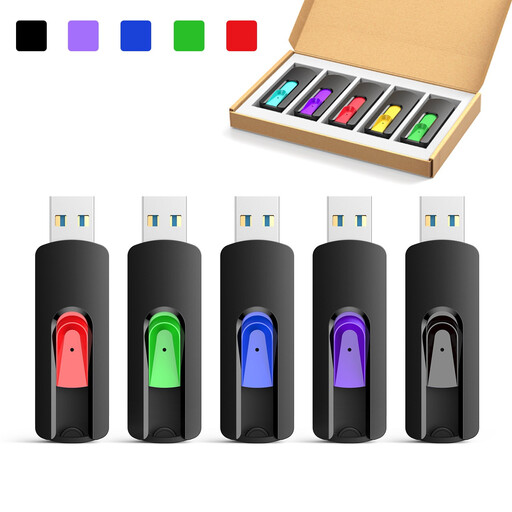
Kexin 5-pack USB 2.0 flash drives, 8 GB option
For keeping a local copy of spreadsheet files; the retractable design is described as suitable for carrying around.
The title specifies a 5-pack of retractable USB 2.0 drives; this option is listed as 8 GB.
View at Joybuy
No image available
Kexin 5-pack USB 2.0 flash drives, 16 GB option
For keeping a local copy of spreadsheet files; the retractable design is described as suitable for carrying around.
The title specifies a 5-pack of retractable USB 2.0 drives; this option is listed as 16 GB.
View at Joybuy
No image available
Kexin 5-pack USB 2.0 flash drives, 32 GB option
For keeping a local copy of spreadsheet files; the retractable design is described as suitable for carrying around.
The title specifies a 5-pack of retractable USB 2.0 drives; this option is listed as 32 GB.
View at Joybuy
No image available
Kexin 5-pack USB 2.0 flash drives, 64 GB option
For keeping a local copy of spreadsheet files; the retractable design is described as suitable for carrying around.
The title specifies a 5-pack of retractable USB 2.0 drives; this option is listed as 64 GB.
View at Joybuy
 No image available
Kexin 2-in-1 USB-A and USB-C flash drive, 32 GB, 2-pack
For transferring files locally between devices when you need USB-A and USB-C.
The title specifies USB 2.0, 32 GB, a 2-pack and a 360° swivel design. Check that the file system works with the devices you plan to use.
View at Joybuy
Frequently asked questions about USB drive backups
Is copying a spreadsheet to a USB drive once enough?
No, not if you continue to update the working file. Back up the versions you need again and try opening a copy from the USB drive. If your device is damaged, the drive should be stored separately. The BSI recommends planning for recovery, too.
Do I need to format the drive for Mac and Windows?
Only if the current file system isn’t compatible with the devices you plan to use. Check it before making any changes; Apple Support notes that formatting a drive erases any files already stored on it. Make additional copies of the files you need first.
Is a CSV file always a complete backup of my workbook?
No. Microsoft Support notes that saving a workbook as a text or CSV file can cause formatting, data or features to be lost. Keep a copy in the original workbook format you need and test it.
What should I consider about support and storage before buying?
Allow enough space for the spreadsheet versions you want to keep and, if necessary, another local storage device kept separately. Check the warranty terms and unlocking process for the specific model; a warranty is no substitute for a recoverable copy of your files.
Is a particular encrypted USB model required for spreadsheets containing personal data in Germany?
Article 32 of the GDPR requires controllers and processors to implement appropriate technical and organisational measures that are proportionate to the risks; it does not impose a blanket requirement to use a particular USB drive model. The BfDI generally recommends encrypting data stored on USB drives. The right measure depends on the level of protection needed and the context in which the data is processed.


