
Lieferung heute & morgen

Qualitätsgarantie

Willkommens-Angebote freischalten: KOSTENLOSE Lieferung | Bis zu 80 % RABATT | Kostenlose 30-Tage-JoyPlus-Testphase
App herunterladen
A 1TB SSD offers plenty of storage for your operating system, programmes, games, photos and video projects. The options range from an internal 1TB NVMe SSD for desktop PCs and laptops to a portable 1TB external SSD for backups and transferring files. Speed isn’t the only thing to consider. The interface, cooling, form factor and device compatibility all determine whether an SSD is the right choice for everyday use.
Manufacturers usually quote sequential read speeds. These figures matter when transferring large, continuous files, such as video footage. When starting Windows or loading small files, access times and random IOPS also make a difference.
A PCIe 5.0 SSD can reach well over 10,000 MB/s according to its specifications. However, if your motherboard only supports PCIe 4.0, the SSD will run at the speed of the older interface. With external models, the cables you use can also limit transfer rates.
M.2 describes the form factor, not necessarily the transfer protocol. Depending on the device, an M.2 slot may support SATA or PCIe/NVMe. Before buying, check the manual for your motherboard, laptop or console.
For an M.2 1TB SSD in the 2280 form factor, the installation height and available space are important too. A large heatsink may prevent it from fitting in a laptop or compact PC.
High transfer rates generate heat. Without adequate cooling, an internal SSD may slow down during longer write operations. This is particularly relevant for a PCIe 5.0 SSD, but also applies to powerful PCIe 4.0 models.
For a gaming SSD, short loading times matter. For video editing, large file transfers or AI applications, you should also consider sustained write performance, the TBW rating and effective heat dissipation.
Actual performance always depends on the host device, slot, cable, file type and temperature.
An internal 1TB SSD in the M.2 2280 form factor fits directly onto the motherboard. Check that:
The PS5 has additional requirements. An SSD for PS5 needs to fit in the console’s expansion slot and be used with a suitable heatsink. Before installation, also check the system software, dimensions and compatibility of the specific model.
The TBW rating shows how much data the manufacturer says can be written to the drive. It’s useful for comparing models, but doesn’t guarantee a particular lifespan. You’ll still need a separate backup for important files.
With external models, the enclosure, cable and connectors all matter. The Samsung T7 has an aluminium enclosure and optionally supports password protection with 256-bit AES hardware encryption. An IP65 rating, such as the one listed for the Lexar ES5, means protection against dust and water jets under defined conditions. It doesn’t mean the drive can be submerged.

Why this product suits this profile: This PCIe 4.0 NVMe SSD in the M.2 2280 form factor is suitable for compatible PCs, laptops and compact systems with limited space.
The clearly stated PCIe 4.0 interface helps you avoid assuming you need a PCIe 5.0 platform. You’ll still need to check that your M.2 slot is compatible before buying.
Read speeds of up to 6,000 MB/s and write speeds of up to 4,000 MB/s according to the product specifications; compact design with 1 TB capacity.
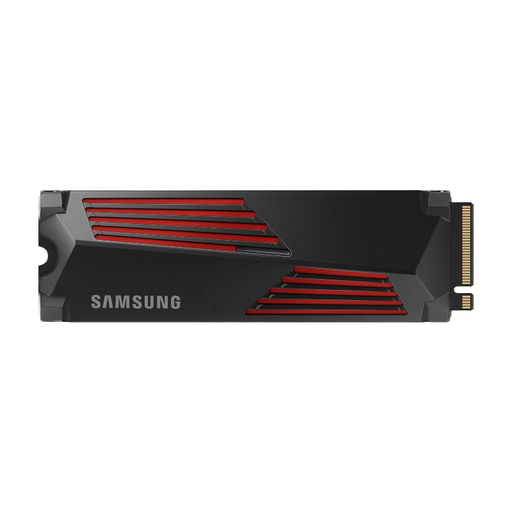
Why this product suits this profile: For gaming PCs, video editing and compatible consoles, this model combines PCIe 4.0 with an integrated heatsink.
The integrated heatsink helps manage heat during longer transfers. For PS5, you’ll still need to check the dimensions and system requirements.
Read speeds of up to 7,450 MB/s and write speeds of up to 6,900 MB/s according to the product specifications; M.2 2280 and PCIe 4.0 x4.
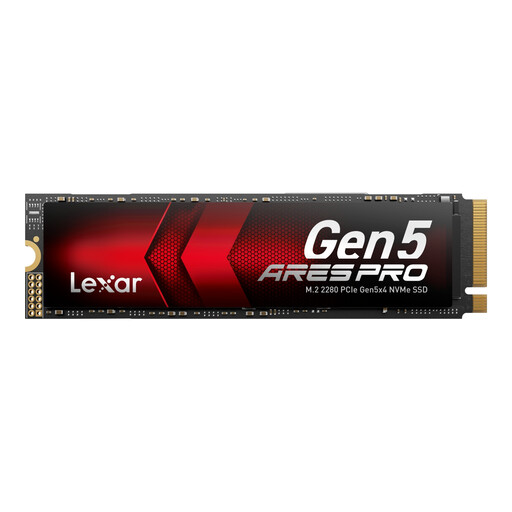
Why this product suits this profile: This PCIe 5.0 SSD is designed for users with a compatible system who work with large files, AI applications or demanding games.
The product specifications list heat dissipation and backward compatibility with PCIe 4.0. Even so, sustained Gen5 workloads call for good airflow and M.2 cooling.
Read speeds of up to 14,000 MB/s, write speeds of up to 7,500 MB/s and 750 TBW according to the manufacturer; five-year limited warranty.
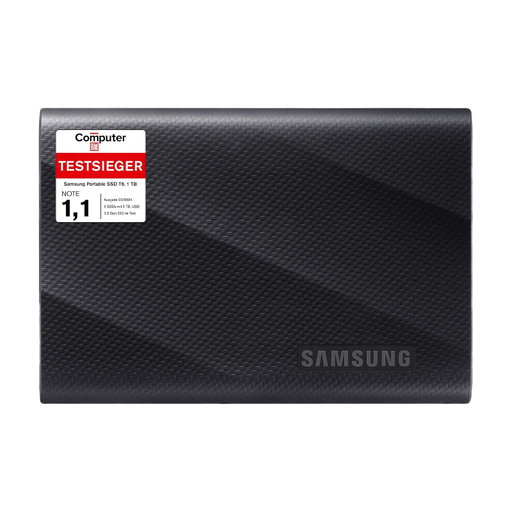
Why this product suits this profile: This portable SSD is ideal for large project files, backups and mobile workflows, provided your computer supports USB 3.2 Gen 2x2.
The stated speed isn’t a blanket promise: performance will be lower without the right USB standard and cable.
Read and write speeds of up to 2,000 MB/s, two USB cables and an enclosure rated to withstand drops from up to 3 metres.
We’ve put together a complete, regularly updated list of products that meet these strict selection criteria and fully comply with the safety regulations in force in the EU.
The stated capacity of 1 TB doesn’t all translate into usable storage, as some space is used for formatting, system areas and management functions. It’s often enough for an operating system, programmes and several games. For extensive 4K projects, you may want additional storage.
PCIe standards are backward compatible in many systems. However, the SSD will then run at the lower supported standard. The specific M.2 slot, BIOS support and cooling are all important. Your motherboard manual is the most reliable source of information.
You can’t determine a fixed lifespan from capacity alone. Write volume, TBW rating, temperature, power supply and usage all matter. Regular backups are still essential, as an SSD can fail without warning. Suitable firmware, TRIM enabled and adequate cooling all help support reliable operation.