
Lieferung heute & morgen

Qualitätsgarantie

Willkommens-Angebote freischalten: KOSTENLOSE Lieferung | Bis zu 80 % RABATT | Kostenlose 30-Tage-JoyPlus-Testphase
App herunterladen
An SSD can make your PC much more responsive, transfer large files quickly and give you extra storage for games or videos. But a high MB/s figure doesn’t automatically mean it’s the right choice. The key factors are the connection, device compatibility, storage capacity and how you plan to use it.
A USB-C SSD won’t automatically run at the full speed of USB 3.2 Gen 2x2. Both your device and cable need to support the standard. If you connect it to a slower USB port, transfer speeds will be lower.
The same applies to an internal PCIe 4.0 SSD or PCIe 5.0 SSD: the quoted speed depends on having a compatible M.2 slot and platform. Older systems may support backward compatibility, but performance will be limited to the slower standard.
“M.2” initially refers to the drive’s form factor. Depending on the model, an M.2 SSD may use SATA or NVMe. Before you buy, check:
A PS5 SSD has additional requirements. As well as the correct M.2 form factor, it will generally need a suitable heatsink. Check the console manufacturer’s specifications before installing it.
A 1TB SSD is suitable for your operating system, applications and a modest games library. For large photo and video projects, or lots of installed games, a 2TB SSD, 4TB SSD or 8TB SSD may be a better choice. Usable capacity is always slightly lower than the stated capacity, as some space is used for formatting and system functions.
For sustained, heavy writing, TBW ratings, NAND type and operating temperature are also worth considering. An SSD can get warmer under prolonged load and reduce its speed. Good airflow or an M.2 heatsink helps keep the operating temperature within the recommended range.
For an external SSD, the interface and cable matter. According to product specifications, models with USB 3.2 Gen 2x2 can reach around 2,000 MB/s, provided the host device supports the standard. An external SSD with USB-C can often be used with older ports, but it will run at a lower speed.
For mobile use, the casing, weight and protection rating matter as well as speed. An IP65 rating means protection from dust and low-pressure water jets, but not from prolonged immersion in water.
An internal NVMe SSD in the M.2 2280 form factor installs directly on the motherboard or in a suitable laptop slot. PCIe 4.0 offers a good balance of transfer speeds, platform requirements and heat output for many gaming and creative applications. PCIe 5.0 can deliver much higher sequential speeds, but requires a compatible motherboard and careful consideration of cooling.
For a laptop SSD upgrade, check the drive’s height, slot, operating system and, where relevant, power consumption. Back up all your data before installation.
For an iPhone with USB-C and compatible video recording, a magnetic ProRes SSD may be worth considering. The device model, resolution, frame rate, cable and app support all need to be compatible.
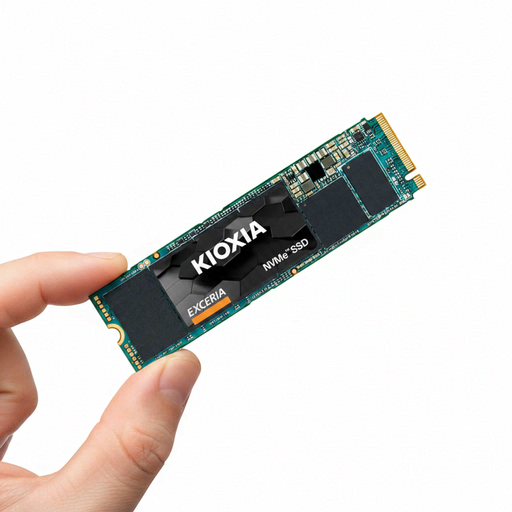
Why it’s a good fit: This internal 1TB NVMe SSD in the M.2 2280 form factor is designed for compatible desktop PCs and laptops, and uses PCIe Gen3 x4.
The interface is clearly specified as PCIe Gen3 x4. This makes it easier to check compatibility with your system, rather than comparing speed figures alone.
M.2 2280 form factor, read speeds of up to 1,700 MB/s according to the manufacturer, and SSD management software.
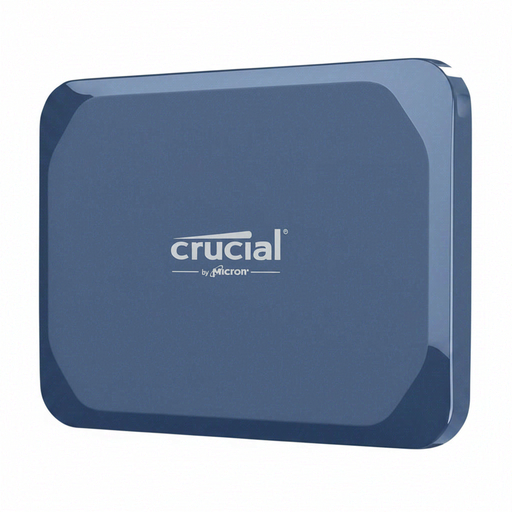
Why it’s a good fit: This external SSD combines USB-C 3.2 Gen 2x2 with an IP65-rated casing, making it suitable for mobile backups and large files.
The product details specify both the connection and the protection rating. This makes it easier to check whether your laptop, tablet or smartphone supports the interface.
Read speeds of up to 2,100 MB/s and write speeds of up to 2,000 MB/s, AES hardware encryption, and IP65 protection against dust and water jets.
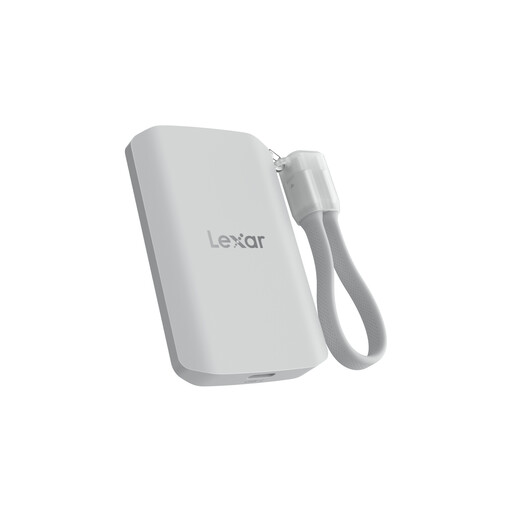
Why it’s a good fit: This magnetic portable SSD is designed for mobile video recording and devices with MagSafe compatibility.
The product details make it clear that systems without USB 3.2 Gen 2x2 may deliver lower performance. That helps set realistic expectations for different USB-C ports.
Read and write speeds of up to 2,000 MB/s according to the product details, IP65 protection, and support for Apple ProRes 4K on compatible devices.
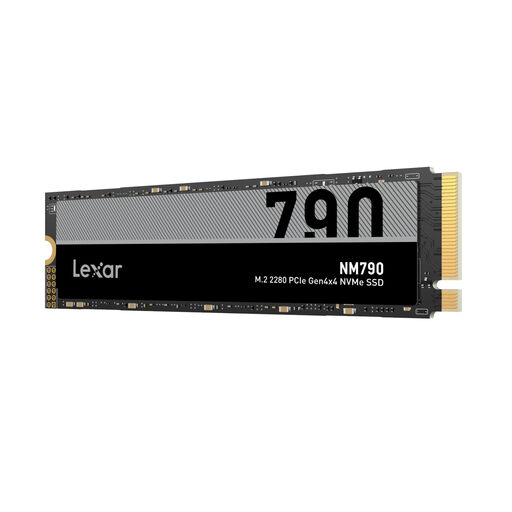
Why it’s a good fit: This internal 2TB SSD is designed for gaming PCs, laptops and compatible PlayStation 5 systems with an M.2 slot.
Check the M.2 2280 form factor, PCIe Gen4x4 interface and the required heatsink for PS5 use. This means you can look beyond the speed figure alone.
Read speeds of up to 7,400 MB/s, write speeds of up to 6,500 MB/s and 2TB capacity, according to the manufacturer.
We’ve put together a complete, regularly updated list of products that meet these strict selection criteria and fully comply with the safety regulations in force in the EU.
A PS5 SSD should meet Sony’s requirements for M.2 form factor and PCIe interface. A suitable heatsink is also important. Before installation, check the dimensions, sequential read speed and the console’s current requirements.
Lifespan depends on NAND technology, write volume, temperature and usage. Manufacturers often provide a TBW rating to indicate this. Regular backups are still essential, as an SSD can fail even though it has no moving parts.
A portable SSD is usually powered via USB-C, so it doesn’t need a separate power supply. Actual power consumption depends on the interface, model and workload. On smartphones, recording for an extended period to an external SSD can put extra strain on the battery.