
Lieferung heute & morgen

Qualitätsgarantie

Willkommens-Angebote freischalten: KOSTENLOSE Lieferung | Bis zu 80 % RABATT | Kostenlose 30-Tage-JoyPlus-Testphase
App herunterladen
An SSD can significantly speed up system boot times, programme launches and file transfers. However, not every high MB/s figure automatically leads to the right purchase. What really matters is the interface, form factor, capacity and the device in which the SSD will be used.
Manufacturers usually quote the maximum sequential read and write speed. These figures apply under specific conditions and aren't achievable in every application. What's more, a PCIe 5.0 SSD fitted in a PCIe 4.0 or PCIe 3.0 slot will run slower.
For office work, browsing and many games, an NVMe SSD with PCIe 4.0 is often more than enough. A PCIe 5.0 SSD is better suited to modern high-performance PCs and demanding workloads such as 4K video editing, 3D projects or large data transfers.
'M.2' only describes the form factor. An M.2 SSD can connect via SATA or NVMe depending on the model. Before buying, check your motherboard or laptop manual:
A SATA SSD in the 2.5-inch form factor, on the other hand, requires a SATA data and SATA power connection. It's often a suitable upgrade for older PCs and laptops, but typically delivers lower transfer speeds than an NVMe SSD.
The stated capacity isn't fully usable because part of it is reserved for formatting and system functions. With a 1TB SSD, you'll therefore have slightly less storage available. For several large games, raw footage and project files, a 2TB SSD can be more practical. A 4TB SSD is particularly well suited to extensive media archives, game libraries or professional work data.
Regardless of the SSD, important files should be regularly backed up to a second drive or a suitable backup system.
The interface determines how the SSD communicates with the device:
With an external SSD using USB 3.2 Gen 2x2, for example, up to 20 Gbit/s is possible over the interface. However, a USB 3.2 Gen 2 port at 10 Gbit/s will limit the transfer accordingly.
For internal drives, M.2 2280 is widely used. Slim laptops, however, may require specific lengths or single-sided modules. When choosing an SSD for a laptop, you should also consider the installation space, height and heat output.
An SSD for PS5 must fit the expansion slot and meet the console's requirements. Many M.2 models require a suitable heatsink. Claims like 'PS5-compatible' should therefore be checked against Sony's current specifications and the technical data of the specific model.
The TBW figure describes a write volume specified by the manufacturer. It's a technical benchmark and not a guarantee of a particular lifespan. With intensive use, such as daily video exports, temperature, firmware, write patterns and adequate ventilation also play a role.
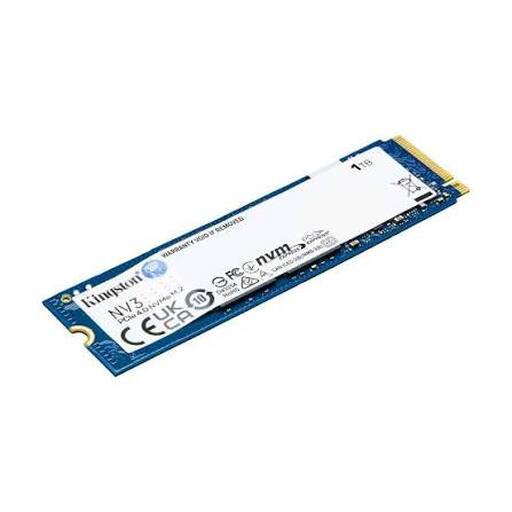
Why it fits the profile: A compact internal SSD for compatible PCs, laptops and small systems with an M.2 slot. The 1TB capacity is suitable for the operating system, applications and a modest game library.
The interface is clearly stated as PCIe 4.0 x4 NVMe. This makes it easier to check compatibility, rather than buying based on the M.2 label alone.
M.2 2280, 3D-NAND and, according to the product data, up to 6,000 MB/s read and 4,000 MB/s write.
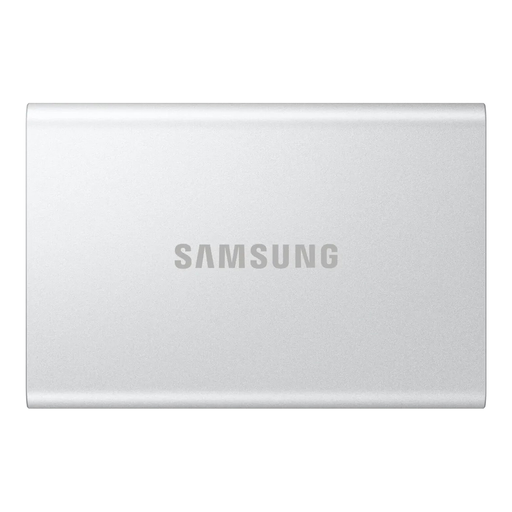
Why it fits the profile: A portable SSD for Windows, macOS, Android and compatible games consoles. It's ideal for backups, documents and transporting project files.
USB-C-to-C and USB-C-to-A cables are included. However, the actual speed still depends on the USB port of the target device.
USB 3.2 Gen 2, according to the product data up to 1,050 MB/s read and 1,000 MB/s write, AES-256 hardware encryption and a housing made from recycled aluminium.

Why it fits the profile: An internal PCIe 4.0 SSD for gaming PCs, video editing and compatible consoles. 2TB offers extra room for large games and media projects.
The integrated heatsink addresses heat dissipation during extended load periods. Before installation, check that the heatsink fits inside your device.
PCIe 4.0, 2TB capacity and, according to the product data, up to 7,450 MB/s read and 6,900 MB/s write.
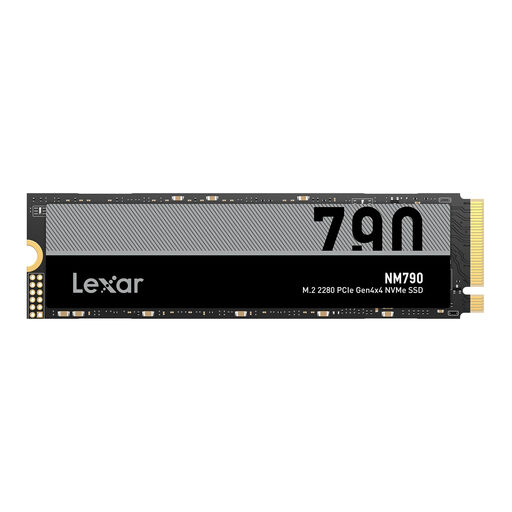
Why it fits the profile: A 4TB NVMe SSD for extensive game libraries, video projects and local data sets. It's designed for compatible PCs, laptops and PS5 expansion.
The product data explicitly states M.2 2280 and PCIe 4.0 x4. For the PS5, a suitable heatsink is required; this requirement should be clarified before purchase.
4TB storage and, according to the product data, up to 7,400 MB/s read and 6,500 MB/s write.
In the full category you'll find a regularly updated selection of SSDs for different devices, capacities and interfaces.
That depends on the available slot. If your device supports M.2 PCIe NVMe, an M.2 2280 SSD is an option. For older laptops with a 2.5-inch SATA bay, a SATA SSD is usually the more suitable choice. Before buying, check the form factor, length, interface and any manufacturer restrictions.
It's not possible to give a fixed lifespan across the board. Write volume, temperature, usage patterns and the specific model all play a part. Manufacturers often quote TBW values and warranty terms. For important data, regular backups remain essential, regardless of the stated durability.
A USB-C SSD is normally powered directly through the USB port and doesn't need its own power supply. Power consumption depends on the model and usage. For full transfer performance, the SSD, cable and port must all support the same USB standard.