
Lieferung heute & morgen

Qualitätsgarantie

Willkommens-Angebote freischalten: KOSTENLOSE Lieferung | Bis zu 80 % RABATT | Kostenlose 30-Tage-JoyPlus-Testphase
App herunterladen
An SSD can reduce start-up times, transfer large files faster and provide extra storage for games or media projects. But choosing one isn’t just about the quoted speed. Many buying decisions go wrong because of an incompatible interface, inadequate cooling or a capacity that fills up sooner than expected.
This guide explains what home users, gamers, content creators and professionals should look for when buying an SSD, and which models suit different needs.
Figures such as 7,000 or 14,000 MB/s usually refer to sequential measurements taken under specific conditions. Real-world performance also depends on your motherboard, processor, operating system, file size and temperature. A PCIe 5.0 SSD also needs a compatible system to make full use of its interface bandwidth.
A PCIe 4.0 SSD is enough for many gaming PCs and laptops. If you use one in a slower PCIe slot, its potential transfer rate will be reduced accordingly.
M.2 describes the form factor. Depending on the model, an M.2 SSD can connect via SATA or PCIe. For high transfer rates, an NVMe SSD with a PCIe interface is the usual choice. Before buying, check your PC or laptop’s manual for the slot, protocol and supported PCIe generation.
After formatting and reserving space for system functions, a 1TB SSD, 2TB SSD, 4TB SSD or 8TB SSD will have slightly less storage available. It’s also a good idea to leave some space free to maintain consistent performance. If you store games, 4K videos and project files, 2 TB or 4 TB will often be more practical than a 1 TB model with little room to spare.
An internal M.2 2280 SSD is typically 22 × 80 mm. This size is common in many desktop PCs and laptops, but it isn’t universal. Before ordering, check:
A PS5 SSD has additional requirements. The console needs a compatible M.2 NVMe SSD with PCIe 4.0 and adequate cooling. A suitable heatsink may be required. Always follow the relevant console manufacturer’s guidance.
Sequential read speed matters for large files and certain loading processes. For operating systems and applications, access times and random input/output operations also play a part. A high manufacturer-rated speed alone doesn’t guarantee a proportionally faster experience.
Fast internal SSDs can get warm under sustained workloads. For a PCIe 4.0 SSD or PCIe 5.0 SSD, check whether your motherboard has an M.2 heatsink. If the temperature gets too high, the SSD may temporarily reduce its speed. Good case ventilation helps keep it running consistently.
The TBW rating is the total amount of data the manufacturer says can be written to the drive. It’s a technical guide, not a guarantee of a specific lifespan. For home use, gaming and backups, warranty terms, firmware support and regular data backups are also important.
An SSD is no substitute for a backup. Save important photos, documents and work files to at least one other storage device or a separate location.
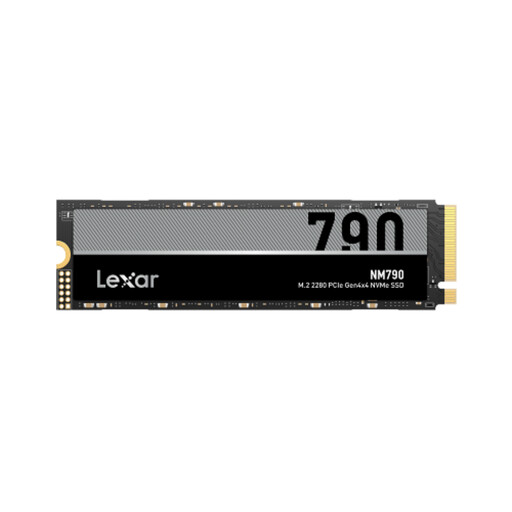
Why this product suits this user: Its 1 TB capacity is suitable for an operating system, applications and a modest games library in a compatible PC or laptop.
The specifications explicitly state PCIe 4.0 x4, NVMe and the M.2 2280 form factor. This makes it easier to check compatibility than with a vague M.2 description.
Manufacturer-rated speeds of up to 7,000 MB/s read and 6,000 MB/s write; HMB and SLC cache are also listed.
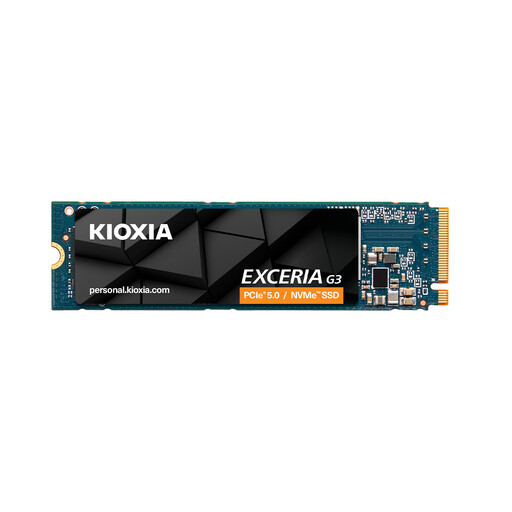
Why this product suits this user: 2 TB gives you room for programmes, games and larger files, without needing to upgrade straight to a very high-capacity drive.
The product details specify PCIe Gen4 x4, NVMe 1.4, the M.2 2280 form factor and a TBW rating. You should still check the specific slot and make sure cooling is provided before installing it.
Manufacturer-rated speeds of up to 5,000 MB/s read and 3,900 MB/s write, with a stated endurance of 1,200 TBW.
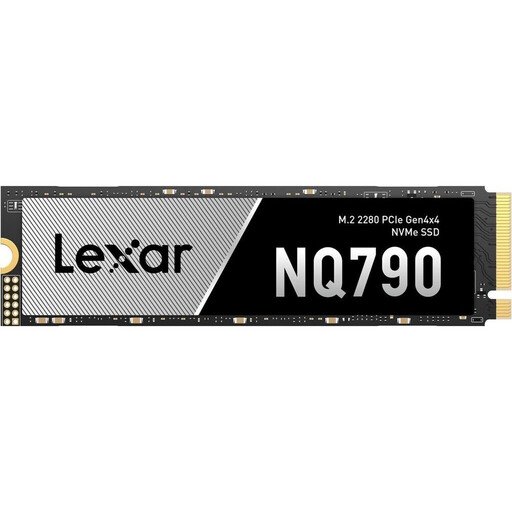
Why this product suits this user: 4 TB is aimed at users with large games libraries, extensive media archives or frequent write workloads.
The capacity means you won’t need to keep moving files elsewhere. For use as a PS5 expansion, you’ll need a suitable heatsink and should check that the drive is approved for the console.
Manufacturer-rated speeds of up to 7,000 MB/s read and 6,000 MB/s write, with 2,400 TBW; the drive is listed as M.2 2280 with PCIe Gen4 x4.
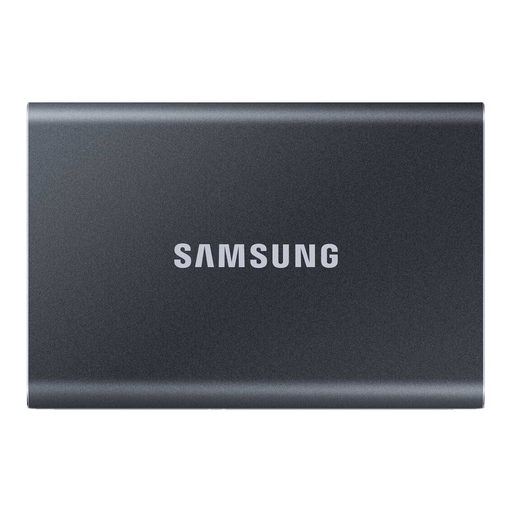
Why this product suits this user: As an external SSD, the T7 is ideal for backups, carrying large files and expanding storage on a laptop, PC or console.
The USB 3.2 Gen 2 interface and the supplied USB-C to C and USB-C to A cables make it easy to connect. The speed you get depends on the port you use.
Manufacturer-rated read speeds of up to 1,050 MB/s, an aluminium casing, a weight of 58 g and optional 256-bit AES hardware encryption.
We’ve put together a complete, regularly updated list of products that meet these strict selection criteria and fully comply with the safety regulations in force in the EU.
For many modern gaming PCs, an NVMe SSD with PCIe 4.0 is a good choice. The key things are a compatible M.2 slot, adequate cooling and enough capacity. If you have a large games library, 2 TB or 4 TB may make more sense than 1 TB.
Lifespan depends on the storage technology, amount of data written, temperature and how you use the drive. The TBW rating gives you a technical point of comparison, but it isn’t an exact prediction. Firmware updates and regular backups are important whatever model you choose.
A portable SSD is ideal for quick backups and carrying data around. Safely eject it after backing up, protect it from moisture and don’t use it as the only place where you store important files.