
Lieferung heute & morgen

Qualitätsgarantie

Willkommens-Angebote freischalten: KOSTENLOSE Lieferung | Bis zu 80 % RABATT | Kostenlose 30-Tage-JoyPlus-Testphase
App herunterladen
An SSD can significantly reduce boot times, file transfer times and game loading times. However, not every speed quoted on the box will make a noticeable difference. Important requirements such as the right slot, cooling and the actual connection speed are often overlooked.
This buying guide explains which specifications matter when choosing an internal SSD, an NVMe SSD or an external SSD, and which models are suited to different needs.
Manufacturers usually quote sequential read speeds. These describe performance with large, continuous files under suitable test conditions. When starting programmes or loading lots of small files, random access speeds, system configuration and the software you use also play a part.
A PCIe 4.0 SSD rated at up to 7.000 MB/s also needs a compatible PCIe 4.0 x4 slot to reach its quoted interface speed. It will usually still work in an older PCIe 3.0 system, but with a slower connection.
M.2 initially describes only the form factor. The protocol and interface also matter when choosing a drive. A modern M.2 SSD for desktop PCs and laptops often uses NVMe over PCIe. Before buying, check your motherboard or laptop manual to see:
An M.2 SATA slot is not compatible with every NVMe SSD. The name alone is not enough to make a confident choice.
Formatting and system functions mean that usable capacity is slightly lower than the stated capacity. A 1TB SSD is suitable for your operating system, applications and a moderate selection of games. A 2TB SSD gives you more room for game libraries, photos and video projects. For larger collections of data, consider a 4TB SSD or 8TB SSD.
Fast NVMe models can get warm during long write operations. If they do not cool down sufficiently, they may temporarily reduce their performance. Check whether your motherboard has an M.2 heatsink or whether you need to fit a suitable one. This is particularly important with a PCIe 5.0 SSD.
A PCIe 3.0 or PCIe 4.0 NVMe SSD is fast enough for many everyday PCs. A PCIe 4.0 SSD offers short access times and high sequential transfer rates, provided your system supports the interface. A PCIe 5.0 SSD is better suited to current platforms, demanding workstations and people who regularly move large amounts of data. You can only benefit from the extra speed if the motherboard, processor, slot and cooling are all compatible.
With an external SSD, the USB connection limits transfer speeds. A USB 3.2 Gen 2 connection delivers different speeds from USB 3.2 Gen 2x2. The cable you use must also support the interface. A USB-C connector alone does not tell you how fast the connection will be.
TBW stands for “Terabytes Written” and indicates how much data the manufacturer says can be written over the drive’s lifetime. It is a useful point of comparison, not a guarantee of a particular lifespan. Office work has different requirements from daily 4K video editing or running large virtual machines.
You should also check the NAND technology, warranty terms and any manufacturer software available. Features such as TRIM, SMART monitoring and firmware updates can make managing your drive easier. You should still keep important data backed up on at least one other storage device.
An internal SSD is designed to be permanently installed in a laptop, desktop PC or, if confirmed to be compatible, a PlayStation 5. A portable SSD, on the other hand, connects via USB and can be used with several devices. It is handy for backups, media archives and taking large projects with you.
For an external SSD, the casing, cable, shock protection and device compatibility are particularly important. The Samsung Portable SSD T7, for example, supports USB-C to USB-C and USB-C to USB-A connections. According to the manufacturer, it also offers optional hardware encryption with password protection.
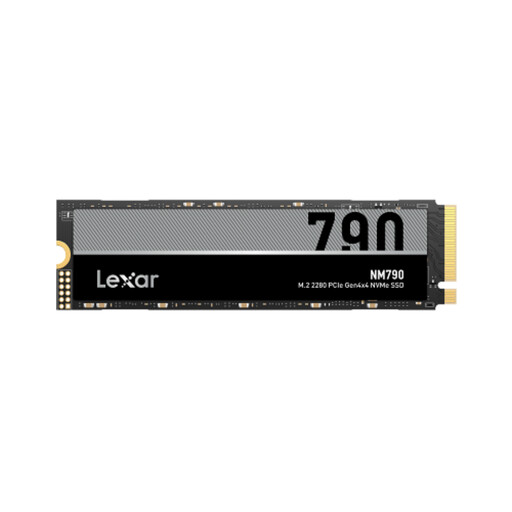
Why this product suits this profile: Its 1TB capacity is designed for your operating system, programmes and a modest games library. The M.2 2280 form factor fits many modern desktop PCs and laptops, but check your device manual first to confirm compatibility.
The specifications list PCIe 4.0 x4, NVMe and the M.2 2280 form factor separately. This makes it easier to check compatibility, rather than choosing a drive based on its form factor alone.
Manufacturer-rated speeds of up to 7.000 MB/s read and 6.000 MB/s write, with 600 TBW.
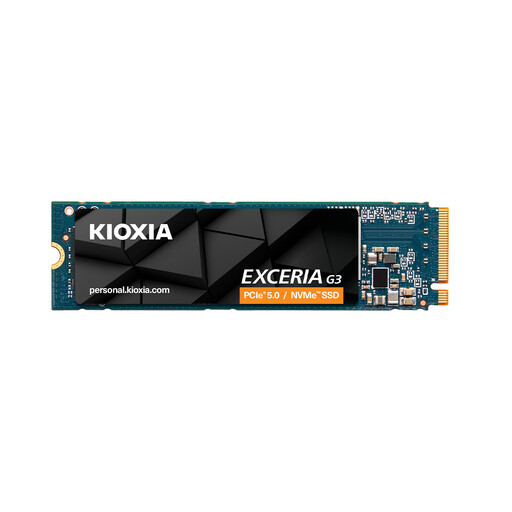
Why this product suits this profile: The 2TB capacity gives you room for applications, games and media projects. It is designed for desktops and laptops and, according to the product specifications, can also be used as a PS5 expansion drive, provided PCIe 4.0 is supported.
The product specifications list the interface, form factor and TBW separately. Allow for an M.2 heatsink or sufficient airflow when installing the drive.
Manufacturer-rated speeds of up to 5.000 MB/s read and 3.900 MB/s write, with 1.200 TBW at 2TB capacity.
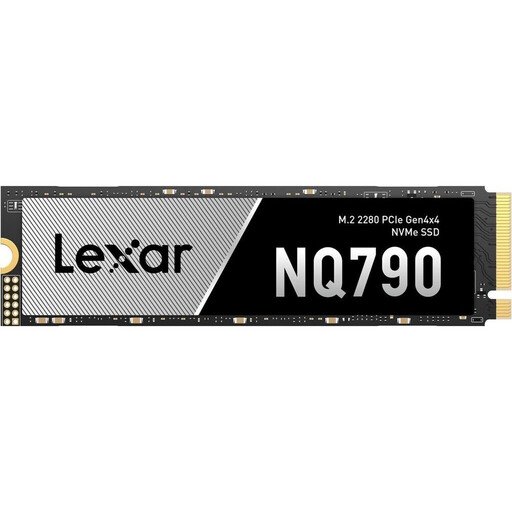
Why this product suits this profile: 4TB is ideal for large games libraries, extensive raw data collections and frequent file transfers. The stated PS5 compatibility requires a suitable heatsink.
Its generous capacity reduces the need for several smaller drives. Before buying, check the slot, cooling and available firmware support.
Manufacturer-rated speeds of up to 7.000 MB/s read and 6.000 MB/s write, with 2.400 TBW.
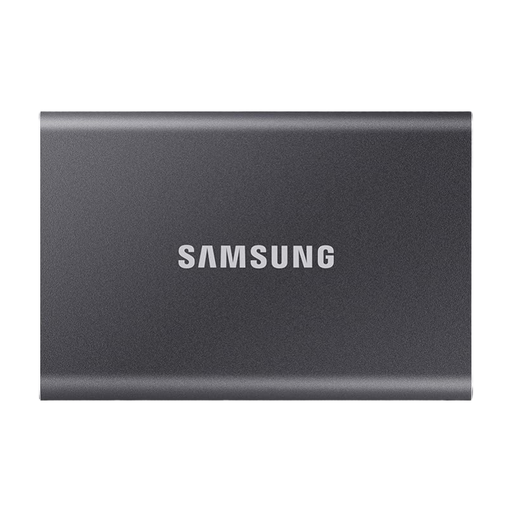
Why this product suits this profile: As an external SSD, the T7 can be used with compatible PCs, laptops and games consoles. Its 2TB capacity is suitable for backups, media and games you want to keep off your main drive.
According to the product description, USB-C to USB-C and USB-C to USB-A cables are included. This means you are less likely to need to budget for extra hardware because you do not have the right cable.
Manufacturer-rated speeds of up to 1.050 MB/s read and 1.000 MB/s write, plus optional hardware encryption.
We’ve put together a complete, regularly updated list of products that meet these strict selection criteria and fully comply with the safety regulations in force across the EU.
Lifespan depends on write volume, temperature, NAND technology and how the drive is used. The TBW rating is a useful guide. Whatever the rating, you should keep a separate backup of important data.
An internal M.2 NVMe SSD must meet the console’s requirements, including form factor, interface and read speed. Some models also need a compatible heatsink. Before installing a drive, always check the latest documentation from the console and SSD manufacturers.
A portable SSD is usually powered through USB. Its power consumption depends on the interface, write load and connected device. On a laptop, transferring data for an extended period can use more battery power than leaving the drive idle.