
Lieferung heute & morgen

Qualitätsgarantie

Willkommens-Angebote freischalten: KOSTENLOSE Lieferung | Bis zu 80 % RABATT | Kostenlose 30-Tage-JoyPlus-Testphase
App herunterladen
An SSD can reduce start-up times, transfer large files more quickly and expand your available storage. However, a high MB/s figure does not automatically mean it is the right solution. The key factors are the connection, form factor, compatibility and intended use.
Figures such as “up to 2,000 MB/s” usually refer to sequential transfers under specific conditions. This figure does not necessarily apply to every USB port, cable or file size.
A USB-C port alone also tells you very little. Technically, it may support only USB 3.2 Gen 1, USB 3.2 Gen 2 or USB 3.2 Gen 2x2. If a USB 3.2 Gen 2x2 SSD is connected to a slower port, the achievable speed will drop. The supplied or selected cable must also support the appropriate standard.
An M.2 SSD is not automatically compatible with every M.2 slot. There are M.2 SATA and M.2 NVMe drives. To use an internal NVMe SSD, your motherboard or laptop must provide a PCIe NVMe slot.
With a PS5 SSD, the form factor, read speed and heat dissipation are also important. An internal M.2 SSD requires a suitable heatsink in the PlayStation 5. Before buying, check your console's technical requirements and the available installation length.
A 1TB SSD is suitable for office files, photos, applications and a modest games library. For several large games, 4K video projects or extensive photo archives, a 2TB SSD may be more practical. A 4TB SSD provides extra capacity for large libraries, but usually costs more to buy and should only be chosen if you genuinely need the space.
Important: Part of the capacity is taken up by the file system and the manufacturer's unit conversion. An SSD with a nominal capacity of 1 TB will therefore not display exactly 1,000 GB of free storage during use.
An external SSD, also known as a portable SSD, connects via USB. It is suitable for backups, mobile work files, photos, videos and switching between several devices. Models with USB-C can be used with many current laptops, tablets and smartphones.
An internal SSD is installed directly inside a PC, laptop or console. PCIe 4.0 SSDs offer a balanced combination of performance and heat generation for many current systems. PCIe 5.0 SSDs require a compatible motherboard or notebook and can reach higher temperatures under load. A heatsink and sufficient airflow should therefore be taken into account.
For an SSD for iPhone and mobile ProRes recording, the smartphone, operating system, cable and app or recording function must work together. Compatibility should therefore be checked in the product specifications. Some magnetic models support only specific iPhone generations.
An aluminium housing, shock protection or an IP rating can reduce certain risks, but they are no substitute for a backup. For confidential files, features such as 256-bit AES hardware encryption and password protection may be relevant. Always safely eject the drive before disconnecting it, so that any open write operations can be completed.
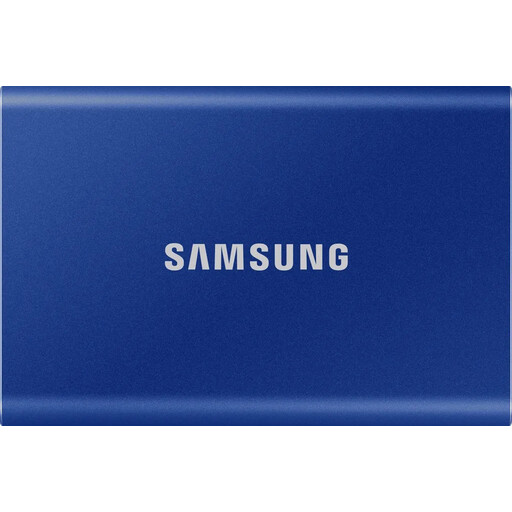
Why this product suits this profile: This 1TB external SSD is designed for backups, documents and photos, and for use with PCs, Macs or compatible games consoles. USB-C-to-C and USB-C-to-A cables are included.
The interface is clearly specified: USB 3.2 Gen 2 with read speeds of up to 1,050 MB/s and write speeds of up to 1,000 MB/s. The two cables reduce connection issues with older and current devices.
Aluminium housing, drop tolerance of up to 2 m according to the product description, and optional 256-bit AES hardware encryption.
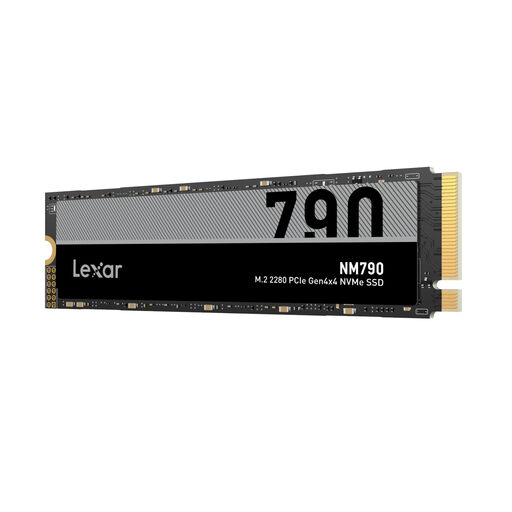
Why this product suits this profile: This internal NVMe SSD is aimed at PC upgraders, gamers and users working with large files. Its 2 TB capacity provides more room than a 1TB SSD without requiring you to jump straight to 4 TB.
The M.2 2280 form factor and PCIe Gen4x4 NVMe 1.4 are clearly specified. Even so, check before installation that your PC, laptop or PS5 provides the required slot and a suitable heatsink.
Read speeds of up to 7,400 MB/s and write speeds of up to 6,500 MB/s according to the product data, 3D NAND TLC storage and a 2 TB capacity.
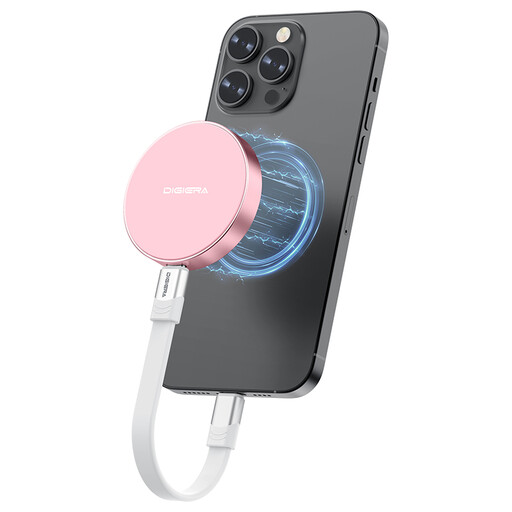
Why this product suits this profile: Content creators and photographers using USB-C devices get a compact solution for mobile files and direct ProRes recording with compatible iPhone models.
The specifications state USB 3.2 Gen 2x2 and restrict compatibility to iPhone 15 and newer models. This helps avoid the common confusion between a USB-C connector and device compatibility.
Read speeds of up to 2,000 MB/s and write speeds of up to 1,800 MB/s according to the product description, magnetic attachment and shock resistance of up to 1,500 G.
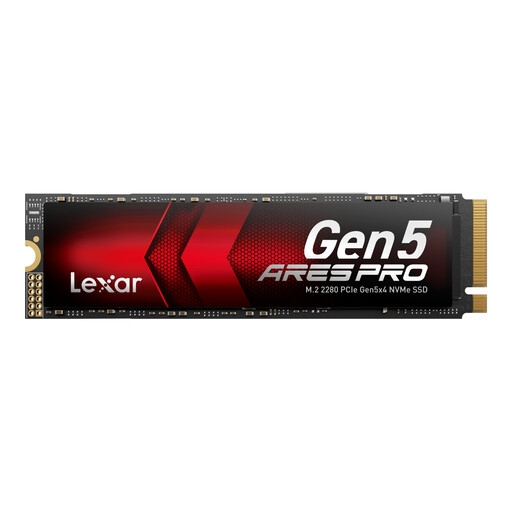
Why this product suits this profile: Suitable for users with a compatible PCIe 5.0 system, large video projects, demanding applications or extensive games libraries.
The PCIe 5.0 interface is clearly specified. Before buying, check the slot, BIOS support and cooling, as older devices may limit performance.
2 TB capacity, PCIe 5.0 x4 and read speeds of up to 14,000 MB/s plus write speeds of up to 10,000 MB/s according to the product data; a heat dissipation solution is provided.
We have put together a complete, regularly updated list of products that fully meet these strict selection criteria and the safety regulations applicable in the EU.
Lifespan depends on the NAND type, amount of data written, temperature and usage. Regular backups remain essential for important files. An SSD should not be kept permanently filled to its final remaining capacity, as the operating system and controller need free space for management operations.
A compatible M.2 NVMe SSD is required for internal expansion. In addition to capacity, the console's requirements for form factor and read speed are crucial. Many M.2 models require a suitable heatsink, which should be specifically taken into account.
No. USB-C describes the connector, not the transfer standard. Depending on the model, a USB-C SSD may use USB 2.0, USB 3.2 Gen 2 or USB 3.2 Gen 2x2. To achieve the expected speed, the SSD, host port and cable must support the same or a compatible standard.