
Lieferung heute & morgen

Qualitätsgarantie

Willkommens-Angebote freischalten: KOSTENLOSE Lieferung | Bis zu 80 % RABATT | Kostenlose 30-Tage-JoyPlus-Testphase
App herunterladen
An SSD can make a PC, laptop or games console feel much more responsive. However, choosing one doesn’t automatically mean you’ll get the right storage for your needs. Many offers advertise high transfer speeds without explaining which interface you need to achieve them. Others highlight capacity but leave out details such as form factor, heat output or compatibility limitations.
This buying guide explains what home users, gamers, content creators, photographers and small businesses should look for when buying an SSD.
An NVMe SSD with PCIe 4.0 can reach several thousand MB/s according to the manufacturer. But your motherboard, M.2 slot and operating system must support the standard. An SSD will generally still work in an older PCIe 3.0 system, but it won’t reach its advertised maximum speed.
The connection matters for an external SSD, too. A USB 3.2 Gen 2x2 drive needs a compatible USB-C port to make speeds of up to 2,000 MB/s technically possible. A standard USB port can significantly limit transfer speeds.
With an SSD 1TB, SSD 2TB or SSD 4TB, the capacity actually available will be slightly lower because the operating system and formatting use some of the space. 1 TB may be enough for office documents and photos. Large video projects, games libraries or RAW files can quickly call for 2 TB or more.
An internal SSD in the M.2 2280 form factor will only fit devices with a compatible M.2 slot. For a laptop, you’ll also need to check the drive’s height, supported protocol and, if relevant, the cooling already in place. A PS5 SSD must meet the console’s technical requirements; depending on the model, you may also need a suitable heatsink.
For desktop PCs and many modern laptops, M.2 SSDs with the NVMe protocol are a space-saving option. A PCIe 4.0 SSD uses four PCIe lanes and is designed for high sequential data rates. Older devices can often use PCIe 3.0, but check your motherboard or laptop manual to be sure.
A SATA SSD uses a different connector and offers lower transfer speeds. It’s still a good option for older computers without an M.2 slot.
As well as capacity, it’s worth checking the stated TBW rating. TBW stands for ‘Terabytes Written’ and describes the amount of data the manufacturer intends the drive to handle under specified conditions. It’s not an exact end-of-life point, but a technical measure you can use for comparison.
1 TB is often enough for everyday use. If you regularly edit 4K video, install a large number of games or manage extensive collections of files locally, 2 TB or 4 TB means you’ll need to clear space or move files less often.
Fast NVMe models can generate heat under sustained load. Good airflow or an M.2 heatsink can help keep the operating temperature within the intended range. This is particularly important for an SSD for gaming and for workstations handling long file transfers.
For a portable option, the enclosure, cable and protection against dust or water splashes also matter. A portable SSD is handy for backups and media projects, but it’s no substitute for an independent backup plan.
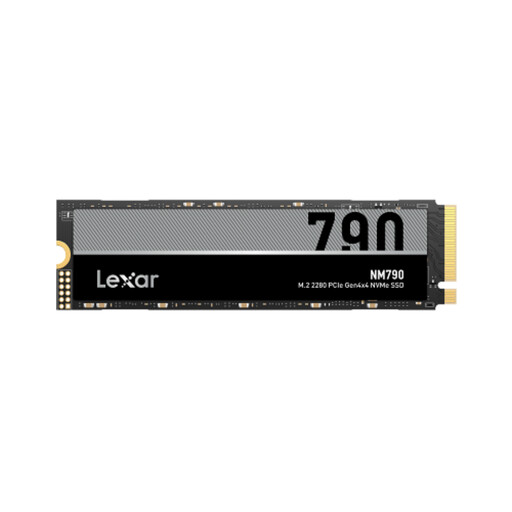
Why this product suits this profile: This internal M.2 SSD offers 1 TB of storage and PCIe 4.0 x4 with NVMe. It’s designed for use as a system drive, for programmes and for a modest games library.
The specifications clearly state the form factor, interface and protocol. You should still check that your computer has a compatible M.2 slot before buying.
According to the product specifications, it offers read speeds of up to 7,000 MB/s, write speeds of up to 6,000 MB/s and a 600 TBW rating.
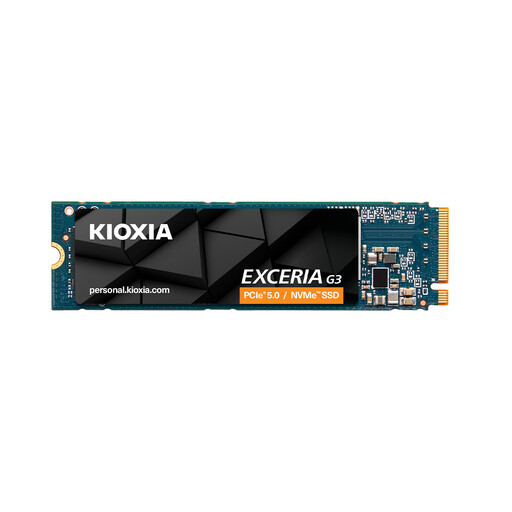
Why this product suits this profile: With 2 TB of storage and 3D TLC NAND, it’s aimed at users who want to keep programmes, games and media projects on one internal drive.
Its capacity gives you more breathing room than a limited 1 TB drive. For PS5 compatibility, check the console’s requirements and make sure the drive has suitable cooling.
According to the product data, it offers read speeds of up to 5,000 MB/s, write speeds of up to 3,900 MB/s and a 1,200 TBW rating.
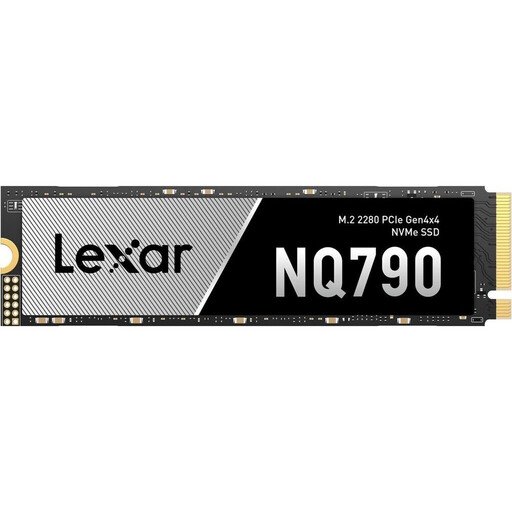
Why this product suits this profile: 4 TB is well suited to large games libraries, extensive video files and data-intensive workflows, with less need to move files elsewhere.
The generous capacity means you won’t need to keep moving files around. For extended periods under load, make sure your case provides adequate M.2 cooling.
According to the manufacturer, it offers read speeds of up to 7,000 MB/s, write speeds of up to 6,000 MB/s and a 2,400 TBW rating.
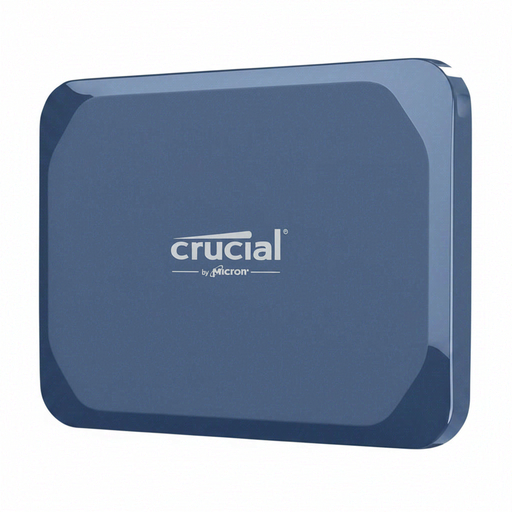
Why this product suits this profile: Connect this external SSD via USB-C to Windows, Mac, Android, iPad and Linux devices. It’s handy for carrying photos, videos and project files with you.
The interface and protection rating are clearly specified. Actual speeds will still depend on the USB-C port and cable you use.
According to the product specifications, it offers read speeds of up to 2,100 MB/s, write speeds of up to 2,000 MB/s, IP65 protection and drop resistance from heights of up to 2 metres.
We’ve put together a complete, regularly updated list of products that meet these strict selection criteria and fully comply with the safety regulations applicable in the EU.
A USB stick 128GB is a compact option for documents, installation files and short-term transfers. The DigiEra LUS320 model has both USB-A and USB-C, making it suitable for a range of devices. For regular backups of large amounts of data, an external SSD is usually a more practical choice.
A NAS hard drive 16TB, such as the Synology HAT3310-16T, is a magnetic 3.5-inch hard drive for compatible NAS systems. It isn’t an SSD, but it offers plenty of storage for network-attached storage. CMR technology, 7,200 rpm and the manufacturer’s stated workload limit of 180 TB per year are all useful details when planning a NAS setup.
Lifespan depends on the amount of data written, temperature, usage and model. TBW, SMART values and the manufacturer’s warranty can all provide useful guidance. Whatever the drive, you should regularly back up important files to a second storage device.
For an SSD for gaming, compatibility, capacity and load times are key. An internal NVMe SSD in the M.2 2280 form factor is a common choice for modern PCs. For a PS5, the interface, dimensions and heatsink must meet the console’s requirements.
A portable SSD is normally powered via USB. Power consumption depends on the model, workload and host device. With mobile devices, extended use can drain the battery more quickly than short file transfers.